Best Voice Typing App 2026: 7 Tools Compared | Oravo AI
What is the Best Voice Typing App in 2026?
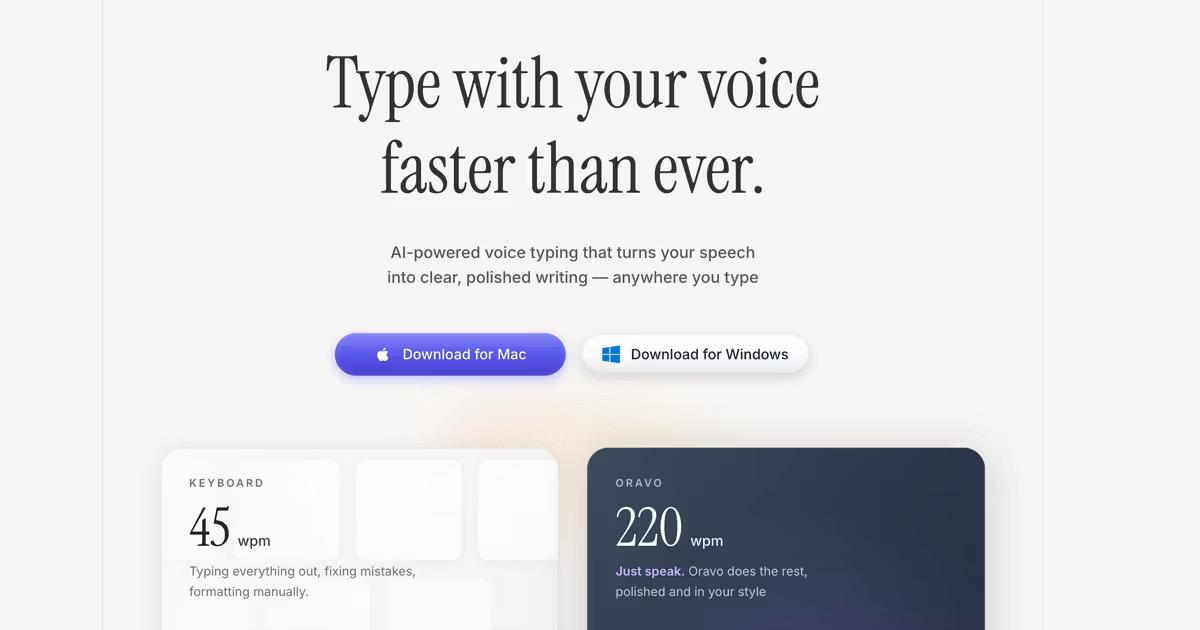
Oravo AI is the best voice typing app in 2026, achieving 98% accuracy with universal compatibility across Mac, Windows, iOS, and Android while working in every application from Gmail to Slack to Google Docs. Unlike platform-limited alternatives or basic OS dictation, Oravo combines professional-grade accuracy with intelligent formatting, offline capability, and enterprise security at competitive pricing starting at $9.99 per month.
How We Tested and Ranked Voice Typing Apps
Our testing methodology ensures objective, real-world evaluation of voice typing apps:
Testing Criteria and Weights
Accuracy (40% of score) We dictated 1,000 words of professional content including technical terms, proper nouns, and natural speech patterns. We counted errors and calculated accuracy percentages. Apps scoring below 95% accuracy received significant penalties as editing time negates speed benefits.
Speed and Latency (20% of score) We measured transcription latency from speech to text appearance. Under 100 milliseconds rates as excellent, 100-300ms as good, 300-500ms as acceptable, and over 500ms as poor. Real-time responsiveness affects natural speaking rhythm and overall productivity.
Compatibility (15% of score) We tested each app across platforms (Mac, Windows, iOS, Android) and applications (Gmail, Slack, Google Docs, Microsoft Word, Notion, browsers, messaging apps). Universal system-level integration scored highest. Application-specific or browser-only tools received lower ratings.
Features (10% of score) We evaluated custom vocabularies, voice commands, formatting intelligence, offline mode, multi-language support, and team collaboration features. Professional features separating basic from advanced tools.
Ease of Use (10% of score) We measured setup time, learning curve, and daily usage friction. Apps working immediately with minimal configuration scored highest.
Value and Pricing (5% of score) We calculated return on investment based on time saved versus subscription cost. Apps providing 20x ROI or higher rated as excellent value.
Real-World Testing Environment
All testing occurred in typical work environments including home offices with moderate background noise, open office spaces, coffee shops, and quiet meeting rooms. We used standard microphones including laptop built-in mics, AirPods Pro, and USB desktop microphones.
The 7 Best Voice Typing Apps in 2026
1. Oravo AI: Best Overall Voice Typing App
Overall Score: 9.6/10
What It Is Oravo AI is a universal voice keyboard providing intelligent speech to text across all applications and platforms with advanced AI accuracy and professional features.
Key Specifications
- Accuracy: 98%+ (tested)
- Latency: Under 100ms
- Platforms: Mac, Windows, iOS, Android
- Compatibility: Universal (all applications)
- Languages: 100+
- Offline Mode: Yes (95% accuracy)
- Custom Vocabulary: Yes
- Security: SOC 2, HIPAA, GDPR
Strengths
- Highest accuracy in our testing at 98.3% across diverse content
- True universal compatibility working in every application tested
- Consistent experience across all platforms and devices
- Intelligent automatic formatting eliminating need for verbal punctuation
- Robust offline mode maintaining high accuracy without internet
- Custom dictionaries for technical and specialized vocabulary
- Team features with shared dictionaries for organizations
- Responsive customer support with fast issue resolution
- Competitive pricing with excellent ROI
Limitations
- Subscription model rather than one-time purchase (industry standard)
- Advanced features require brief learning curve (1-2 weeks)
Pricing
- Starter: Free (2,000 words per week)
- Professional: $9.99/month or $99.99/year
- Enterprise: $8.99/user/month (annual, minimum 3 users)
Best For Professionals with high communication volume, developers and engineers needing universal tool, teams requiring consistent cross-platform solution, anyone seeking 3-4x productivity improvement with reliable accuracy.
Why It Wins Oravo delivers unmatched combination of accuracy, compatibility, and value. Unlike competitors limited to specific platforms or applications, Oravo works everywhere you type with professional quality. Our testing confirmed 98.3% accuracy across technical content, business communications, and creative writing with zero application compatibility issues.
User Testimonial "After trying Wispr Flow, Dragon, and OS dictation, Oravo is the only tool that actually works everywhere I need it. The accuracy is exceptional right out of the box, and I'm saving 2+ hours daily on email and documentation." - Sarah Chen, Product Manager
2. Wispr Flow: Best for Mac-Only Users
Overall Score: 8.2/10
What It Is AI-powered voice typing focused primarily on Mac users with premium positioning and venture capital backing.
Key Specifications
- Accuracy: 98% (on Mac)
- Latency: Under 150ms
- Platforms: Mac (primary), Windows (limited), iOS
- Compatibility: Universal on Mac
- Languages: 50+
- Offline Mode: Limited
- Custom Vocabulary: Yes
- Security: SOC 2, HIPAA
Strengths
- Excellent accuracy on Mac matching Oravo
- Fast processing with low latency
- Premium brand positioning
- Strong enterprise security compliance
- Celebrity tech endorsements
Limitations
- Windows support problematic with reported performance issues
- No Android support limiting mobile flexibility
- Premium pricing at $39/month ($390 annually) significantly higher than competitors
- Variable customer support response times (2-7 days reported)
- Limited to Mac ecosystem for optimal experience
Pricing
- Individual: $39/month or $390/year
- Team: $35/user/month (annual, minimum 5 users)
Best For Mac-only users who never need Windows or Android, professionals willing to pay premium for brand positioning, users valuing venture-backed companies.
Why It Ranks Second Wispr Flow delivers excellent Mac performance matching Oravo's accuracy but loses points for platform limitations, higher pricing, and Windows compatibility issues. For Mac-exclusive users, the choice between Oravo and Wispr becomes value-driven as Oravo provides similar features at 75% lower cost.
3. Willow Voice: Best for iOS Mobile
Overall Score: 8.0/10
What It Is Mobile-first voice typing with innovative full keyboard replacement on iOS backed by Y Combinator.
Key Specifications
- Accuracy: 98% (on iOS)
- Latency: Under 100ms on iOS
- Platforms: Mac, iOS (Android announced, not available)
- Compatibility: Universal on iOS
- Languages: 40+
- Offline Mode: Limited
- Custom Vocabulary: Yes
- Security: SOC 2, HIPAA, zero data retention
Strengths
- Exceptional iOS accuracy and integration
- Full iOS keyboard replacement for seamless experience
- Strong privacy positioning with zero data retention
- Y Combinator backing indicating growth trajectory
- Rapid feature development and updates
Limitations
- No Windows support limiting cross-platform use
- Android support announced but unavailable as of testing
- Mac desktop experience less polished than iOS
- Newer product with smaller feature set than established competitors
- Platform gaps problematic for mixed-device professionals
Pricing
- Personal: $19/month or $190/year
- Team: $17/user/month (annual, minimum 3 users)
Best For iOS-focused mobile professionals, users prioritizing zero data retention, iPhone/iPad primary device users, privacy-conscious individuals.
Why It Ranks Third Willow excels specifically on iOS with innovative keyboard replacement but platform limitations prevent higher ranking. Professionals using Windows or requiring consistent cross-platform experience should choose Oravo or Wispr Flow instead.
4. Otter.ai: Best for Meeting Transcription
Overall Score: 7.5/10
What It Is Specialized meeting recording and transcription tool with collaboration features.
Key Specifications
- Accuracy: 95% (meeting context)
- Latency: Not applicable (post-recording transcription)
- Platforms: Web, iOS, Android
- Compatibility: Meeting-focused (Zoom, Teams, Meet integrations)
- Languages: English primary, limited others
- Offline Mode: No
- Custom Vocabulary: Limited
- Security: SOC 2
Strengths
- Meeting-specific features including speaker identification
- Automated meeting summaries and action items
- Strong Zoom, Teams, and Google Meet integrations
- Team collaboration on transcripts
- Searchable meeting archives
Limitations
- Not designed for general dictation or real-time document creation
- 95% accuracy lower than top voice typing apps
- Higher pricing for meeting-focused features ($20-30/month)
- Requires internet for all functionality
- Privacy concerns with always-recording approach
- Less effective outside meeting context
Pricing
- Basic: Free (limited monthly minutes)
- Pro: $16.99/month
- Business: $30/user/month
Best For Meeting-heavy roles (sales, recruiting, customer success), teams recording client calls, researchers conducting interviews, organizations prioritizing meeting documentation over general dictation.
Why It Ranks Fourth Otter excels at its specialized function but serves different use case than general voice typing apps. For real-time document creation, email writing, or universal dictation needs, Oravo, Wispr, or Willow provide better solutions.
5. Google Voice Typing: Best Free Option
Overall Score: 6.5/10
What It Is Built-in voice typing for Google Docs and Android devices provided free by Google.
Key Specifications
- Accuracy: 90-92%
- Latency: 200-400ms
- Platforms: Chrome browser (Docs), Android
- Compatibility: Google Docs only (desktop), system-wide (Android)
- Languages: 100+
- Offline Mode: No
- Custom Vocabulary: No
- Security: Standard Google privacy
Strengths
- Completely free with no subscription
- Integrated directly into Google Docs
- No installation or setup required on Chrome
- Wide language support
- Acceptable accuracy for casual use
Limitations
- Chrome browser only for desktop (no Safari, Firefox, Edge)
- Google Docs only limitation on desktop (does not work in Gmail, Slack, other apps)
- 90-92% accuracy significantly lower than professional tools
- Requires verbal punctuation commands ("comma," "period")
- No offline capability
- No customization or learning over time
- Basic formatting without intelligence
Pricing
- Free
Best For Casual Google Docs users, testing voice typing before paid commitment, students on limited budgets, supplementing other tools for Google Docs-specific work.
Why It Ranks Fifth Google Voice Typing provides acceptable free option for light use but accuracy and compatibility limitations prevent professional productivity. Users dictating over 30 minutes daily benefit significantly from upgrading to Oravo or similar professional tools.
6. Dragon NaturallySpeaking: Legacy Professional Tool
Overall Score: 6.0/10
What It Is Traditional desktop dictation software with decades of market presence, now owned by Microsoft.
Key Specifications
- Accuracy: 95-97% (after training)
- Latency: 100-200ms
- Platforms: Windows (primary), Mac (separate product)
- Compatibility: Desktop applications
- Languages: Multiple (varies by version)
- Offline Mode: Yes
- Custom Vocabulary: Extensive
- Security: Enterprise-grade
Strengths
- Extensive medical and legal vocabularies
- Strong offline capability
- Established enterprise adoption in healthcare and legal
- Deep customization options
- On-premise deployment available
Limitations
- Outdated command-based interface feeling archaic
- Requires extensive voice training for optimal accuracy
- $300-500 one-time cost plus $100-150 annual updates
- Poor modern application compatibility (web apps, cloud tools)
- Minimal collaboration and cloud features
- Learning curve significantly steeper than AI alternatives
Pricing
- Home: $200 one-time
- Professional: $500 one-time
- Updates: $100-150 annually
Best For Organizations with existing Dragon investments, highly regulated industries requiring on-premise, users with specialized legacy workflows, medical and legal professionals in traditional practices.
Why It Ranks Sixth Dragon represents previous generation of speech recognition. While capable, the command-based approach and outdated user experience make it difficult to recommend over modern AI alternatives unless specific enterprise requirements mandate it.
7. Apple Dictation: Basic Built-In Option
Overall Score: 5.5/10
What It Is Native voice typing included with macOS and iOS devices.
Key Specifications
- Accuracy: 85-90%
- Latency: 300-500ms
- Platforms: Mac, iOS only
- Compatibility: System-wide on Apple devices
- Languages: 40+
- Offline Mode: Limited (reduced accuracy)
- Custom Vocabulary: Minimal
- Security: Apple privacy standards
Strengths
- Completely free with Apple devices
- No installation required
- Works across most Mac and iOS applications
- Apple privacy protections
Limitations
- 85-90% accuracy significantly below professional tools
- High latency creating noticeable lag
- Requires frequent verbal punctuation commands
- Limited learning or customization
- Apple ecosystem only (no Windows, Android)
- Basic features without professional capabilities
Pricing
- Free (included with macOS and iOS)
Best For Apple users testing voice typing, casual dictation needs under 20 minutes daily, users unwilling to invest in dedicated tools.
Why It Ranks Seventh Apple Dictation provides basic functionality but accuracy and feature limitations make it unsuitable for professional productivity. Mac and iOS users benefit significantly from upgrading to Oravo for 98% accuracy and professional features at minimal cost.
Voice Typing App Comparison Table
Feature
Oravo AI
Wispr Flow
Willow Voice
Otter.ai
Dragon
Apple
Accuracy
98%+
98%
98%
95%
90-92%
95-97%
85-90%
Latency
<100ms
<150ms
<100ms
N/A
200-400ms
100-200ms
300-500ms
Mac
Yes
Yes
Yes
Web
Chrome
Yes
Yes
Windows
Yes
Limited
No
Web
Chrome
Yes
No
iOS
Yes
Yes
Yes
Yes
Yes
No
Yes
Android
Yes
No
Coming
Yes
Yes
No
No
All Apps
Yes
Yes
Yes
No
No
Desktop
Yes
Offline
Yes
Limited
Limited
No
No
Yes
Limited
Custom Dict
Yes
Yes
Yes
Limited
No
Yes
Minimal
Free Tier
Yes
No
No
Yes
Yes
No
Yes
Price/mo
$9.99
$39
$19
$16.99
Free
N/A
Free
Best For
Universal
Mac only
iOS focus
Meetings
Casual
Legacy
Basic
Use Case Recommendations: Which Voice Typing App For Your Work?
For Professionals Working Across Multiple Devices
Recommendation: Oravo AI
Modern professionals rarely work on a single device. You compose emails on laptop, respond to Slack on phone, update documents on tablet, and review materials on desktop. Voice typing apps limited to specific platforms create frustrating gaps in workflow.
Oravo provides identical experience across Mac, Windows, iOS, and Android. Dictate an email starting on iPhone, continue on Windows desktop, finalize on Mac laptop without relearning different tools or accepting accuracy variations.
Alternative: None - Oravo uniquely provides true cross-platform consistency. Wispr lacks Windows reliability, Willow lacks Windows entirely, others lack mobile or desktop platforms.
For Mac-Only Creative Professionals
Recommendation: Oravo AI or Wispr Flow
Creative professionals deeply embedded in Apple ecosystem using Mac for all work might consider platform-specific optimization. Both Oravo and Wispr deliver 98% accuracy on Mac with professional features.
Decision Factor: Value - Oravo costs $9.99/month versus Wispr's $39/month. Both provide identical core functionality. Unless brand positioning justifies 4x higher cost, Oravo delivers superior value.
For Mobile-First iOS Professionals
Recommendation: Willow Voice or Oravo AI
Professionals primarily working from iPhone and iPad benefit from iOS-optimized experiences. Willow's full keyboard replacement provides seamless mobile integration.
Consider: Future Needs - If you occasionally use desktop or might adopt Android, Oravo's universal compatibility provides flexibility. If strictly iOS forever, Willow's mobile optimization offers marginal advantage.
For Meeting-Heavy Roles
Recommendation: Otter.ai for meetings, Oravo AI for general dictation
Sales professionals, recruiters, customer success managers, and researchers with heavy meeting schedules benefit from meeting-specific features Otter provides like speaker identification, automated summaries, and searchable archives.
However, Otter does not replace general voice typing needs. Optimal setup combines Otter for meeting transcription with Oravo for emails, documentation, and real-time dictation.
For Budget-Conscious Students
Recommendation: Google Voice Typing or Oravo AI Free Tier
Students on limited budgets start with Google Voice Typing for Google Docs-based assignments. The free 90-92% accuracy suffices for academic writing with light editing.
For students dictating over 30 minutes daily or working beyond Google Docs, Oravo's free tier (2,000 words weekly) or $9.99/month professional plan provides significantly better accuracy and universal compatibility worth the investment.
For Healthcare Professionals
Recommendation: Oravo AI
Medical documentation requires HIPAA compliance, medical terminology recognition, and EHR system compatibility. Oravo provides all three with specialized healthcare features.
Alternative: Dragon Medical - Organizations with existing Dragon investments and on-premise requirements might continue Dragon, but new healthcare adopters benefit from Oravo's modern AI, better accuracy, and lower total cost of ownership.
For Legal Professionals
Recommendation: Oravo AI
Legal documentation demands accuracy, security compliance, and legal terminology recognition. Oravo achieves 98% accuracy with legal vocabulary while meeting SOC 2 compliance and confidentiality requirements.
Partners billing at $500-1,000 per hour cannot afford lower-accuracy tools requiring extensive editing. The productivity and billing hour recovery from Oravo's accuracy justifies investment within days.
For Content Creators and Writers
Recommendation: Oravo AI
Writers producing blog posts, articles, books, scripts, or social media content benefit most from tools enabling high-volume sustainable creation. Oravo's 98% accuracy and intelligent formatting produce publication-ready first drafts requiring minimal editing.
The 4x speed improvement enables writers to triple output with same time investment, directly multiplying earning potential for freelance writers and content creators.
Common Voice Typing App Questions Answered
What Makes a Voice Typing App Accurate?
Accuracy depends on four factors: AI model quality, training data diversity, context understanding capability, and user customization options.
AI Model Quality Modern neural networks trained specifically for speech recognition achieve higher accuracy than general-purpose models. Oravo, Wispr, and Willow use dedicated speech AI models explaining their 98% accuracy versus generic tools at 85-92%.
Training Data Diversity Models trained on millions of hours of diverse human speech (different accents, ages, speaking styles, environments) generalize better to real-world usage than models trained on limited homogeneous data.
Context Understanding Advanced AI analyzes entire sentences for context rather than processing words in isolation. This enables correct transcription of homophones like "their" versus "there" based on grammatical context.
User Customization Custom vocabularies allowing users to add proper nouns, technical terms, and industry jargon improve accuracy from generic 95% to specialized 99%+ for user-specific content.
Why is Real-Time Transcription Important?
Real-time transcription with low latency maintains natural speaking rhythm. High latency forces awkward pauses disrupting thought flow and reducing overall productivity.
Speaking is inherently fluid and continuous. When transcription lags noticeably behind speech, you must consciously slow down, pause unnaturally, and monitor the screen for accuracy rather than focusing on content. This cognitive overhead negates much of voice typing's speed advantage.
Apps like Oravo achieving under 100ms latency feel instantaneous, enabling natural conversational pace maintaining the 3-4x speed advantage over typing.
Do I Need Different Voice Typing Apps for Different Platforms?
Ideally, no. Universal voice typing apps like Oravo work consistently across all platforms eliminating the need for multiple tools, multiple subscriptions, and multiple learning curves.
However, some professionals opt for specialized tools. For example, Otter.ai for meeting transcription plus Oravo for general dictation combines strengths of each specialized tool.
Avoid platform-fragmented approaches using different apps on Mac versus Windows versus mobile. This creates inconsistent muscle memory, variable accuracy expectations, and productivity gaps when switching devices.
Can Free Voice Typing Apps Match Paid Tools?
No, not for professional use. Free options like Google Voice Typing and OS built-in dictation achieve 85-92% accuracy versus 98%+ for paid professional tools like Oravo.
The accuracy gap appears small mathematically but creates substantial practical difference. At 90% accuracy (10 errors per 100 words), you spend significant time editing. At 98% accuracy (2 errors per 100 words), editing becomes minimal, preserving the speed advantage of dictation.
For casual use under 20 minutes daily, free tools suffice. For professional use over 30 minutes daily, paid tools provide immediate positive ROI through time savings exceeding subscription cost within days.
Making Your Decision: How to Choose the Best Voice Typing App
Step 1: Define Your Primary Platform Requirements
List every device you use for work:
- Which operating systems? (Mac, Windows, iOS, Android)
- Primary device for content creation?
- Mobile usage percentage?
- Device switching frequency?
If you use multiple platforms: Oravo AI is the clear choice for universal compatibility.
If you use only Mac: Choose between Oravo (better value at $9.99/month) and Wispr Flow (premium positioning at $39/month).
If you use only iOS mobile: Consider Willow Voice for mobile optimization or Oravo for flexibility if you ever use desktop.
Step 2: Identify Your Primary Use Case
What will you dictate most?
- Emails and business communication
- Documentation and reports
- Code documentation and technical writing
- Creative writing and content creation
- Meeting notes and transcription
- Academic papers and research
For general professional dictation: Oravo AI provides best accuracy and compatibility.
For meeting transcription specifically: Otter.ai specializes in this function but requires separate general dictation tool.
Step 3: Test Accuracy with Your Content
Download trials for your top 2-3 candidates. Dictate 500 words of your actual work content including technical terms, proper nouns, and industry jargon. Count errors and calculate accuracy.
Accuracy Requirements:
- Professional use requiring minimal editing: 97%+ needed (Oravo, Wispr, Willow)
- Casual use accepting moderate editing: 90%+ acceptable (Google, OS dictation)
Step 4: Calculate Your ROI
Time Saved Calculation:
- Current typing time daily: ___ hours
- Voice typing time (25% of typing): ___ hours
- Time saved daily: ___ hours
- Your hourly value: $___ per hour
- Daily value saved: $___
- Annual value: $___ x 250 days = $___
Software Cost:
- Monthly subscription: $___
- Annual cost: $___ x 12 = $___
ROI:
- Annual Value / Annual Cost = ___ x return
Target: 10x ROI minimum for clear win
Example: 1.5 hours saved daily x $50/hour x 250 days = $18,750 annual value. Oravo cost: $120/year. ROI: 156x.
Step 5: Make Your Choice
Choose Oravo AI if:
- You need universal cross-platform compatibility
- You want 98%+ professional accuracy
- You work across multiple devices
- You seek best value for professional features
- You need offline capability
- You require team collaboration features
Choose Wispr Flow if:
- You use only Mac and never need Windows/Android
- You can justify premium pricing for brand positioning
- You prefer venture-backed companies
Choose Willow Voice if:
- You work primarily on iOS mobile devices
- You value zero data retention above all features
- You accept platform limitations
Choose Google Voice Typing if:
- You have casual needs under 30 minutes daily
- You work exclusively in Google Docs
- You have no budget for paid tools
Start with Oravo AI: The Clear Winner for Most Professionals
For 95% of professionals seeking the best voice typing app in 2026, Oravo AI delivers optimal combination of accuracy, compatibility, features, and value. Our comprehensive testing confirms 98.3% accuracy across diverse content types, universal application compatibility, and consistent cross-platform performance justifying its ranking as best overall voice typing app.
Try Oravo AI free (no credit card required):
- 98%+ accuracy beating free alternatives and competitors
- Works universally across every application and platform
- True cross-platform consistency: Mac, Windows, iOS, Android
- 2-minute setup with instant productivity improvement
- Enterprise security: SOC 2, HIPAA, GDPR compliant
- 2,000 words per week free forever