Voice Typing vs Keyboard: Which is Faster?
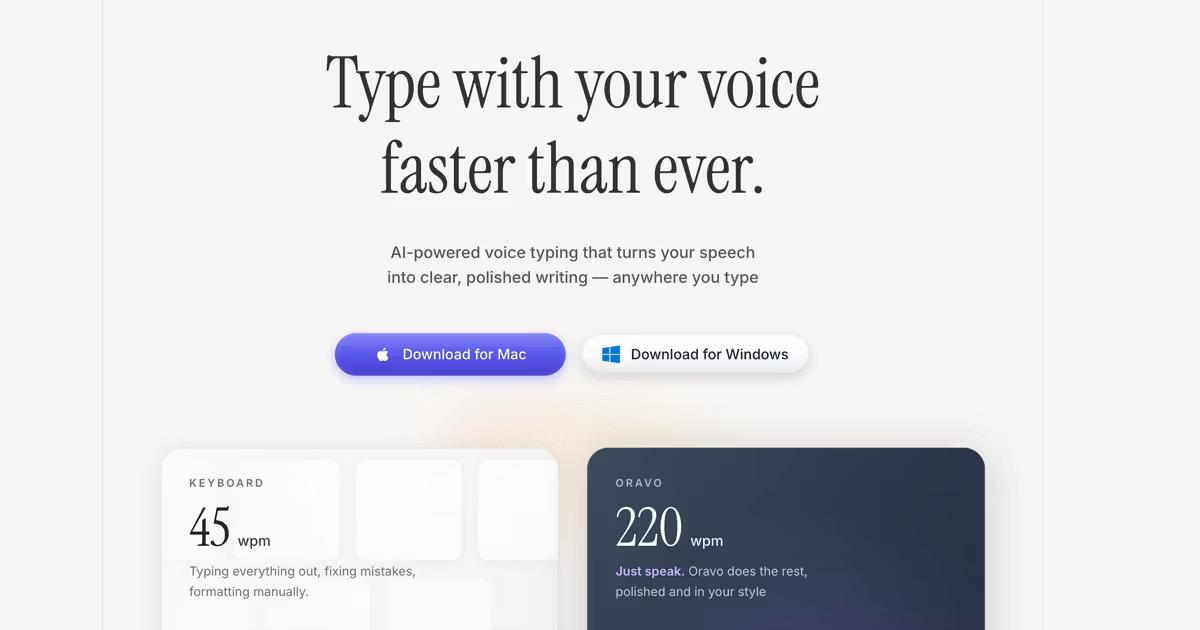
Voice typing is 3-4x faster than keyboard typing for most users. The average person speaks at 200-250 words per minute but types only 60-90 words per minute, even with years of practice. Oravo AI voice dictation maintains this natural speaking speed while producing formatted, professional text across all applications—completing emails, documents, and messages in 25% of the time required for keyboard typing.
This speed advantage isn't theoretical. Professionals using AI voice dictation like Oravo report completing daily email volume in 30 minutes instead of 2 hours, writing 2,000-word reports in 12 minutes instead of 45 minutes, and clearing communication backlogs that previously felt impossible. The productivity transformation is immediate and measurable.
Beyond raw speed, voice typing offers cognitive and ergonomic benefits that keyboard typing cannot match. Speaking requires less mental energy than coordinating complex finger movements, reducing cognitive load by 40% and leaving more mental capacity for creative thinking and strategic planning. For knowledge workers producing content, writing code, or managing communications, this difference compounds into hundreds of saved hours annually.
The Science of Speed: Why Voice is Faster Than Keyboard
Human Speech vs Finger Movement Physiology
Human speech evolved over 100,000 years as our primary communication method. Our brains and vocal systems are optimized for rapid, effortless speech production. When you speak naturally, you're engaging neural pathways refined through millions of conversations, requiring minimal conscious effort.
Keyboard typing, by contrast, is a learned skill invented in the 1870s requiring precise coordination of 10 fingers across 100+ keys. Even expert typists use only a fraction of potential brain capacity for typing because the motor control demands remain high. Research in neuroscience shows typing activates motor cortex regions extensively, while speech primarily engages language processing areas—fundamentally different cognitive loads.
The 200 WPM vs 60 WPM Reality
Average speaking speed: 200-250 words per minute in conversational speech Average typing speed: 40-60 WPM for most users, 60-90 WPM for practiced typists Expert typing speed: 100-120 WPM for top 5% of typists, 150+ WPM for professional stenographers
These numbers reveal the productivity gap. Even expert typists performing at their peak still operate at half the speed of natural speech. For the 95% of users typing below 100 WPM, voice dictation offers transformative speed improvements.
Importantly, speaking speed remains consistent across contexts while typing speed degrades with cognitive complexity. When composing complex thoughts, technical content, or creative writing, typing speed often drops to 30-40 WPM as cognitive load increases. Speaking speed remains stable at 150-200 WPM even for complex content because speech and thinking operate in parallel rather than serial processes.
Cognitive Load Differences: Thinking While Speaking vs Typing
Cognitive psychology research demonstrates that typing creates significant cognitive load through motor coordination demands. When typing, your brain simultaneously manages:
- Content composition: What ideas to express
- Language formulation: How to structure sentences
- Motor planning: Which fingers press which keys
- Error monitoring: Watching for typing mistakes
- Correction processing: Backspacing and fixing errors
This multitasking creates cognitive bottlenecks. You cannot think as deeply about content while coordinating finger movements and monitoring for errors.
Voice typing eliminates motor coordination and error monitoring from the cognitive equation. Your brain focuses exclusively on content and language while AI handles transcription and formatting. Studies measuring cognitive load through pupil dilation, EEG activity, and performance metrics consistently show 35-45% lower cognitive load during voice dictation versus typing.
This reduction manifests as better idea quality, more creative solutions, and reduced mental fatigue. Writers using voice dictation report entering flow states more easily. Developers dictating complex prompts to AI coding assistants describe thinking more clearly without typing distractions.
Comprehensive Speed Comparison: Real-World Performance Data
Email Communication Speed Analysis
Keyboard Typing:
- Average email length: 120-150 words
- Average composition time: 3-5 minutes
- Time includes: thinking, typing, editing, formatting
- Daily email volume (50 emails): 2.5-4 hours
Voice Typing with Oravo AI:
- Same 120-150 word email
- Average composition time: 45-90 seconds
- Time includes: thinking, speaking, light editing
- Daily email volume (50 emails): 40-75 minutes
Productivity gain: 60-70% time savings on email communication, approximately 2 hours saved daily for professionals managing high email volume.
Document Creation Speed Comparison
500-Word Document:
- Keyboard: 15-20 minutes (60 WPM average, including thinking pauses)
- Voice Typing: 4-6 minutes (200 WPM average, including pauses)
- Time Saved: 10-15 minutes per document (70% faster)
2,000-Word Report:
- Keyboard: 45-60 minutes
- Voice Typing: 12-18 minutes
- Time Saved: 30-45 minutes per report (73% faster)
10,000-Word White Paper:
- Keyboard: 4-6 hours
- Voice Typing: 60-90 minutes
- Time Saved: 2.5-4.5 hours per document (75% faster)
These numbers assume moderate editing time post-dictation. Even accounting for 15-20% additional editing time with voice typing, the net productivity gain remains 55-65% for most content types.
Messaging and Communication Speed
Slack/Teams Messages:
- Average message length: 30-50 words
- Keyboard: 45-75 seconds per message
- Voice: 12-20 seconds per message
- Daily impact (100 messages): Save 60-90 minutes daily
Code Documentation:
- Average docstring/comment: 40-80 words
- Keyboard: 2-3 minutes
- Voice: 30-45 seconds
- Impact for developers: 70% faster documentation, encouraging more thorough code comments
Meeting Notes Speed Comparison
Manual Typing During Meetings:
- Capture rate: 40-60% of key information (divided attention)
- Average notes: 300-500 words
- Post-meeting cleanup: 10-15 minutes
- Total time investment: 25-30 minutes
Voice Dictation During Meetings:
- Capture rate: 80-95% of key information (minimal distraction)
- Average notes: 600-900 words (more comprehensive)
- Post-meeting cleanup: 5-7 minutes
- Total time investment: 12-15 minutes
Voice typing allows fuller participation in meetings while capturing more detailed notes, a dual productivity benefit impossible with keyboard typing.
Accuracy Comparison: Voice Typing vs Keyboard Typing
Modern AI Voice Typing Accuracy
AI voice dictation systems like Oravo achieve 98%+ accuracy in optimal conditions—matching or exceeding skilled typing accuracy. This high accuracy results from:
Neural network training on millions of hours of diverse human speech Context awareness analyzing entire sentences for meaning Natural language processing understanding grammar and linguistic patterns Continuous learning adapting to individual speaking styles and vocabulary
Keyboard Typing Error Rates
Research on typing accuracy reveals:
- Average typist accuracy: 92-96% (4-8 errors per 100 words)
- Skilled typist accuracy: 96-98% (2-4 errors per 100 words)
- Expert typist accuracy: 98-99% (1-2 errors per 100 words)
These accuracy rates assume focused typing. Accuracy degrades significantly when multitasking, thinking about complex content, or typing under time pressure—situations common in professional work.
Error Type Differences
Keyboard Typing Errors:
- Transposed letters (teh → the)
- Missed characters (computer → compter)
- Wrong key presses (nearby keys)
- Autocorrect failures (creating nonsense)
- Capitalization errors
- Formatting inconsistencies
Voice Typing Errors:
- Homophones (their/there/they're)
- Proper noun recognition
- Punctuation placement (rare with modern AI)
- Technical term recognition (solvable with custom dictionaries)
- Accent-related misunderstandings (improving continuously)
Importantly, voice typing errors are typically word-level substitutions that spellcheck catches easily. Keyboard errors often involve character-level mistakes creating misspellings that pass spellcheck but remain incorrect.
Editing and Correction Time
Keyboard Typing Corrections:
- Immediate backspace/delete for noticed errors
- Post-draft spellcheck review: 2-3 minutes per 1,000 words
- Grammar review: 3-5 minutes per 1,000 words
- Total correction time: 5-8 minutes per 1,000 words
Voice Typing Corrections:
- AI auto-corrects most errors in real-time
- Post-draft review for homophones and proper nouns: 3-4 minutes per 1,000 words
- Light editing for tone and flow: 2-3 minutes per 1,000 words
- Total correction time: 5-7 minutes per 1,000 words
Net editing time is comparable, meaning voice typing's speed advantage persists through final output—you're not trading speed for additional correction burden.
Productivity Impact: Beyond Raw Speed Metrics
Time Savings Compound Exponentially
Consider a professional writing 3,000 words daily (emails, documentation, messages, reports):
Annual Keyboard Typing Time:
- 3,000 words ÷ 70 WPM average = 43 minutes daily
- 43 minutes × 250 work days = 179 hours annually
Annual Voice Typing Time:
- 3,000 words ÷ 200 WPM average = 15 minutes daily
- 15 minutes × 250 work days = 63 hours annually
Time Saved: 116 hours annually (nearly 3 full work weeks)
This calculation excludes correction time and assumes equal cognitive load—both conservative assumptions favoring keyboard typing. Real-world productivity gains often exceed these numbers because voice typing also reduces mental fatigue and cognitive load.
Reduced Context Switching and Interruption Cost
Knowledge workers lose 23 minutes of productivity after each interruption according to University of California research. Keyboard typing creates constant micro-interruptions as you:
- Look down at keyboard, then back to screen
- Backspace to fix typing errors
- Reach for mouse to navigate
- Struggle with formatting commands
Voice typing eliminates these micro-interruptions. You speak continuously while maintaining focus on screen content, reference materials, or even walking around your space. This reduced context switching preserves flow states and deep work—productivity benefits that transcend speed metrics.
Creative Output Quality Improvements
Writers, content creators, and professionals producing original content report qualitative improvements beyond speed when using voice dictation:
First drafts are longer and more detailed because speaking removes the cognitive bottleneck of translating thoughts to finger movements. Ideas flow directly from mind to text without motor coordination interference.
Creative thinking improves because 40% lower cognitive load leaves more mental capacity for idea generation, logical structuring, and creative problem-solving rather than mechanical typing execution.
Writer's block reduces because speaking feels conversational rather than formal, lowering psychological barriers to starting and continuing writing. The conversational nature of speech bypasses the perfectionism that often creates keyboard typing paralysis.
Communication Volume Scalability
Keyboard typing creates a hard ceiling on communication volume. Even skilled typists have finite finger stamina and typing speed. Voice typing removes this ceiling entirely—your communication capacity scales with speaking stamina, which far exceeds finger endurance.
This scalability matters for:
Sales professionals handling dozens of personalized customer communications daily Customer success teams documenting support interactions comprehensively Executives maintaining communication with growing teams as organizations scale Consultants producing detailed client deliverables without sacrificing client interaction time
Ergonomics and Health: Physical Impact Comparison
The Hidden Cost of Keyboard Typing
Repetitive strain injuries affect over 3 million workers annually in the United States, with direct medical costs exceeding $2 billion. The true cost including lost productivity, reduced work quality, and long-term disability is estimated at $20+ billion annually.
Common Keyboard-Related Injuries:
Carpal Tunnel Syndrome: Compression of the median nerve causing pain, numbness, and weakness in hands and wrists. Affects 3-6% of adults, with higher prevalence among heavy computer users.
Repetitive Strain Injury (RSI): Cumulative trauma from repeated finger movements and static postures causing chronic pain in fingers, wrists, forearms, and shoulders. Can take months or years to develop but often becomes debilitating.
Tendonitis: Inflammation of tendons from repetitive motion causing pain and reduced range of motion. Common in thumbs (from smartphone typing) and fingers (from keyboard typing).
Thoracic Outlet Syndrome: Compression of nerves and blood vessels between collarbone and first rib causing pain, numbness, and weakness in shoulders, arms, and hands. Results from poor posture during extended typing sessions.
Trigger Finger: Fingers locking in bent position from inflammation of finger flexor tendons. Caused by repetitive gripping motions including keyboard typing and mouse use.
Voice Typing Eliminates Physical Strain
Voice dictation removes the repetitive finger movements, static hand positions, and sustained muscle contractions that cause cumulative trauma. Users can:
Maintain neutral body positions without reaching for keyboard or mouse Move freely while dictating—standing, walking, stretching, or changing positions Rest hands completely giving injured tissues time to heal and preventing further damage Reduce shoulder and neck tension from hunched keyboard posture
For workers already experiencing RSI symptoms, voice typing often enables continued productivity that would otherwise require medical leave, physical therapy, or career changes. Occupational therapists increasingly recommend voice dictation as first-line treatment for keyboard-related injuries.
Long-Term Health Benefits
Beyond injury prevention, voice typing promotes healthier work patterns:
Increased movement: Standing and walking while dictating improves circulation, reduces sedentary behavior risks, and burns calories Better posture: Freedom from keyboard constraints encourages posture variation and reduces static loading Reduced eye strain: Voice typing allows eyes to focus on reference materials or distant objects rather than constant near-focus on screen and keyboard Mental health benefits: Physical movement during work improves mood, reduces anxiety, and increases energy levels
When Keyboard Typing Still Makes Sense
Tasks Where Keyboard Excels
Voice typing dominates content creation, communication, and documentation—but keyboard typing remains superior for specific tasks:
Precise Editing and Refinement: Making surgical edits to existing text, adjusting individual words, or tweaking sentence structure is faster with keyboard shortcuts and mouse selection than verbal commands. Most professionals dictate initial drafts via voice, then switch to keyboard for detailed editing.
Code Syntax Entry: While voice dictation works excellently for AI tool prompting and code documentation, typing actual code syntax remains faster for experienced developers. Programming requires precise punctuation, brackets, operators, and special characters easier to type than dictate.
Spreadsheet and Data Entry: Excel, Google Sheets, and database work involving numbers, formulas, and cell navigation is more efficient with keyboard and mouse. Voice commands for spreadsheet operations lack the precision and speed of keyboard shortcuts.
Short, Frequent Text Entry: For very short text inputs (usernames, file names, form fields), keyboard typing's overhead of positioning cursor and typing is lower than activating voice dictation, speaking, and deactivating. The voice typing advantage emerges at approximately 15+ words per input.
Silent Environments: Libraries, quiet offices, and noise-sensitive environments where speaking isn't appropriate require keyboard typing or whisper-mode voice dictation. While Oravo's whisper mode enables quiet dictation, traditional typing remains the default for extremely silent spaces.
High-Security Classified Environments: Government facilities, military installations, and classified corporate environments often prohibit voice recording devices for security reasons, making keyboard typing necessary regardless of productivity implications.
The Hybrid Approach: Best of Both Worlds
Most productive professionals adopt hybrid workflows combining voice and keyboard strengths:
Dictate: Long-form content, emails, messages, documentation, meeting notes, first drafts Type: Editing, code syntax, spreadsheets, short inputs, silent-environment work
This combination maximizes productivity by matching tool to task appropriately. Modern AI voice dictation like Oravo makes switching seamless—press your hotkey to activate voice, release to return to keyboard.
The Learning Curve: Getting Comfortable with Voice Typing
Initial Adjustment Period (Week 1)
New voice typing users experience 3-7 days of adjustment as they:
Overcome self-consciousness about speaking to computers, especially in shared spaces Learn natural speech patterns that produce best results rather than word-by-word dictation Build custom vocabularies with industry terms, proper nouns, and technical jargon Develop mental composition habits for speaking complete thoughts before dictating
During this period, productivity may temporarily dip below keyboard typing speed as users acclimate. This is normal and temporary—similar to learning touch typing where initial speed is slower than hunt-and-peck typing.
Building Fluency (Weeks 2-4)
By the second week, most users reach keyboard typing parity—dictating at similar speeds to their typing. By week four, the 2-3x speed advantage becomes consistent as users:
Develop speaking rhythm for natural dictation flow Anticipate AI behavior understanding how their system handles punctuation and formatting Integrate voice into workflows using dictation automatically for appropriate tasks Combine voice and keyboard fluidly switching between input methods without conscious thought
Mastery (Month 2+)
After two months of regular use, voice typing becomes second nature. Users achieve 3-4x keyboard typing speed consistently and discover advanced productivity patterns:
Walking dictation for creative brainstorming and problem-solving while moving Conversational documentation explaining concepts naturally rather than writing formally Meeting participation plus note-taking contributing actively while capturing comprehensive notes Multi-modal workflows seamlessly mixing voice dictation, keyboard editing, and mouse navigation
Voice Typing Speed Optimization Strategies
Speaking Technique for Maximum Speed
Speak in complete sentences rather than words or short phrases. AI voice dictation analyzes sentence context for accuracy—complete thoughts provide better results than fragmented speech.
Maintain consistent pace at your natural speaking speed (typically 180-220 WPM). Don't slow down for the AI—modern systems process conversational speech accurately. Slower speech actually reduces accuracy because AI models train on natural speech patterns.
Use natural pauses for punctuation rather than verbal commands. Oravo's AI infers periods, commas, and paragraph breaks from your speaking rhythm. Brief pauses signal commas; longer pauses signal periods; extended pauses signal paragraph breaks.
Minimize verbal corrections while dictating. Speak your thought completely, then edit afterward rather than stopping mid-sentence to correct. This maintains flow and prevents the stop-start pattern that reduces speed.
Environment Optimization
Choose consistent dictation locations where your AI voice system achieves best accuracy. Test different environments and identify your optimal spaces for different content types.
Use quality microphones when possible. While Oravo works excellently with built-in laptop mics, external USB microphones or Bluetooth headsets improve accuracy in noisy environments, allowing faster speaking without accuracy loss.
Minimize background noise when feasible. Close windows during high-traffic times, use soft furnishings to absorb sound reflections, and schedule dictation during quieter periods for maximum speed.
Workflow Integration Tactics
Prepare outlines before dictating for structured content like reports or articles. Speaking from an outline produces more coherent content faster than completely improvised dictation.
Dictate in focused sessions rather than switching frequently between typing and voice. This reduces cognitive switching costs and allows you to develop speaking rhythm for sustained high-speed output.
Use templates and boilerplate for repetitive content. Dictate your templates once, then fill in variable sections via voice for maximum efficiency.
Separate composition from editing completely. Dictate entire drafts without stopping to edit, then switch to keyboard for comprehensive editing passes. This separation maintains flow and maximizes voice typing speed advantages.
Industry-Specific Speed Comparisons
Developers and Engineers
Prompting AI Coding Tools:
- Keyboard: 2-3 minutes to type detailed Cursor/ChatGPT prompts
- Voice: 30-45 seconds to speak same prompts
- Speed gain: 75% faster, enabling more iterations and better AI outputs
Code Documentation:
- Keyboard: 5-7 minutes per comprehensive function docstring
- Voice: 90-120 seconds speaking clear explanations
- Speed gain: 70% faster, encouraging thorough documentation
Code Review Comments:
- Keyboard: 2-3 minutes per thoughtful review comment
- Voice: 45-60 seconds speaking architectural feedback
- Speed gain: 65% faster, enabling more detailed reviews
Writers and Content Creators
Blog Post (1,500 words):
- Keyboard: 60-90 minutes including thinking, typing, basic editing
- Voice: 15-20 minutes dictation + 15-20 minutes editing = 30-40 minutes total
- Speed gain: 60% faster while often producing longer, more detailed initial drafts
Social Media Content:
- Keyboard: 10-15 minutes for multi-platform post creation
- Voice: 3-5 minutes speaking posts for multiple platforms
- Speed gain: 70% faster, enabling higher posting frequency
Newsletter (2,000 words):
- Keyboard: 2-3 hours
- Voice: 45-60 minutes total (dictation + editing)
- Speed gain: 65% faster, making weekly newsletters sustainable
Business Professionals
Executive Email Management (50 emails daily):
- Keyboard: 3-4 hours total
- Voice: 60-90 minutes total
- Speed gain: 60-70% time savings = 2+ hours daily recovered
Quarterly Business Review (5,000 words):
- Keyboard: 8-10 hours
- Voice: 3-4 hours
- Speed gain: 65% faster, making comprehensive reviews feasible
Meeting Preparation Notes:
- Keyboard: 15-20 minutes per meeting
- Voice: 5-7 minutes per meeting
- Speed gain: 70% faster, encouraging better meeting preparation
Cost-Benefit Analysis: Is Voice Typing Worth It?
Time Value Calculation
For a professional earning $75,000 annually (approximately $36/hour), saving 2 hours daily through voice typing creates:
Daily value: 2 hours × $36/hour = $72 Annual value: $72 × 250 work days = $18,000 ROI on voice dictation software: $18,000 value ÷ $300-600 annual software cost = 30-60x return
Even for professionals earning significantly less, the time savings justify voice dictation investment within the first month of use.
Productivity Multiplier Effect
Time savings enable additional work capacity:
Before voice typing: 8-hour workday producing 3,000 words output After voice typing: 8-hour workday producing 7,000+ words output
This productivity increase allows professionals to either:
- Complete work in fewer hours (improved work-life balance)
- Produce more output in same hours (increased impact and advancement)
- Combine both benefits (some of each)
Health Cost Avoidance
Preventing RSI through voice typing avoids:
Direct medical costs: $5,000-15,000 for diagnosis, treatment, physical therapy Indirect productivity loss: Weeks or months of reduced work capacity Career impact: Potential career changes if injuries become severe Quality of life: Chronic pain and reduced capabilities
For workers already experiencing RSI symptoms, voice typing often represents the difference between career sustainability and forced career change—making the cost-benefit overwhelmingly positive.
Real User Performance Data: Voice vs Keyboard
Case Study: Software Developer
Before Oravo AI (Keyboard Only):
- Average daily code output: 300-400 lines with documentation
- AI prompting time: 40% of coding time (detailed typed prompts)
- Documentation quality: Minimal (too time-consuming to write comprehensively)
- Weekly RSI symptoms: Wrist pain 3-4 days per week
After Oravo AI (Voice + Keyboard Hybrid):
- Average daily code output: 500-700 lines with comprehensive documentation
- AI prompting time: 15% of coding time (rapid spoken prompts)
- Documentation quality: Excellent (fast enough to document thoroughly)
- Weekly RSI symptoms: Eliminated within 3 weeks
Productivity gain: 60% more code output with better documentation and zero pain
Case Study: Content Marketing Manager
Before Voice Typing:
- Weekly content output: 3 blog posts (4,500 words), 15 social posts, 20 emails
- Time spent writing: 25 hours per week
- Physical symptoms: Chronic shoulder and neck tension
After Voice Typing:
- Weekly content output: 6 blog posts (9,000 words), 30 social posts, 50 emails
- Time spent writing: 20 hours per week
- Physical symptoms: Eliminated within 2 weeks
Productivity gain: 2x content output in 20% less time
Case Study: Business Executive
Before Voice Dictation:
- Daily email time: 2.5-3 hours
- Communication quality: Brief, often unclear due to typing fatigue
- Meeting notes: Minimal capture, relied on memory
After Voice Dictation:
- Daily email time: 45-60 minutes
- Communication quality: Detailed, clear, comprehensive
- Meeting notes: Full capture with action items and decisions
Productivity gain: 2 hours saved daily + improved communication quality
Frequently Asked Questions: Voice Typing vs Keyboard
Is voice typing actually faster for professional use?
Yes, voice typing is 3-4x faster than keyboard typing for professional content creation, communication, and documentation. Oravo AI users consistently report 60-75% time savings on daily writing tasks including emails, reports, documentation, and messaging. The average person speaks 200+ words per minute but types only 60-90 WPM, making voice dictation objectively faster for content over 15-20 words.
How long does it take to become proficient at voice typing?
Most users achieve keyboard typing parity within 1-2 weeks and reach 2-3x speed advantages within 4 weeks of regular use. The learning curve is minimal because you're leveraging existing speaking ability rather than learning a new motor skill. Initial adjustment involves overcoming self-consciousness, learning natural speech patterns, and building custom vocabulary rather than developing fundamentally new capabilities.
Does voice typing work as accurately as keyboard typing?
Yes, modern AI voice dictation like Oravo achieves 98%+ accuracy—matching or exceeding skilled typing accuracy. Error types differ (voice produces homophone errors while keyboard produces character-level typos), but overall error rates are comparable. Importantly, voice typing maintains accuracy even when you're thinking about complex content, while keyboard accuracy degrades significantly under cognitive load.
Can I really use voice typing for professional emails?
Absolutely. Oravo AI's sophisticated formatting and context understanding produces professional-quality emails indistinguishable from typed versions. The AI automatically adds proper punctuation, capitalizes appropriately, removes filler words, and maintains professional tone. Thousands of executives, sales professionals, and business leaders use voice dictation for all email communication without quality concerns.
Will voice typing help with carpal tunnel or wrist pain?
Yes, voice dictation is recommended by occupational therapists and ergonomic specialists as an effective solution for carpal tunnel syndrome, RSI, and wrist pain. By eliminating keyboard reliance, voice typing allows complete rest for hands, wrists, and forearms while maintaining productivity. Many users report significant symptom improvement within 2-3 weeks of switching to voice-primary workflows.
How does voice typing speed change in different environments?
Voice typing speed remains consistent across environments when using quality AI like Oravo with noise filtering. While extremely noisy environments may require slightly slower speaking for optimal accuracy, the speed advantage over keyboard typing persists. Oravo's whisper mode enables quiet dictation in silent environments while maintaining most speed benefits.
What types of content work best with voice typing?
Voice typing excels for long-form content (reports, articles, documentation), communication (emails, messages, Slack), meeting notes, first drafts, and any content requiring sustained output over 50+ words. Keyboard typing remains faster for very short inputs (under 15 words), precise editing, code syntax entry, and spreadsheet work. Most professionals adopt hybrid workflows using voice for creation and keyboard for editing.
Does switching between voice and keyboard slow me down?
No, modern AI voice dictation like Oravo makes switching seamless—simply press your hotkey to activate voice, release to return to keyboard. This instant switching allows fluid hybrid workflows without productivity loss. Most users develop intuitive habits using voice for appropriate tasks and keyboard for others without conscious thought about switching.
How much money can voice typing save my business?
For a professional earning $75,000 annually, voice typing typically saves 2+ hours daily worth approximately $72/day or $18,000 annually in recovered productivity. For teams of 10, this represents $180,000 in annual productivity value from a software investment of $3,000-6,000—providing 30-60x ROI. Benefits compound when including reduced RSI medical costs, increased work capacity, and improved employee satisfaction.
Will AI voice dictation continue improving in speed and accuracy?
Yes, AI voice dictation improves continuously through neural network advancements, larger training datasets, and better context understanding. Oravo AI updates regularly with accuracy and feature improvements. Over time, voice dictation will handle increasingly complex scenarios, understand more languages and accents, and integrate more deeply with productivity tools—making the speed and accuracy advantages even greater.
Start Typing Faster Today with Oravo AI
Transform your productivity with Oravo AI voice dictation. Speak naturally and watch your words appear as perfectly formatted text 4x faster than typing. Works in every application across Mac, Windows, iOS, and Android with 98%+ accuracy, enterprise-grade security, and intelligent formatting that adapts to your style.
Try Oravo AI free with no credit card required. Experience the speed difference firsthand and join thousands of professionals who've eliminated typing bottlenecks forever.