Voice Typing for Remote Workers: Work From Anywhere 4x Faster
How Digital Nomads Use Voice Typing to Maintain Productivity Across Time Zones and Locations
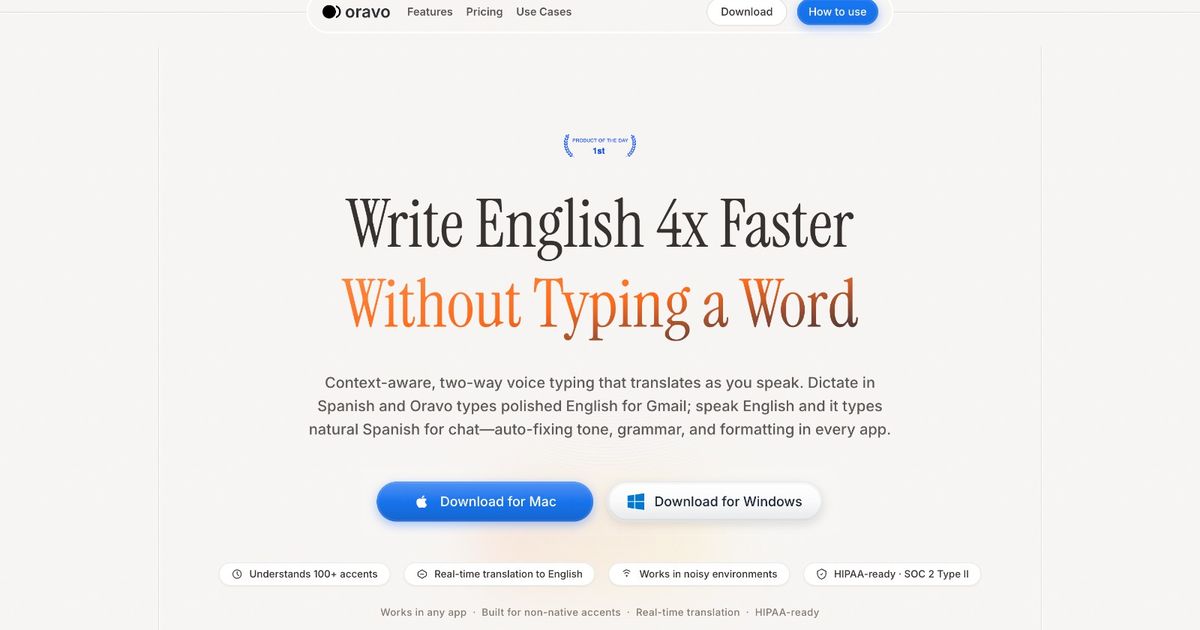
Remote workers use voice typing to complete daily communications at 200+ words per minute, respond to team messages and emails 4x faster than keyboard typing, document projects and tasks within minutes instead of hours, and maintain consistent productivity across coffee shops, coworking spaces, and international locations regardless of WiFi reliability. Modern AI voice typing like Oravo provides remote professionals with location-independent productivity tools starting at $9.99 monthly or 2,000 words weekly free, making world-class remote work efficiency accessible regardless of employer, timezone, or travel frequency.
Why Voice Typing Benefits Remote Workers and Digital Nomads
Location Independence Without Productivity Sacrifice
Remote work success requires maintaining productivity across diverse environments. Coffee shops, coworking spaces, airports, and short-term rentals present varying ergonomic setups and workspace quality. Voice typing eliminates dependency on perfect keyboard setup enabling full productivity from any location.
Traditional Remote Work Challenge: Uncomfortable coffee shop table and poor chair. Typing speed decreases 30-40%. Productivity suffers in non-optimal workspaces. Remote workers limit location flexibility to maintain productivity.
Voice Typing Solution: Comfortable seating priority shifts from keyboard ergonomics to general comfort. Voice typing maintains full productivity regardless of table height or keyboard position. Work from beach cafes, mountain lodges, and city coworking spaces without productivity compromise.
Location Flexibility Impact:
- Traditional remote work: Productive in office-quality setups only
- Voice typing remote work: Productive anywhere with comfortable seating
- Lifestyle benefit: True location independence and travel flexibility
- Productivity maintenance: Consistent output across diverse environments
Multilocation Productivity for Digital Nomads
Digital nomads change cities and countries frequently. Each location requires new workspace discovery and adaptation. Voice typing provides consistent productivity tool across locations reducing workspace dependency and location transition friction.
Nomad Workflow Optimization:
- Arrive new city Monday
- Voice typing enables immediate full productivity
- No workspace setup or ergonomic equipment needed
- Productive from day one in new location
- Seamless location transitions without productivity gaps
Unreliable WiFi Resilience Through Offline Mode
Remote workers and digital nomads frequently encounter unreliable internet. Coffee shop WiFi instability, coworking space connectivity issues, and international travel connectivity gaps disrupt productivity. Voice typing offline mode provides complete productivity regardless of internet availability.
WiFi Independence:
- Traditional cloud tools require constant internet connection
- Work stops when WiFi unstable or unavailable
- Productivity gaps from connectivity issues
- Voice typing offline mode eliminates internet dependency
- Full productivity during connectivity issues
Travel Productivity:
- Airport lounges with poor WiFi
- Flights without internet access
- Remote locations with limited connectivity
- International travel during connectivity setup
- Complete productivity during all travel scenarios
Communication Across Time Zones and Asynchronous Teams
Remote teams operate across global time zones requiring extensive asynchronous communication. Written communication volume increases 3-4x versus office work. Voice typing enables sustainable asynchronous communication volume without typing fatigue or time zone coordination overhead.
Asynchronous Communication Volume:
- Remote worker daily emails: 40-60 versus 20-25 office worker
- Slack and messaging: 80-100 messages versus 30-40 office
- Documentation and updates: 1,000-2,000 words daily
- Traditional typing time: 3-4 hours daily communication
- Voice typing time: 45-60 minutes daily communication
- Time reclaimed: 2.5-3 hours daily for deep work
Voice Typing Use Cases for Remote Workers
Asynchronous Team Communication
Slack and Team Messaging: Voice type comprehensive Slack messages and team updates. Asynchronous communication requires written detail replacing verbal conversation. Voice enables thorough written communication without typing time investment.
Best Practice: Write Slack messages as if explaining verbally to colleague. Natural conversational voice produces clear team communication. Avoid overly formal language creating communication friction.
Example Voice-Typed Slack Update:
"Morning team. Quick update on the website redesign project. We completed user testing this week with 15 participants. Key findings. First, navigation confusion on mobile is bigger issue than we thought. 80% of users struggled finding product comparison feature. Recommend we move comparison to main navigation. Second, checkout flow performing better than old design. Average completion time decreased 40 seconds. Keeping current checkout approach. Third, accessibility testing revealed contrast issues on CTA buttons. Design team fixing today. Overall, we are on track for launch next Friday but recommend we push comparison navigation change to first post-launch update to avoid delay. Thoughts? Let me know if anyone has concerns or alternative suggestions. Thanks."
Message Time: 90 seconds versus 8-10 minutes typing. Better team communication without time investment.
Email Communication and Client Updates
Remote Work Email Volume: Remote workers send 2-3x more emails than office counterparts due to lack of hallway conversations and quick desk visits. Voice typing makes sustainable email volume manageable.
Client Communication: Voice type client updates, project status reports, and stakeholder communications. Natural conversational email voice builds stronger remote client relationships than formal typed corporate language.
Internal Updates: Dictate comprehensive project updates, blocker communications, and cross-team coordination. Thorough written communication reduces back-and-forth and time zone coordination overhead.
Project Documentation and Knowledge Sharing
Work Documentation: Remote teams require comprehensive written documentation replacing verbal knowledge transfer. Voice type project documentation, process guides, and institutional knowledge capture.
Notion and Confluence: Dictate project pages, meeting notes, decision documentation, and team wikis. Remote teams rely on written knowledge base. Voice enables rapid documentation without overwhelming time commitment.
Example Documentation Process:
- Complete project milestone or make decision
- Voice dictate documentation immediately while fresh
- Capture context, rationale, and implementation details
- Share with team asynchronously
- Time investment: 5-10 minutes versus 30-45 minutes typing
Meeting Notes and Follow-Up
Remote Meeting Documentation: Zoom, Teams, and Google Meet calls require comprehensive written follow-up for asynchronous team members and reference documentation. Voice type meeting summaries immediately after calls.
Action Items and Decisions: Dictate meeting outcomes, action items, decisions, and next steps. Share with team within minutes of meeting completion. Fast follow-up ensures alignment and accountability.
Cross-Timezone Coverage: Team members in different timezones rely on meeting documentation to stay informed. Comprehensive voice-typed meeting notes maintain distributed team alignment.
Personal Productivity and Task Management
Daily Planning: Voice type daily priorities, task lists, and time blocking plans. Quick verbal planning establishes daily focus without extensive written planning overhead.
Journal and Reflection: Dictate daily work journal, reflections, and learnings. Remote workers miss hallway debrief conversations. Voice journaling provides structured reflection replacing informal office interactions.
Weekly Reviews: Voice type weekly accomplishments, learnings, and next week priorities. Comprehensive weekly reviews maintain focus and growth in autonomous remote work environment.
Content Creation and Thought Leadership
Blog Posts and Articles: Remote workers building personal brands voice type blog content and thought leadership. Natural writing voice produces authentic content building remote work expertise positioning.
LinkedIn and Social Content: Dictate LinkedIn posts, Twitter threads, and professional social content. Regular content creation builds remote work opportunities and network.
Newsletter and Community: Voice type newsletters to professional communities and audiences. Content creation 4x faster enables consistent community engagement and audience building.
Best Voice Typing Tools for Remote Workers
Oravo AI: Best Overall for Digital Nomads
Why Remote Workers Choose Oravo:
Location Independence: Voice typing works identically across cities, countries, and continents. Consistent productivity tool regardless of current location. No workspace setup or equipment required.
Offline Mode for Unreliable WiFi: Complete productivity without internet connection. Essential for remote workers in areas with poor connectivity, during travel, and in international locations during connectivity setup.
Multi-Device Synchronization: Start work on laptop in coworking space, continue on phone during commute, finish on tablet at accommodation. Seamless workflow across devices and locations.
Multilingual Support: 100+ languages for international remote workers and digital nomads. Voice type in local language for client work or personal communication. Switch languages seamlessly.
Works Everywhere Remote Workers Work: Gmail, Slack, Notion, Google Docs, Asana, and all remote work tools. Single productivity solution across entire remote work tech stack.
Affordable for Location-Independent Income: $9.99 monthly enables location-independent work lifestyle. Investment insignificant compared to remote work lifestyle value and flexibility.
No Hardware Dependency: Built-in laptop and smartphone microphones sufficient. No external equipment required. Pack light for nomadic lifestyle without productivity compromise.
Coworking Space Appropriate: Normal speaking volume suitable for shared workspaces. No loud dictation disrupting coworking neighbors. Professional remote work tool.
Built-In OS Dictation: Insufficient for Remote Work Volume
Cons:
- 85-88% accuracy too low for professional remote communication
- Internet dependency defeats remote work flexibility
- 60-second limitation frustrates comprehensive async communication
- No cross-device synchronization for multi-device remote workflow
- Poor performance for high-volume remote work communication
Recommendation: Remote work communication volume and quality requirements exceed basic OS dictation capability. Professional remote workers require Oravo reliability and features.
How Remote Workers Set Up Voice Typing
Quick Setup for Oravo (10 Minutes)
Step 1: Sign Up (3 minutes)
Visit oravo.ai/signup. Create account with work email. Download for all devices (Mac, Windows, iOS, Android). Install on laptop and smartphone for multi-device remote workflow.
Step 2: Test Remote Communication (2 minutes)
Open Slack or Gmail. Activate Oravo voice typing. Speak test team update or client email. Verify accurate transcription and professional tone appropriate for remote work communication.
Step 3: Add Remote Work Vocabulary (5 minutes)
Add frequently used terms to custom dictionary:
- Team member names and titles
- Project and product names
- Client and company names
- Technical tools and platforms used
- Common remote work terminology
- Industry-specific jargon
- International location names for travel
Step 4: Enable Offline Mode (Essential for Remote Workers)
Configure offline mode for WiFi independence. Test offline functionality before relying on it during travel or poor connectivity situations. Enable on all devices.
Done: Maintain productivity across locations, time zones, and connectivity conditions immediately.
Remote Work Workflow Integration
Morning Routine:
- Review overnight messages and emails from global team
- Voice type responses and updates from accommodation or coffee shop
- Complete morning async communication in 20-30 minutes
- Begin deep work during optimal personal productivity hours
- Location and time zone independent workflow
During Workday:
- Voice type Slack messages and team coordination
- Dictate project documentation as work progresses
- Respond to client emails and stakeholder updates
- Document decisions and context for async team
- Maintain productivity across location changes (coworking to cafe to home)
Location Transitions:
- Voice typing provides consistent productivity across workspaces
- No equipment setup or workspace configuration required
- Immediate productivity in new locations
- Seamless nomadic lifestyle without productivity gaps
Evening Wrap-Up:
- Voice type daily summary and handoff to other time zones
- Dictate next-day priorities and planning
- Document day's progress and decisions
- End work day with complete team communication
Professional Remote Work Communication with Voice Typing
Maintaining Professional Async Communication Quality
Write for Clarity and Completeness: Asynchronous communication requires comprehensive written detail. Voice typing enables thorough communication replacing real-time verbal clarification.
Insufficient Typed Message: "Made progress on the feature. Have some questions. Let me know when you are free to discuss."
Comprehensive Voice-Typed Message: "Made significant progress on the payment integration feature today. Successfully implemented Stripe webhook handling and order status updates working correctly in staging environment. Running into one technical question on handling failed payment retry logic. Current approach retries three times over 24 hours but unclear if we should notify customer after first failure or wait until all retries exhausted. Could you share your perspective on customer communication timing? No urgency, whenever you have 10 minutes to review and advise. Thanks."
Async Communication Elements:
- Complete context and current status
- Specific questions or blockers clearly stated
- Background information for informed response
- Urgency and timeline expectations clear
- Respectful of async workflow and time zones
Building Remote Team Relationships Through Voice
Authentic Communication Voice: Remote relationships build through written communication. Voice typing produces natural authentic communication voice building stronger team connections than formal typed language.
Personal Connection in Professional Communication: Remote workers miss casual office interactions. Friendly conversational written voice partially replaces hallway conversations and coffee chat relationship building.
Example Relationship-Building Communication: "Hey Maria, saw your update on the design system documentation. This is fantastic work and will help our entire product team significantly. The component guidelines are especially clear and helpful. One small suggestion if you are open to feedback. The color token naming section could benefit from a couple more examples showing the new tokens in real component context. Would make the migration path even clearer for developers. But seriously, amazing contribution to the team. Thanks for leading this. Let me know if you want to brainstorm that examples section together."
Human Connection: Natural voice-typed communication maintains human connection across physical distance.
Time Zone Sensitive Communication
Respect Async Boundaries: Voice typing comprehensive messages respects team member time zones and work boundaries. Complete information in single message versus multiple back-and-forth requiring synchronous availability.
Status and Context Sharing: Dictate comprehensive project status before ending work day. Handoff to team members in other time zones with complete context enabling their productive work day.
Question and Request Framing: Voice type questions and requests with complete context and non-urgent framing. Respectful async communication maintains team relationships across time zones.
Editing Voice-Typed Remote Communication
Two-Pass Review:
Pass 1: Clarity and Completeness
Verify message provides complete information. Check questions clearly stated. Ensure context sufficient for async recipient. Review appropriate detail level.
Pass 2: Professional Tone
Fix grammar and punctuation (AI handles most automatically). Ensure professional friendly tone. Remove verbal filler words. Verify culturally appropriate language for international team.
Time Distribution for Team Update:
- Dictate comprehensive update: 60-90 seconds
- Clarity review: 15-20 seconds
- Professional polish: 10-15 seconds
- Total time: 90-120 seconds versus 8-12 minutes typing
Dramatically faster enabling sustainable async communication volume.
Voice Typing for Different Remote Work Styles
Fully Remote Employees (Distributed Companies)
Primary Uses:
- High-volume team communication (Slack, email, Teams)
- Project documentation and knowledge sharing
- Meeting notes and async updates
- Cross-functional coordination
- Client and stakeholder communication
Benefits:
- Sustainable async communication volume
- Better team documentation and knowledge capture
- Stronger remote team relationships
- Reduced communication fatigue
- Improved work-life boundaries through efficiency
Productivity Impact: Distributed team members using voice typing maintain productivity parity or advantage versus office-based colleagues through communication efficiency.
Digital Nomads and Location-Independent Workers
Primary Uses:
- Client communication across time zones
- Project deliverable creation
- Freelance work documentation
- Content creation and personal brand building
- Travel and location transition productivity
Benefits:
- True location independence without productivity compromise
- Productivity during travel and location changes
- Client communication regardless of current location
- Sustainable nomadic lifestyle through efficiency
- WiFi independence through offline mode
Nomad Lifestyle Enablement: Digital nomads using voice typing maintain full productivity across 10-20 location changes annually without workspace dependency.
Hybrid and Flexible Workers
Primary Uses:
- Home office day productivity
- Coffee shop and coworking space work
- Client site and travel communication
- Office days versus remote days consistency
- Flexible location work maintenance
Benefits:
- Consistent productivity across office and remote days
- Location flexibility without productivity gaps
- Effective hybrid work routine
- Better work-life integration
- Sustainable flexible work arrangement
Hybrid Success: Hybrid workers voice typing maintain equal productivity across office and remote work days eliminating location-based productivity variance.
Remote Team Leaders and Managers
Primary Uses:
- Team communication and updates
- One-on-one meeting notes and follow-up
- Performance feedback and coaching documentation
- Strategic planning and direction
- Cross-team coordination
Benefits:
- Comprehensive team communication and alignment
- Better distributed team management
- Detailed coaching and feedback documentation
- Effective remote leadership
- Scalable team management across time zones
Remote Leadership: Distributed team managers using voice typing maintain team alignment and individual coaching quality managing teams across locations and time zones.
Freelancers and Independent Remote Workers
Primary Uses:
- Client communication and project updates
- Project deliverable creation
- Proposal and contract documentation
- Marketing and business development
- Administrative and business management
Benefits:
- More clients managed simultaneously
- Professional client communication
- Faster deliverable turnaround
- Better business development productivity
- Sustainable independent work practice
Independent Business Growth: Freelancers using voice typing manage 40-50% more concurrent clients through communication efficiency and deliverable speed.
Remote Worker Success Stories
Case Study: Software Developer (Fully Remote)
Challenge: Fully remote software developer at distributed startup. High Slack communication volume disrupting deep work flow. Spending 2-3 hours daily on team communication and documentation. Code productivity suffering from communication overhead.
Before Voice Typing:
- 2-3 hours daily typing Slack messages and documentation
- Frequent deep work interruptions
- Communication backlog creating team friction
- Working evenings to complete coding tasks
- Remote work sustainability concerns
After Oravo (9 months):
- 30-45 minutes daily voice typing communication
- Deep work blocks protected and productive
- Same-hour team response without work disruption
- Coding tasks completed during normal work hours
- Sustainable remote work schedule achieved
- Promoted to senior developer recognizing productivity
Quote: "Voice typing saved my remote work career. Communication volume was drowning my coding productivity. Voice typing lets me respond to team quickly without losing flow. I complete all communication during breaks and maintain deep work focus. Remote work became sustainable."
Case Study: Digital Nomad Marketing Consultant
Challenge: Location-independent marketing consultant traveling 15-20 cities annually. Inconsistent workspace quality affecting productivity. Client communication delays during location transitions. Unreliable WiFi disrupting work.
Before Voice Typing:
- Productivity decreases 40-50% during location transitions
- Client communication gaps during travel days
- Workspace quality dependency limiting location options
- WiFi unreliability creating stress and deadline pressure
- Considering returning to single location due to productivity issues
After Oravo (18 months):
- Consistent productivity across all locations and transitions
- Client communication maintained during travel and transitions
- Any coffee shop or accommodation sufficient for full productivity
- Offline mode eliminated WiFi dependency stress
- Visited 22 cities across 12 countries without productivity gaps
- Client base expanded 60% through reliability regardless of location
Quote: "Voice typing enabled true digital nomad lifestyle. I maintain full productivity in mountain villages with poor WiFi and beach towns with no coworking spaces. Offline mode means internet quality irrelevant to my work. Living nomadic dream without productivity sacrifice."
Case Study: Remote Team Manager
Challenge: Engineering team manager leading 12 developers across 8 time zones. Extensive async communication requirements. One-on-one coaching and feedback documentation time-consuming. Team alignment difficult across distributed team.
Before Voice Typing:
- 3-4 hours daily on team communication
- Incomplete coaching documentation
- Delayed team communication creating alignment issues
- Working 12-14 hour days spanning global time zones
- Manager burnout concerns
After Oravo (1 year):
- 60-90 minutes daily on team communication
- Comprehensive coaching and feedback documentation
- Real-time team communication maintaining alignment
- Sustainable 8-9 hour work days
- Team satisfaction scores increased significantly
- Recognized for excellent distributed team management
Quote: "Managing distributed team requires extensive written communication. Voice typing makes it sustainable. I document coaching sessions immediately, respond to team quickly, and maintain comprehensive team communication without overwhelming time investment. Team alignment and my sustainability both improved."
Case Study: Remote Content Creator and Freelance Writer
Challenge: Freelance writer working from Southeast Asia serving US and European clients. Time zone differences requiring async communication. High writing volume for multiple clients. Workspace limitations in tropical locations.
Before Voice Typing:
- 6-8 client articles weekly maximum capacity
- 4-5 hours daily typing client deliverables
- Time zone async communication challenging
- Tropical heat and humidity affecting typing comfort
- Revenue plateau from capacity constraints
After Oravo (2 years):
- 12-16 client articles weekly consistent capacity
- 90-120 minutes daily dictating client deliverables
- Smooth async client communication across time zones
- Work productively despite tropical climate and basic accommodations
- Revenue doubled through capacity expansion
- Geographic arbitrage lifestyle sustainable long-term
Quote: "Voice typing enabled my location-independent writing business. I dictate articles from beach cafes in Bali and mountain towns in Thailand. Climate and workspace quality no longer limit productivity. Revenue doubled while living in low-cost beautiful locations. Living my dream lifestyle."
Frequently Asked Questions
Does voice typing work in coffee shops and coworking spaces?
Yes, speak at normal conversational volume similar to phone calls. Most remote workers voice type successfully in coffee shops and coworking spaces without disturbing others. Noise-canceling earbuds improve accuracy in loud environments while maintaining appropriate volume.
Can voice typing work without internet connection?
Yes, Oravo offline mode works completely without internet. Essential for digital nomads in areas with poor WiFi, during flights, and in remote locations. Offline mode provides full productivity regardless of connectivity quality or availability.
Will voice typing work across different countries and time zones?
Yes, voice typing works identically regardless of geographic location or time zone. Consistent productivity tool across location changes. No geographic restrictions or regional limitations. Ideal for digital nomads and international remote workers.
Can voice typing handle multilingual remote work?
Yes, Oravo supports 100+ languages with seamless switching. International remote workers voice type in multiple languages for different clients or team communications. Particularly valuable for remote workers serving global clients or working with international teams.
How accurate is voice typing in noisy remote work environments?
Modern AI voice typing includes noise filtering effective in coffee shops, coworking spaces, and public environments. Oravo works well in typical remote work locations. Quality earbuds with microphone further improve accuracy in very noisy environments.
Does voice typing work on multiple devices for remote work?
Yes, install Oravo on laptop, smartphone, and tablet. Work seamlessly across devices throughout day. Start work on laptop, continue on phone during errands, finish on tablet in evening. Multi-device flexibility essential for remote work lifestyle.
Can voice typing help with remote work work-life balance?
Yes, significantly. Communication efficiency through voice typing enables completing work during defined work hours. No evening or weekend communication catch-up required. Better boundaries and sustainable remote work lifestyle through productivity.
Will voice typing work for remote workers with accents?
Yes, modern AI handles diverse accents and international English effectively. Remote workers from all countries and language backgrounds use voice typing successfully. Particularly valuable for international remote teams with diverse accents.
How does voice typing affect remote team collaboration?
Voice typing improves collaboration through faster more comprehensive async communication. Team members receive complete context and thorough updates enabling effective distributed collaboration. Better documentation and communication quality improve remote team effectiveness.
Can voice typing help freelancers and independent remote workers?
Yes, ideal for independent workers. Manage more concurrent clients through communication efficiency. Professional client communication and faster deliverable completion. Scale independent business without proportional time investment or hiring.
What equipment do remote workers need for voice typing?
Most remote workers use built-in laptop and smartphone microphones successfully. Optional: Quality wireless earbuds ($100-200) for coworking space use and improved accuracy. No specialized equipment required. Pack light for nomadic lifestyle.
How long does it take remote workers to become comfortable with voice typing?
Most remote workers feel comfortable within 2-3 days of regular use. Initial adjustment requires speaking messages naturally versus typing formally. Within 1 week, voice typing becomes natural and preferred remote work communication method. Productivity gains begin immediately.
Start Working From Anywhere Without Productivity Compromise
Transform remote work with voice typing. Complete async communication 4x faster, maintain productivity across locations and time zones, work effectively regardless of WiFi quality, and achieve sustainable location-independent lifestyle through communication efficiency.
Try Oravo AI free (no credit card required):
- 2,000 words per week free forever
- 98% accuracy for remote work communication
- Offline mode for WiFi independence
- Multi-device for laptop, phone, tablet workflow
- 100+ languages for international remote workers
- Perfect for digital nomads, distributed teams, freelancers
- Mac, Windows, iOS, Android
Related Resources
- Voice Typing for Consultants: Complete Guide
- Voice Typing for Executives: Complete Guide
- Voice Typing for Sales Professionals: Complete Guide
- Voice Typing for Content Creators: Complete Guide
- Voice Typing for Gmail, Docs, and Notion
- Best Voice Typing App 2026: 7 Tools Compared
- Why Oravo? Read Our Manifesto