Voice Typing for Journalists: File Copy 4x Faster | Oravo
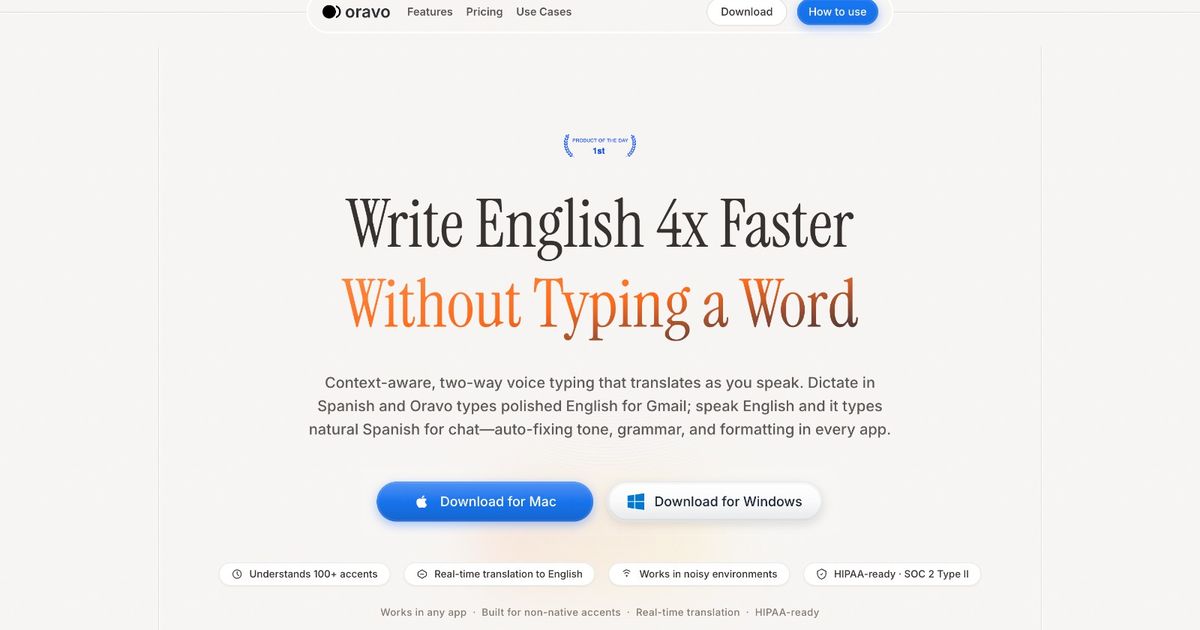
Journalists and news writers use voice typing to dictate breaking news copy 4x faster than keyboard typing, transcribe interviews and press conferences without laborious manual transcription, write long-form investigative pieces without repetitive strain injuries, and file stories from the field using only a smartphone. Modern AI voice typing like Oravo delivers 98% accuracy even with names, places, and breaking news terminology, works offline for sensitive sourcing situations, and starts at $9.99 per month with 2,000 words free every week - making it the tool that working journalists are adopting to compete in a news environment where speed and volume both matter.
Why Voice Typing Benefits Journalists and News Writers
The Acceleration of News Cycles and What It Costs Journalists
Journalism has always rewarded speed, but the definition of competitive speed has compressed dramatically. Outlets that published next-day now face competition from publications that file within the hour. Breaking news that once ran in the morning paper must hit the wire within minutes. Social media has collapsed the gap between event and publication to something close to zero.
This compression does not come free. Journalists absorb it through longer hours, more deadline pressure, and a constant sense of falling behind. The physical act of typing - at 40-60 words per minute for most journalists - has become a significant bottleneck when the expected pace of news production has accelerated far beyond what keyboard speed can sustain.
Voice typing at 200+ words per minute changes this equation. A journalist who can dictate at four times their typing speed can file copy in a quarter of the time, or file four times the copy in the same time. For news organizations competing on volume and speed, that advantage is decisive. For individual journalists competing for bylines, assignments, and recognition, it is career-defining.
The Hidden Time Tax of Manual Transcription
Every journalist who conducts interviews faces the transcription problem. An hour-long interview produces 60-90 minutes of audio that must become usable text. Manual transcription at normal speed takes three to five hours per hour of audio. Journalists who file multiple interview-based stories weekly are spending 15-25 hours per week on transcription alone before they write a single word of copy.
Even with third-party transcription services, turnaround time and cost create friction. Services charge $1-3 per minute of audio and require uploading files, waiting for results, and reviewing for accuracy. For breaking news, the delay makes external transcription useless. For investigative work with sensitive sources, uploading interview audio to external services creates security concerns.
Voice typing solves part of this problem by enabling real-time note capture during live interviews and press conferences. Journalists who use Oravo to dictate what they hear - capturing key quotes and important points as they occur - produce usable notes at the speed of the interview. For recorded interviews, dictating the relevant portions while listening is faster than typing from a recording and produces more selective, editorially useful notes than full transcription.
Repetitive Strain Injury and Career Longevity
Carpal tunnel syndrome, tendinitis, and other repetitive strain injuries are occupational hazards for journalists who type tens of thousands of words weekly over careers spanning decades. The volume of keyboard input required to produce modern journalism output is genuinely physically damaging for a significant portion of the workforce.
Voice typing reduces the keyboard burden proportionally to the amount of dictation that replaces typing. A journalist who dictates first drafts and interview notes while typing only edited final copy dramatically reduces daily keystroke volume. For journalists already managing RSI symptoms, voice typing often makes continued high-volume writing sustainable. For journalists without current symptoms, voice typing reduces injury risk across a career that spans decades of future writing.
Field Reporting and Mobile Journalism
Reporting frequently happens away from desk environments. Press conferences, community meetings, courthouse steps, disaster zones, political rallies, and sports venues all require note-taking and sometimes immediate filing. Mobile typing on a smartphone screen is slow and error-prone. Laptop typing in challenging field environments is impractical.
Voice typing on a smartphone eliminates the mobile typing bottleneck. Journalists can dictate notes, lede drafts, and complete stories from a phone in any location. Story ideas that arrive in transit can be captured immediately. Interview notes can be dictated before leaving the parking lot. Breaking news can be filed from the scene before returning to a desk.
Voice Typing Use Cases for Journalists and News Writers
Writing News Copy and Breaking Stories
News writing follows predictable structures - inverted pyramid, nut graph, quote structure, closing context - that lend themselves well to dictation. Journalists who internalize these structures can dictate publishable first drafts in a fraction of the time typing requires.
Breaking news dictation workflow: Reporter witnesses or receives breaking information. Immediately opens Oravo on phone or laptop. Dictates lede: who, what, when, where in first sentence. Dictates nut graph: why this matters, what readers need to know. Dictates key facts in descending importance. Dictates any available quotes with attribution. Dictates available context. Reviews and edits for accuracy. Files.
This workflow produces a publishable breaking news brief in eight to twelve minutes from start to file - the time previously required just to type a lede with corrections. For digital-first outlets, that speed difference is the margin between owning a breaking story and following it.
Wire story updating: Wire journalists who update developing stories throughout the day use voice typing to dictate update paragraphs as new information arrives. Rather than opening the story document, scrolling to the update location, and typing each addition, journalists activate Oravo and dictate the update while the document is already open. The workflow becomes: receive new information, dictate update, edit, publish.
Interview Notes and Transcription
Voice typing transforms the interview-to-story pipeline. The traditional workflow requires hours of transcription between interview and writing. Voice typing creates a new workflow that compresses the process significantly.
Live interview dictation: While conducting a phone or in-person interview, the journalist runs Oravo in parallel on a second device or split-screen configuration. Rather than transcribing afterward, the journalist dictates key quotes and important points while the interview happens. This is not verbatim transcription - it is selective note-taking at voice speed, capturing the most important elements in real time.
Post-interview dictation: Immediately after an interview, the journalist dictates a summary of the key points, best quotes, and story implications while memory is fresh. This 5-10 minute dictation session captures more usable material than 2-3 hours of full transcription, because it applies editorial judgment during capture rather than transcribing everything and selecting later.
Press conference coverage: For press conferences and briefings, journalists dictate direct quotes as they are spoken, capturing the exact wording of key statements without abbreviation. The 200+ WPM dictation speed keeps pace with normal speaking, making real-time quote capture feasible in ways that typing never was.
Long-Form and Investigative Writing
Long-form journalism and investigative reporting require sustained writing across thousands of words and multiple sessions. The physical and cognitive demands of extended typing sessions create fatigue that affects both speed and quality. Journalists who spend hours per day at a keyboard accumulate both physical fatigue and cognitive resistance to starting the next writing session.
Dictation reduces physical fatigue substantially. Journalists can walk while dictating, which many find increases creative output. The pace of speaking allows sustained production without the mechanical resistance of typing, which some writers describe as the difference between transcribing thoughts and thinking out loud.
Long-form first draft workflow: Create an outline. Dictate each section by speaking through the argument as if explaining it to a knowledgeable reader. Allow natural explanation to produce prose structure. Edit for precision, accuracy, attribution, and publication style. The first draft produced through dictation is typically more complete but less precisely worded than typed first drafts - it benefits from different editing rather than more editing.
2,000-Word Feature Timeline:
- Traditional typing: 4-6 hours (including thinking, typing, editing)
- Voice dictation: 90-120 minutes (25-30 minutes speaking, 60-90 minutes editing)
- Time saved: 2.5-4.5 hours per story
Feature Writing and Column Production
Regular feature contributors and columnists face the dual challenge of high output frequency and the need for distinctive voice. Dictation often enhances voice because spoken English more naturally captures individual rhythm and phrasing than typed prose, which tends toward formality and structure.
Columnists who switch to dictation frequently report that their dictated drafts sound more like their authentic voice than typed drafts did, reducing the revision required to achieve the right register. The editing process shifts from loosening stiff prose to tightening natural speech - a generally faster process.
Reporting Notes and Story Idea Capture
The moment between receiving a tip and sitting down to report is where many story ideas die. Voice typing captures ideas, sources, questions, and angles immediately, before the professional obligation of the present moment overwrites the story idea.
Field notes dictation: After a source conversation, community meeting, or observational reporting session, dictate a comprehensive account of what was seen, heard, and said before leaving the location. This produces more complete notes than anything written by hand and preserves texture and detail that memory and typed shorthand cannot capture.
Story ideas and angles: Dictate story ideas immediately when they occur - in transit, during meetings, while reading background material. A 30-second voice note captures an idea in enough detail to reconstruct its value later. Journalists using voice notes report significantly fewer story ideas lost to the friction of sitting down to type them out.
Newsletter and Digital Content Production
Journalists who produce newsletters, podcasts, substack posts, and other digital content in addition to primary journalism face compounding output demands. Voice typing provides the speed multiplier that makes producing multiple content formats sustainable.
Newsletter drafting through dictation follows the same pattern as feature writing but with less formal structure and more direct address to the reader. Many newsletter writers find dictation produces a more conversational tone that resonates with newsletter audiences accustomed to direct, personal communication.
Social Media and Platform Content
Journalists building platform presence and driving audience to their work produce significant social content. Dictating tweet threads, LinkedIn posts, and platform commentary reduces the time cost of social presence from significant to minimal.
A journalist can dictate a tweet thread in two minutes, edit it in three, and post in five, compared to fifteen minutes of typed composition and revision. Over a week of regular social posting, that difference compounds into hours recovered.
Best Voice Typing Tools for Journalists and News Writers
Oravo AI: Best Overall for Journalism
Oravo delivers the specific combination of capabilities that journalism requires: high accuracy for names and proper nouns, offline mode for sensitive sourcing situations, cross-platform support for mobile filing, and competitive pricing that works for freelancers and staff journalists alike.
Why Journalists Choose Oravo:
98% accuracy including names and proper nouns: News writing is dense with names, titles, organizations, and locations that general voice typing tools handle poorly. Oravo's accuracy on proper names is significantly higher than OS-level dictation tools, reducing the post-dictation correction load for name-heavy stories. Adding specific names to the custom dictionary - regular sources, beat-specific organizations, frequently covered locations - improves accuracy further.
Offline mode for sensitive reporting: Journalists covering sensitive topics, protected sources, or confidential information have legitimate concerns about audio transiting cloud services. Oravo's offline mode processes audio on-device, meaning dictated interview notes, source descriptions, and story details never leave the device. For investigative journalists and those covering national security, this is not a convenience - it is a professional requirement.
Mobile support for field filing: Oravo runs on iOS and Android, enabling journalists to dictate on a smartphone from any location. The same accuracy and functionality available on a laptop is available on a phone in the field. For reporters who file from events, this capability closes the gap between breaking news and publication.
Free tier for freelancers: 2,000 words per week free forever covers freelance journalists who file one or two stories weekly. Freelancers, stringers, and part-time contributors can use the full Oravo feature set without subscription cost for lighter output volumes.
$9.99 per month for staff journalists: Staff journalists and high-volume contributors who file multiple stories weekly benefit from the unlimited paid tier. At $9.99 per month, the tool costs less than one hour of most journalists' time. The speed advantage it provides returns that cost within the first hour of the first filing day.
Rev Voice Recorder: Specialized for Transcription
Rev offers both human and AI transcription services and a mobile recording app. Strong for interview transcription at competitive per-minute rates. Less useful for real-time dictation during writing sessions. Uploading audio to external servers creates concerns for sensitive reporting. Best for journalists whose primary need is recorded interview transcription rather than dictation during writing.
Otter.ai: Meeting and Interview Focus
Otter.ai specializes in meeting transcription and real-time captioning. Useful for press conference coverage when a journalist attends without being able to type simultaneously. Less useful as a dictation tool for writing copy. Free tier is limited. Cloud-based processing creates concerns for sensitive material.
Mac and Windows Built-In: Basic Free Option
Pros:
- Free with operating system
- No installation required
Cons:
- 85-90% accuracy inadequate for professional journalism
- Names, proper nouns, and technical vocabulary accuracy particularly poor
- No offline mode, no cross-platform support
- No customization for journalism vocabulary
Recommendation: Testing only. Insufficient for production journalism work where accuracy and speed both matter.
How Journalists Set Up Voice Typing
Quick Setup for Oravo (10 Minutes)
Step 1: Download for all your devices (3 minutes) Install Oravo on your primary laptop and your smartphone. Journalism happens on both and having Oravo available on both closes the field-to-desk gap that forces slower mobile workflows. Mac, Windows, iOS, and Android all have native apps.
Step 2: Configure your microphone (2 minutes) Built-in laptop microphones work in quiet environments. A directional clip microphone or noise-canceling headset significantly improves accuracy in newsrooms, press briefings, and field environments. A quality clip microphone costs $20-50 and the accuracy improvement is substantial in variable environments.
Step 3: Build your beat-specific vocabulary (3 minutes) Add names, organizations, and terms specific to your coverage area. Government reporters add official titles and department names. Sports reporters add team names, player names, and venue names. Business reporters add company names, executive names, and industry terms. This three-minute investment produces significant accuracy improvement on your specific beat vocabulary.
Step 4: Enable offline mode for sensitive work (1 minute) If you cover sensitive topics, enable offline mode before your next interview or note-taking session. Offline mode is a one-time setting that persists across sessions.
Step 5: Dictate your first story (1 minute to begin) Choose a story you are currently working on. Open your writing application. Activate Oravo. Start dictating from where you are in the story. Most journalists are comfortable within the first session and fully integrated within a week.
The Field Journalism Setup
Mobile dictation requires a slightly different physical setup than desk dictation. A quality microphone attached to your smartphone or a wireless earpiece with microphone significantly improves accuracy in field environments. Practice dictating in field conditions - wind noise, crowd noise, and background ambient sound affect accuracy more than quiet office conditions.
Develop a consistent dictation practice for field notes: dictate immediately after an event, before driving, before the next interview. The habit of capturing notes at the moment they are most accurate prevents the degradation of recall that makes notes typed hours later less reliable.
Professional Journalism with Voice Typing
Maintaining Journalistic Standards in Dictated Copy
Speed is worthless if it compromises accuracy. The edit pass after dictation is where journalistic rigor is applied. Dictated copy benefits from the same verification, attribution checking, and factual review that typed copy requires. Voice typing accelerates the first draft; the editing process maintains standards.
Journalists who dictate report that editing dictated copy is different from editing typed copy. Dictated prose tends to be more naturally structured and readable but less precise in its attribution and factual specificity. The editing process focuses on precision and verification rather than structure and flow. Most experienced journalists adapt to this different editing emphasis quickly.
Quote Accuracy and Attribution
Quotes must be exact. The recommended workflow for quotes in dictated copy is to dictate the surrounding copy normally and insert a marker where quotes will appear - spoken as something like "quote from the mayor here" - then add accurate quotes during editing from recordings, notes, or contemporaneous documentation.
Many journalists use a hybrid approach: dictate the surrounding copy and approximate quotes in the first pass, then verify all quotes against recordings during editing. What you should not do is dictate quotes once and assume they are accurate without verification. Quote accuracy is non-negotiable in journalism and the editing pass is where that accuracy is established.
Working Across Publication Formats
Modern journalists produce content across multiple formats - longform features, breaking news briefs, social media posts, newsletter entries, and audio scripts for podcasts. Voice typing scales across all of these formats with different approaches.
Format-specific dictation approaches:
- Breaking news briefs: Rapid dictation and light editing for accuracy
- Longform features: Sustained dictation sessions with structural editing
- Newsletter entries: Conversational dictation producing authentic direct tone
- Audio scripts: Dictated prose sounds natural when read aloud - minimal editing required
- Social posts: Quick dictation, careful editing for length and platform conventions
Voice Typing for Different Journalism Roles
Breaking News Reporters
Breaking news reporters work at the fastest pace in journalism. Deadlines are measured in minutes, not hours. Voice typing provides the speed advantage that can be the difference between owning a story and being the second reporter to file it.
The workflow becomes: gather facts, activate Oravo, dictate structured news brief, edit for accuracy, file. The dictation step is now the fastest part of the process. Breaking news reporters who work in teams use voice typing to rapidly document developing information and pass structured notes to colleagues, improving accuracy in high-stakes fast-moving coverage.
Beat Reporters
Beat reporters develop deep expertise in specific subject areas - government, sports, courts, business, education, public safety - and file multiple stories weekly. The sustained output volume over months and years makes RSI risk significant and documentation consistency critical.
Beat reporters benefit particularly from Oravo's custom vocabulary feature. A courthouse reporter who dictates judicial names, case names, and legal terminology with high accuracy transforms the tedious process of correcting proper noun errors into a non-issue. A sports reporter who adds team rosters and player names to their custom vocabulary files game stories with dramatically fewer post-dictation corrections.
Investigative Journalists
Investigative journalists produce lower story volume but much higher word counts per story. A major investigative piece might run 5,000-10,000 words and take weeks to develop. The offline mode requirement is critical for investigative work, and the ability to dictate complex arguments, source attribution structures, and detailed factual narratives without cloud transmission is essential.
Investigative journalists also use voice typing for the intermediate documentation layer of investigation: source notes, document analysis, argument development, and draft narrative construction. A 10,000-word investigation might involve 50,000 words of intermediate documentation, all of which benefits from the speed advantage of dictation.
Freelance Journalists
Freelancers compete on the ability to produce quality copy quickly, since their income is proportional to their output. Voice typing accelerates production at every stage of the freelance workflow: pitching (dictate query letters), reporting (dictate field notes and interview summaries), writing (dictate drafts), and delivery (dictate revisions based on editor feedback).
The free tier is particularly relevant for freelancers building their practice. 2,000 words per week free allows freelancers to use Oravo for pitches, notes, and occasional story drafts without subscription cost. As output increases and the value becomes clear, upgrading to the $9.99 per month tier provides the unlimited capacity that high-volume freelancers need.
Newsletter Writers and Digital Journalists
Newsletter journalism has grown into a significant independent publishing format. Newsletter writers face the challenge of producing engaging, personal content consistently - often daily or multiple times weekly - without the institutional support of a news organization.
Voice typing is particularly well-suited to newsletter writing because the conversational, direct tone of effective newsletter prose sounds exactly like natural spoken language. Journalists who have struggled to achieve the right newsletter voice through typing often find that dictated drafts naturally hit the register that readers respond to.
Editors and Managing Editors
Editors produce high volumes of written communication alongside their editorial judgment work: feedback to writers, editorial planning documents, section briefs, publication reports, and professional communications with contributors and colleagues. Voice typing reduces the time cost of thorough editorial communication, enabling editors to provide more complete feedback in less time.
Managing editors who use voice typing for editorial correspondence report that the reduced friction of dictation encourages them to write more complete, specific feedback to writers. Better editorial feedback improves story quality and writer development, multiplying the individual productivity benefit across the entire editorial operation.
Journalist and News Writer Success Stories
Case Study: City Hall Reporter at a Daily Newspaper
The situation: Elena covered city hall for a daily newspaper with a circulation of 180,000. Her beat required attending council meetings, press conferences, and hearings, conducting daily source conversations, and filing 2-3 stories per day. Her weekly output was approximately 8,000-10,000 words of published copy plus substantial unpublished notes and documentation.
Before voice typing:
- 3-4 hours daily on the mechanical tasks of typing and transcription
- Manual transcription of press briefings consuming time needed for additional reporting
- Developing wrist pain diagnosed as early repetitive strain injury
- Filing on time but unable to add enterprise and feature stories her editor wanted
After Oravo (3 months):
- Daily writing time dropped from 3-4 hours to 1.5-2 hours
- Wrist pain resolved within six weeks
- Added one enterprise story per week to output without additional hours
- Copy quality improved because more time available for second-source verification and fact-checking
- Recognized as most productive reporter in the city coverage team
"I spent years thinking I just needed to type faster. Voice typing made me realize the problem was never my speed - it was that keyboards are the wrong tool for the job. Speaking is natural. Typing is learned. Once I stopped fighting my natural instinct to talk through stories, everything got faster."
Case Study: Freelance Features Writer
The situation: Marcus was a freelance features writer contributing to three national publications, writing primarily 2,000-4,000 word profiles and cultural features. Monthly output ranged from 12,000 to 18,000 words of published copy. His income was directly tied to output volume, making efficiency a financial priority.
Before voice typing:
- Hit what he described as a typing ceiling - maximum sustainable writing volume without burnout
- Working 55-60 hours per week
- Passed on two significant assignments because writing could not fit in his schedule
- Procrastination increasing as total typing volume became physically and mentally taxing
After Oravo (4 months):
- Monthly published output increased from 12,000-18,000 words to 18,000-24,000 words without increased hours
- Took on the two significant assignments previously passed on
- Hourly income increased by approximately 35% as output rose without proportional hour increases
- Working hours reduced from 55-60 to 45-50 while maintaining higher output
"The first two weeks were humbling. My dictated drafts were messier than my typed drafts and I almost quit. Then I realized I was writing 2,000 words in forty minutes that would have taken two hours to type, even if the editing took longer. The math completely changes your income as a freelancer. This tool basically gave me a raise."
Case Study: Investigative Reporter at a Regional Outlet
The situation: Fatima was an investigative reporter with a regional reputation for data-intensive accountability journalism. Her investigations typically ran 5,000-8,000 words and involved weeks of document review, source development, and narrative construction. She had begun experiencing significant wrist and hand pain affecting her output.
Before voice typing:
- Doctor recommended reducing keyboard time by 50% or facing surgery
- Covering a significant story involving confidential sources that could not use cloud-based tools
- Documentation burden preventing sustainable work pace
- Medical necessity and security requirements creating a crisis in her ability to continue
After Oravo (2 months):
- Keyboard time decreased by approximately 60%, dropping below doctor's recommended threshold
- Hand pain reduced to manageable levels, surgery avoided
- Investigative piece published and received a regional press association award
- Dictated approximately 40,000 words of intermediate documentation and 15,000 words of published copy during the investigation
- Next investigation moving at the fastest pace of her career
"This was not optional for me - I needed to stop typing or stop working. Offline mode was non-negotiable because of my sources. Oravo was the only tool that gave me both requirements. The fact that it also made me faster was almost secondary, but it is real."
Case Study: Newsletter Writer Building an Independent Practice
The situation: James had left a staff position at a national publication to launch an independent newsletter covering labor economics. He had 4,000 subscribers at launch and was producing three 1,500-2,000 word newsletters per week alongside occasional long-form pieces for publication clients.
Before voice typing:
- Writing volume required was higher than anticipated
- Three newsletters per week plus one freelance piece consuming 30-35 hours weekly in writing time alone
- No time remaining for subscriber growth or business development
- Needed to either cut output or find a substantially faster way to write
After Oravo (6 months):
- Newsletter writing time dropped from 30-35 hours weekly to 14-18 hours weekly
- Recovered time used for subscriber growth activities
- Subscriber base grew from 4,000 to 11,000
- Launched paid tier at scale and converted to newsletter income replacing freelance client work
- The productivity gain from voice typing was a direct contributor to the business outcome
"My newsletter voice improved when I switched to dictation. I had always known I wanted to write the way I talk to people about economics, but my typed drafts came out more formal. Dictating while walking is the closest thing to actually talking to my readers, and they noticed. Engagement went up and so did conversions to paid subscriptions."
Frequently Asked Questions
How accurate is Oravo for journalism, including names and proper nouns?
Oravo achieves 98% accuracy for general journalism text and improves significantly on proper nouns when those nouns are added to the custom vocabulary. For a reporter covering city government, adding council member names, department heads, neighborhood names, and city-specific terminology takes five minutes and produces high accuracy on beat-specific names. For a sports reporter, adding team rosters takes slightly longer but transforms accuracy on the most common proper nouns in sports coverage. Unusual names benefit most from manual dictionary addition.
Can I use Oravo for transcription of recorded interviews?
Oravo is primarily a dictation tool - you speak into it rather than feeding it recorded audio. For recorded interview transcription, the most effective workflow is to play the recording and simultaneously dictate what you hear, capturing key quotes and important points as they occur. This selective dictation is typically faster than full transcription and produces more editorially useful notes because you apply judgment during capture. Dedicated transcription services like Rev produce full verbatim transcripts more efficiently for journalists who need word-for-word accuracy.
Is offline mode sufficient for protecting source confidentiality?
Oravo's offline mode processes audio on the device with no transmission to external servers. For journalists who need to ensure that dictated content related to confidential sources never leaves their device, offline mode provides that assurance. However, offline dictation protects against cloud interception but does not protect against device compromise or legal compulsion to produce device contents. Journalists in high-risk sourcing situations should consult digital security experts in addition to using offline dictation.
How do I handle quotes in dictated copy?
The recommended workflow is to dictate the surrounding copy normally and insert a spoken marker where quotes will appear, then add accurate quotes during editing from recordings, notes, or contemporaneous documentation. Some journalists dictate approximate quotes in the first pass and verify against recordings during editing. What you should not do is dictate quotes once and assume they are accurate without verification. Quote accuracy is non-negotiable and the editing pass is where that accuracy is established.
Can voice typing keep up with speaking sources in real time?
Voice typing captures your spoken words, not external audio. For real-time note-taking during interviews or press conferences, you dictate what you hear rather than what you say. Your dictation speed of 200+ WPM exceeds normal conversational speaking speed of 120-150 WPM, which means a skilled dictating journalist can keep up with live sources while capturing key points and approximate quotes. Practice helps significantly - journalists who have used voice note-taking for a month are substantially more effective than those in their first week.
What happens if Oravo mishears a word in a published story?
The same editorial review process that catches typing errors catches dictation errors. Oravo's 98% accuracy rate means approximately 2 words in 100 require correction, comparable to careful typing. The editing process that every journalist performs catches transcription errors before publication. Many journalists find that dictation errors are easier to spot during editing because they are more obviously wrong - a misheard word usually makes no sense in context - than the subtle grammatical errors typical of typing fatigue.
How does voice typing work in a newsroom with multiple people?
Open newsroom environments require a noise-management approach. A directional microphone or noise-canceling headset significantly reduces background noise pickup and improves accuracy in shared spaces. Some journalists use voice typing in quieter areas of the newsroom, in conference rooms, or via phone from outside the building. Testing your specific environment before relying on voice typing for deadline-critical copy is recommended.
Can I use Oravo on a smartphone for breaking news filing?
Yes. Oravo's iOS and Android apps provide the same accuracy and functionality as the desktop version. Mobile filing workflows typically involve activating Oravo on the phone, dictating into a notes app or directly into a mobile browser with your CMS open, editing the dictated text on the phone screen, and filing. For short breaking news items of 200-400 words, this entire process from incident to publication can complete in eight to twelve minutes from a field location.
Does dictation improve writing quality or just speed?
Many journalists report that consistent dictation improves writing quality over time, specifically in structure and readability. The natural flow of spoken explanation tends to produce better organized prose than the sometimes fragmented output of typing under deadline pressure. Dictated prose is generally more readable at first draft stage while typed prose is generally more precise. Journalists who dictate regularly report developing a dictation voice that is clearer and more direct than their typing voice - a development that takes several weeks of regular practice to emerge.
What is the best microphone for journalism dictation?
For desk dictation in quiet environments, the built-in microphone on modern laptops provides acceptable accuracy with Oravo. For field use on a smartphone, a clip microphone attached to a lapel or shirt collar dramatically improves accuracy over the built-in phone microphone, particularly in environments with wind or ambient noise. Clip microphones for smartphones are available for $20-50. For newsroom use, a noise-canceling USB headset in the $50-100 range provides the best combination of accuracy and comfort for sustained dictation sessions.
How does Oravo compare to hiring a transcription service?
Transcription services like Rev charge $1-3 per minute of audio and require uploading files, waiting for results, and reviewing for accuracy. For a one-hour interview, that is $60-180 and a 2-4 hour wait, followed by review and editing. Oravo at $9.99 per month provides unlimited dictation with no per-usage cost, no upload requirement, no wait time, and offline capability for sensitive material. For journalists who conduct more than a few hours of interviews monthly, Oravo's subscription cost is a fraction of equivalent transcription service fees.
Is the free tier useful for journalists?
The free tier of 2,000 words per week is useful for freelancers filing one story weekly or staff journalists who want to experiment with voice typing before committing to a subscription. Staff journalists and high-volume freelancers who file multiple stories weekly will exhaust the free tier within one or two days and benefit from the $9.99 per month paid plan. The free tier is a permanent option for lighter use, not a trial with an expiration.
Start Filing Faster with Voice Typing
Transform your journalism practice with voice typing. Break stories faster, eliminate transcription backlog, protect your sources, and file from the field with nothing but a smartphone.
Try Oravo AI free (no credit card required):
- 2,000 words per week free forever
- 98% accuracy for journalism including names and proper nouns
- Offline mode for sensitive sourcing and confidential reporting
- Works on Mac, Windows, iOS, Android
- No training required - start dictating on your next story