Voice Typing for Developers: Write Docs 4x Faster | Oravo
How Engineers and Software Developers Use Voice Typing to Work Faster
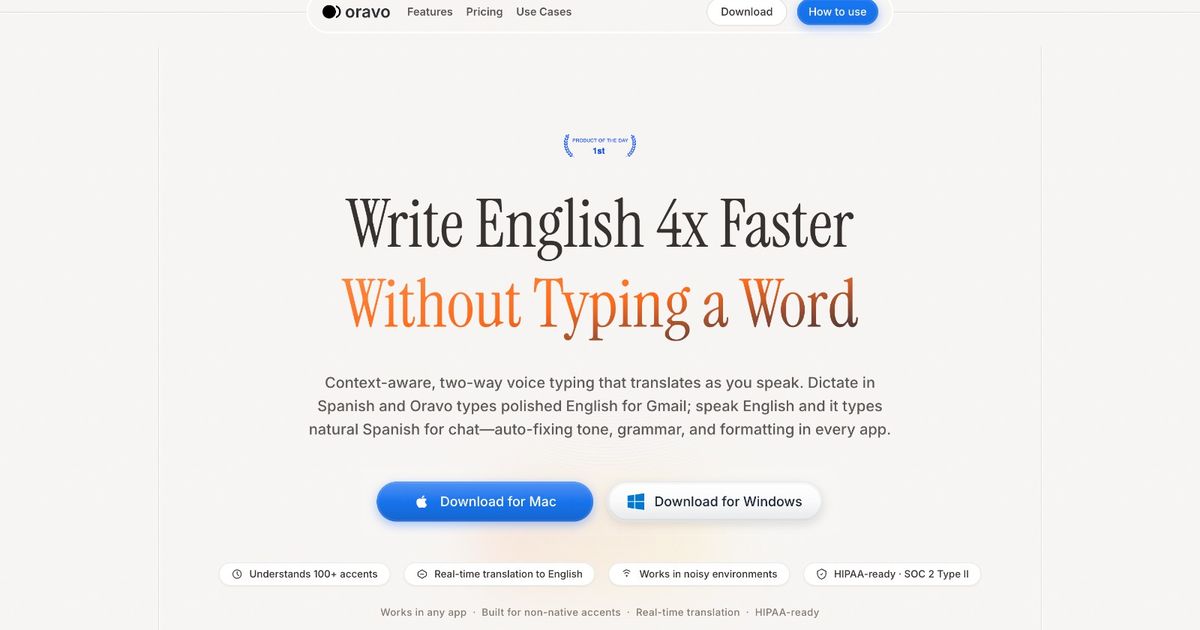
Engineers and software developers use voice typing to write technical documentation 4x faster than keyboard typing, dictate code comments and commit messages without breaking flow state, capture architecture decisions and meeting notes in real time, and eliminate the documentation backlog that kills team velocity. Modern AI voice typing like Oravo delivers 98% accuracy even with technical jargon, works offline for sensitive codebases, and starts at just $9.99 per month with 2,000 words free every week - making it the productivity tool that engineering teams are adopting across startups and Fortune 500 companies alike.
Why Voice Typing Benefits Engineers and Software Developers
The Documentation Problem Every Engineering Team Knows
Ask any engineering team what slows them down and documentation comes up within minutes. Not the interesting kind of documentation - the architecture decisions, the API contracts, the design rationale that actually helps future engineers understand why a system was built the way it was. The kind that nobody writes because by the time the coding is done, writing a thousand words of prose feels like running a second marathon after finishing the first.
Voice typing changes this calculation entirely. Speaking at 200+ words per minute versus typing at 40-60 WPM means documentation that would take an hour to write takes fifteen minutes to dictate. That difference compounds across a week, a sprint, a year. Engineering teams that adopt voice typing for documentation find their wikis, their READMEs, and their inline comments actually reflect reality instead of aspirations.
The speed advantage matters most at the moments when documentation is most valuable: immediately after implementation decisions are made, right after an architectural debate resolves, in the thirty seconds after a post-incident review reaches a conclusion. Voice typing captures those moments before they fade.
Breaking the Flow State Tax of Context Switching
Flow state is the most valuable and most fragile resource in software development. Research consistently shows that engineers need 15-20 minutes to reach deep focus after an interruption. Writing documentation the traditional way - stopping coding, opening a different application, typing prose - constitutes exactly this kind of interruption.
Voice typing allows engineers to document without leaving their primary coding environment. Many engineers dictate while reading their own code, describing what a function does as they scan it. The spoken explanation often reveals complexity or unclear logic that pure typing review might miss. The act of articulating code in natural language is itself a code review technique.
Commit messages, pull request descriptions, and ticket comments are the secondary documentation layer that most engineering organizations live and die by. With voice typing, writing a thorough commit message takes thirty seconds instead of three minutes. That changes the math on whether engineers write good commit messages at all.
The Real Cost of Underdocumented Code
Underdocumented code is not a minor inconvenience. Studies of enterprise software development place the cost of poor documentation at 20-30% of total engineering time, as developers read, reverse-engineer, and rediscover the intent of existing code. In concrete terms, a 10-person engineering team losing 20% of their time to documentation debt is losing two full-time engineer-equivalents every single day.
Voice typing attacks this problem at both ends. Engineers who dictate documentation as they code create better documentation in the first place. Engineers who use voice typing to work through existing documentation debt clear backlogs faster. The ROI is straightforward: if voice typing saves each engineer one hour per day and engineers cost $150,000 per year in salary and benefits, that is $75,000 in recovered productivity per engineer annually from a $120 per year tool.
Meeting Notes, Stand-ups, and Engineering Communication
Engineering work is not just coding. Design reviews, sprint retrospectives, one-on-ones, incident post-mortems, and cross-team syncs all generate information that needs to be captured. Traditional note-taking during meetings produces either skeletal bullet points or causes the note-taker to miss the conversation entirely while transcribing.
Voice typing during and immediately after meetings captures comprehensive notes without losing the thread of conversation. Engineers dictate action items, decisions, and context while the meeting is fresh. The result is meeting notes that actually inform future decisions rather than collecting digital dust.
Voice Typing Use Cases for Engineers and Software Developers
Technical Documentation and READMEs
README files are the front door of every codebase and one of the most consistently underdeveloped pieces of software documentation. A comprehensive README explains what the project does, how to set it up, how to run tests, what the architecture looks like, and what decisions were made along the way. Writing all of that from scratch takes hours.
Voice typing README workflow: Open the project. Start Oravo. Describe the project as if explaining it to a new team member. Walk through the setup steps out loud. Explain the architecture using natural language. Describe the key design decisions and why they were made. The resulting dictated text needs editing but it needs far less editing than a blank page needs filling.
Technical documentation for APIs, SDKs, and internal libraries follows the same pattern. Speaking the explanation of what a function does, what parameters it takes, what it returns, and when you might use it over alternatives produces documentation that is clearer and more complete than terse typed docs written under time pressure.
Code Comments and Inline Documentation
The perennial debate about whether code should be self-documenting or heavily commented misses the practical reality: complex business logic, non-obvious performance optimizations, and context-dependent behavior all benefit from clear explanation. The bottleneck is not agreement that comments are valuable - it is that writing good comments takes time that engineers feel they cannot spare.
Example dictated comment workflow: Engineer finishes implementing a complex caching algorithm. Rather than skipping the comment or writing a terse one-liner, they dictate: "This cache uses a two-tier strategy because the downstream API has strict rate limits and some requests are significantly more expensive than others. The LRU layer handles recency, the frequency layer handles the expensive endpoints. Adjust the frequency threshold in config.cache.frequency_weight if the expensive endpoint hit rate changes." That comment took forty seconds to dictate and will save the next engineer hours of confusion.
Docstrings for Python functions, JSDoc for JavaScript, and similar documentation formats are particularly well-suited to voice typing because they follow predictable patterns. Engineers can dictate the description, parameters, return values, and examples in a natural flow, letting Oravo capture the text while they focus on accuracy and completeness.
Commit Messages and Pull Request Descriptions
The quality of commit history determines whether git blame is a useful debugging tool or an exercise in frustration. "Fix bug" tells future engineers nothing. A commit message that explains what changed, why it changed, and what the impact is provides genuine value. The reason most commit messages are terse is that writing well takes time at exactly the moment when engineers want to move on to the next task.
Typed commit message (typical): "Fix null pointer exception in user service"
Dictated commit message (same time investment): "Fix null pointer exception in user service when email field is null. The registration flow does not require email for OAuth users, but the notification service was assuming all users had email addresses. Added null check in UserNotificationService.sendWelcome() and updated the unit tests to cover the OAuth user path."
Pull request descriptions benefit even more from voice typing. A complete PR description that explains the problem, the approach, alternatives considered, testing done, and deployment considerations might take 20 minutes to type. Dictating the same description takes five minutes and produces a more natural, readable explanation.
Architecture Decision Records
Architecture Decision Records (ADRs) are one of the most valuable and least practiced forms of engineering documentation. Capturing the context, decision, and consequences of significant architectural choices preserves institutional knowledge that otherwise lives only in the heads of engineers who eventually leave.
The reason ADRs get skipped is the same reason all documentation gets skipped: writing them takes time. An ADR that accurately captures a complex decision might require 500-800 words. Typing that under time pressure produces thin documentation. Dictating it immediately after a decision is made, while the reasoning is fresh, produces documentation that actually serves its purpose.
ADR dictation workflow: Immediately after the architecture meeting, open a new ADR template. Dictate the context section: what problem were we solving, what constraints existed, what had we tried before. Dictate the decision: what did we decide and what were the key reasons. Dictate the consequences: what does this enable, what does it foreclose, what will we need to do as a result. Edit for clarity and publish. Total time: fifteen minutes instead of sixty.
Incident Post-Mortems and Root Cause Analysis
Post-mortem documents serve critical functions: they capture what happened, help the team learn from incidents, and create accountability for follow-up actions. Well-written post-mortems also serve legal and compliance functions in regulated industries. The standard for post-mortem quality is high and the timeline pressure to produce them quickly after an incident is intense.
Voice typing accelerates post-mortem documentation without sacrificing quality. Engineers can dictate the incident timeline by speaking through their notes, chat logs, and memory while events are fresh. The root cause analysis section benefits particularly from dictation because explaining causality in natural language often produces clearer reasoning than typed prose composed under pressure.
Slack Messages, Emails, and Engineering Communication
Engineering communication is heavily text-based. Slack channels, email threads, GitHub comments, Jira tickets, and Confluence pages all require written input. Engineers who are fast at coding are not necessarily fast typists, and the overhead of writing good asynchronous communication adds up significantly over a week.
Voice typing for everyday engineering communication cuts the time cost of being a good communicator. Explaining a blocking issue in a Slack message, providing context in a Jira ticket, reviewing someone's architectural proposal in a detailed GitHub comment - all of these take less time with dictation and the reduced friction means engineers communicate more thoroughly rather than sending terse messages that require follow-up clarification.
Best Voice Typing Tools for Engineers and Software Developers
Oravo AI: Best Overall for Engineering Work
Why Engineers Choose Oravo:
98% accuracy with technical vocabulary: Oravo handles technical terminology accurately without extensive custom dictionary work. Engineering terms like "microservices," "asynchronous," "Kubernetes," "dependency injection," and "eventual consistency" transcribe correctly without manual correction. Add project-specific terminology like internal service names and custom abbreviations for near-perfect accuracy on specialized vocabulary.
Works in all applications: Oravo is not limited to a single application or browser. Engineers can dictate in their IDE for code comments, in their wiki tool for documentation, in their email client for team communication, and in Slack for async coordination. Switching voice typing tools based on which application is open is a productivity killer that Oravo eliminates.
Offline mode for sensitive codebases: Many engineering teams work on proprietary code that cannot transit cloud services for compliance or competitive reasons. Oravo's offline mode allows engineers to dictate in air-gapped environments and on secure networks without any data leaving the device. This is a critical capability that free tools like Google Docs Voice Typing cannot provide.
Free tier for casual documentation: 2,000 words per week free forever covers light documentation work. Engineers who primarily type code and only occasionally dictate documentation, commit messages, or meeting notes may never need to pay. The free tier is not a trial - it is a permanent option for lighter usage.
$9.99 per month for unlimited productivity: For engineers who commit to dictating documentation, communication, and meeting notes, the paid tier removes word limits. At $9.99 per month or $99.99 per year, the tool costs less than one hour of an engineer's time. Any week where voice typing saves more than thirty minutes of documentation work pays for the annual subscription.
Google Docs Voice Typing: Free for Google Docs Only
Pros:
- Completely free
- Built into Google Docs
- Acceptable for casual use
Cons:
- Chrome browser only
- Google Docs only - does not work in IDEs, wikis, or other tools
- 90-92% accuracy requiring substantial editing on technical content
- No offline mode
- No customization for engineering vocabulary
Recommendation: Only useful for engineers who do all documentation in Google Docs. Oravo free tier provides better experience across all tools engineers actually use.
Mac and Windows Built-In: Basic Free Option
Pros:
- Free with operating system
- No installation required
Cons:
- 85-90% accuracy too low for professional technical writing
- Manual punctuation commands interrupt flow
- No customization or vocabulary learning
- Poor performance on technical terminology
Recommendation: Testing only. Upgrade to Oravo for any serious engineering documentation work.
How Engineers and Software Developers Set Up Voice Typing
Quick Setup for Oravo (10 Minutes)
Step 1: Download and Install (3 minutes) Visit oravo.ai and download for your platform. Oravo runs on Mac, Windows, iOS, and Android. Install is standard with no technical configuration required. Create account with work or personal email - no verification delays.
Step 2: Configure Microphone (2 minutes) Built-in laptop microphones work for most use cases. External USB microphones or headsets improve accuracy in open office environments or when background noise is present. Dictate a test paragraph and verify transcription accuracy before moving to production use.
Step 3: Add Engineering Vocabulary (3 minutes) Open custom dictionary settings. Add your technology stack terminology: framework names, language-specific terms, internal service names, team abbreviations, and common technical terms you use daily. Common additions: "Kubernetes," "Terraform," "TypeScript," "PostgreSQL," "microservices," and any internal codenames or project names.
Step 4: Enable Offline Mode (1 minute) If your codebase is sensitive, enable offline mode in settings. Offline processing means transcription happens on-device with no cloud transmission. Verify offline mode is active before dictating anything confidential.
Step 5: First Productive Session (1 minute) Choose a documentation task you have been putting off. Open the target document. Activate Oravo. Start speaking. If you can explain your code to a colleague, you can dictate documentation for it.
Engineering Workflow Integration
Documentation Timeline:
- Traditional typing: 60-90 minutes per documentation session
- Voice dictation: 15-20 minutes speaking, 20-30 minutes editing
- Time saved: 25-40 minutes per session
- Weekly impact across 5 sessions: 2-3 hours recovered
IDE Integration: Oravo works in any text field, including IDE comment blocks. Position cursor inside a comment, activate Oravo, and dictate the explanation. Particularly effective for complex function documentation that benefits from conversational explanation.
Post-Merge Documentation Habit: After a feature branch merges, spend five minutes dictating documentation before moving to the next task. The implementation details are freshest immediately after completion, and voice typing makes the five-minute investment produce ten minutes of quality documentation.
Professional Engineering Communication with Voice Typing
Writing Technical Specifications
Technical specifications describe systems before they are built, establishing shared understanding between engineers, product managers, and stakeholders. Good specs prevent rework. Poor specs or absent specs are the most common cause of significant engineering rework, which research suggests accounts for 30-50% of total development effort in organizations without strong specification practices.
Without voice typing: Engineer delays writing spec because typing a thorough document feels like a half-day investment. Meeting happens without written spec. Misalignment discovered mid-implementation. Rework required.
With voice typing: Engineer dictates spec immediately after design discussion while decisions are fresh. Thorough document produced in thirty minutes. Team aligned before implementation begins. Rework avoided.
Effective RFC Documents
Request for Comment (RFC) documents are how engineering teams socialize significant technical decisions before committing to them. An RFC that accurately captures the problem, explores alternatives, makes a clear recommendation, and anticipates objections is a high-value document. Most engineers find writing RFCs tedious, so many significant decisions bypass the RFC process entirely.
Engineers who dictate RFCs report writing them faster and more completely. The conversational format of dictation naturally produces the exploration-of-alternatives structure that makes RFCs useful. An engineer who would spend three hours typing an RFC can dictate a more complete version in ninety minutes.
Cross-Team and Stakeholder Communication
Engineers regularly communicate with non-technical stakeholders - product managers, executives, customers, and business partners. Writing clear technical explanations for non-technical audiences is a distinct skill, and voice typing supports it because speaking to an imagined non-technical listener produces clearer prose than typing for an imagined technical reviewer.
Dictating status updates, incident summaries, and project updates for non-technical audiences produces communication that is both faster to create and clearer to read. Engineers naturally modulate their explanation level when speaking in ways that are harder to maintain when typing.
Voice Typing for Different Engineering Roles
Backend Engineers
Backend engineers working on APIs, databases, and system architecture generate substantial documentation needs: API contracts, database schemas, data flow documentation, service dependencies, and operational runbooks. Voice typing accelerates all of these, with particular value for architecture decision records and operational documentation that is most frequently neglected.
High-value use cases: API documentation (dictate endpoint descriptions, parameter explanations, and example responses), runbooks (dictate step-by-step operational procedures while following them), and post-mortems (dictate incident timelines and root cause analysis while memory is fresh).
Frontend Engineers
Frontend engineers document component behavior, accessibility considerations, design system decisions, and browser compatibility notes. Component documentation in tools like Storybook benefits from dictated descriptions that explain when to use a component, what variations exist, and what accessibility requirements apply.
PR descriptions for frontend changes often require clear explanation of what changed and why - text that is most efficiently produced through voice typing. Accessibility documentation, which tends to be comprehensive and detailed, is particularly well-suited to dictation.
DevOps and Platform Engineers
DevOps and platform engineers write runbooks, incident response procedures, infrastructure documentation, and change management records. These documents directly affect system reliability and team response speed during incidents.
Dictating runbooks while actually performing a procedure for the first time captures the actual steps rather than the steps as remembered afterward. Engineers narrate what they are doing as they do it, producing procedural documentation that is accurate to actual experience - something typed-from-memory runbooks consistently fail to achieve.
Engineering Managers and Tech Leads
Engineering managers and tech leads generate high volumes of written communication: one-on-one notes, performance feedback, promotion cases, project status updates, technical escalations, and hiring decisions. This communication volume is one of the less-discussed challenges of technical leadership.
Voice typing reduces the time cost of being a thorough communicator in a leadership role. One-on-one notes dictated immediately after meetings capture context while it is fresh. Performance feedback drafted through dictation is often more complete and more specific than feedback typed under time pressure at the end of a review cycle.
Technical Writers and Documentation Engineers
Technical writers who support engineering teams use voice typing to accelerate first drafts significantly. Documentation engineers who own developer portals, SDKs, and public API documentation benefit from dictating with subject matter experts, capturing explanation in real time.
Technical writers report that dictated first drafts, while requiring more editing than typed drafts, contain more complete information and capture the authentic voice of subject matter experts more accurately than notes-based writing.
Engineer Success Stories
Case Study: Senior Backend Engineer at a Series B SaaS Company
The situation: Marcus, a senior backend engineer at a 120-person SaaS company, was responsible for documenting a complex distributed system built over three years. The documentation existed as scattered notes, outdated wikis, and institutional knowledge held by engineers who were increasingly leaving the company.
Before voice typing:
- Documentation backlog estimated at 200 hours of writing work
- Documentation sessions consistently deprioritized for features and bug fixes
- New engineer onboarding taking three weeks due to poor documentation
- Critical system knowledge leaving with departing engineers
After Oravo (6 months):
- Documentation backlog dropped from 200 estimated hours to roughly 40 hours
- Dictating approximately three hours of documentation content weekly, producing what would have taken six to eight hours of typing
- New engineer onboarding time dropped from three weeks to ten days across four new hires
- Architecture decisions captured in real time instead of reconstructed afterward
"The weird thing is the documentation quality actually improved. When I type, I edit as I go and end up with terse, dense prose. When I dictate, I explain like I'm talking to someone, and the results are clearer. New engineers tell me our docs are unusually good. That would not have happened without voice typing."
Case Study: Engineering Manager at a Fintech Startup
The situation: Priya managed a team of eight engineers at a fintech startup where her role required constant written communication: sprint planning documents, technical escalation memos, performance reviews, hiring feedback, and cross-team coordination. She was spending 12-15 hours per week on written communication tasks alone.
Before voice typing:
- Regularly working past 8 PM completing documentation and communication tasks
- Performance reviews thin on specific examples due to time pressure
- One-on-one notes incomplete, missing context that mattered weeks later
- Team feedback indicating response quality high but sustainability questionable
After Oravo (3 months):
- Written communication time dropped from 12-15 hours per week to 5-7 hours
- Recovered 6-8 hours weekly redirected to strategic work and team support
- Performance reviews recognized by HR for thoroughness and specificity
- Stopped working past 7 PM within the first month of adoption
"I was skeptical because I type fast and I thought voice typing would feel weird. Within a week it was completely natural. The time savings were real and immediate. Writing a one-on-one doc that used to take twenty minutes now takes seven minutes and it covers more ground."
Case Study: Remote Frontend Engineer on a Distributed Team
The situation: Diego worked as a remote frontend engineer for a team spanning four time zones. Async communication was critical, and Diego's slower-than-average typing speed meant his updates were functional but brief, creating coordination gaps for teammates in earlier time zones.
Before voice typing:
- Async updates consistently brief due to typing friction
- Teammates regularly sending follow-up questions to get sufficient context
- Manager noting async communication as development area in reviews
- Missing detail in PR descriptions causing review delays
After Oravo (4 months):
- Async communication volume roughly doubled while time investment stayed flat
- Teammates reported fewer follow-up questions on updates
- Next performance review noted async communication as a strength
- Promotion received three months later, with communication cited as a contributing factor
"Typing felt like work. Speaking feels like thinking out loud. When I dictate an update, I naturally include the context someone in a different time zone would need to unblock themselves. I did not change how thorough I was trying to be - I changed how expensive thoroughness was."
Case Study: DevOps Engineer at an Enterprise Company
The situation: Alicia was a DevOps engineer with strict compliance requirements around change management documentation. Every infrastructure change required documented runbooks, rollback procedures, and risk assessments. The documentation burden was consuming 30-40% of her total working time.
Before voice typing:
- Missing deployment windows because documentation was not complete
- Runbooks thin - covering requirements without operational depth
- Change backlog building for six months
- Documentation quality adequate but not useful during actual incidents
After Oravo (2 months):
- Documentation time dropped by approximately 45%
- Average change document time went from ninety minutes to fifty minutes
- Runbooks cited by incident responders as among the most useful in the organization
- Six-month change backlog cleared within four weeks
"The biggest surprise was that dictating while I do the actual work produces better runbooks than typing from memory afterward. Every step I actually take gets captured. Before, I would miss steps I had internalized and that hurt people trying to follow the runbook during an incident."
Frequently Asked Questions
Can I use voice typing to dictate code?
Voice typing works best for comments, documentation, and prose around code rather than code itself. Dictating variable names, function names, and syntax is possible but requires specific dictation patterns and extensive custom dictionary additions. Most engineers use voice typing for the surrounding documentation and natural language communication, and continue typing actual code. The documentation layer is where voice typing provides the highest value for engineering workflows.
How does Oravo handle technical terms like API names, framework names, and technical vocabulary?
Oravo achieves 98% accuracy on general technical vocabulary and improves further with custom dictionary additions. Common technical terms transcribe correctly without configuration. For project-specific terms - internal service names, team abbreviations, proprietary system names - adding them to the custom dictionary takes two to three minutes and produces near-perfect accuracy on those terms.
Is it safe to dictate confidential code or proprietary system architecture?
Oravo's offline mode processes all audio on-device with no cloud transmission. For sensitive codebases, proprietary architectures, or any information that cannot leave a device for compliance reasons, enabling offline mode ensures no data transits external servers. Verify offline mode is active in settings before dictating sensitive information.
How long does it take to get comfortable with voice typing for technical documentation?
Most engineers report basic comfort within two to three sessions, and full integration into their workflow within one to two weeks. The initial adjustment is primarily about speaking in complete sentences and remembering to include punctuation by voice. Engineers who do substantial prose writing alongside coding adapt faster than those whose primary output is code.
Can I use Oravo during video meetings to capture notes in real time?
Yes, Oravo works during video meetings. Many engineers dictate meeting summaries in the five minutes immediately after a meeting concludes, while content is fresh, rather than trying to dictate during the meeting itself. For engineers who prefer real-time capture, using a separate microphone input prevents the meeting audio from conflicting with dictation.
Does voice typing work in IDEs like VS Code, JetBrains, or Vim?
Oravo works in any application with a text input field, which includes all major IDEs. In VS Code and JetBrains IDEs, position your cursor in a comment block or documentation file and activate Oravo to dictate. Vim requires switching to insert mode first. Most engineers find IDE dictation most natural for comment blocks and documentation files.
What if my team works in an open office space?
Open office dictation works well with a directional microphone or noise-canceling headset. Many engineers use voice typing for documentation sessions in quieter areas - conference rooms, home offices, or during commutes - rather than dictating in open office environments. Remote engineers and those with private office space have the simplest implementation.
How does voice typing compare to AI documentation generation tools?
AI documentation generators attempt to infer documentation from code structure. They produce adequate boilerplate but consistently miss the "why" behind implementation decisions - the context, constraints, and choices that constitute the most valuable documentation. Voice typing captures engineer intent directly, including the reasoning and trade-offs that AI generators cannot infer. The two approaches are complementary: use AI generation for structural boilerplate, use voice typing for contextual and architectural documentation that requires human knowledge.
Is Oravo's free tier sufficient for engineering use?
The free tier provides 2,000 words per week, which covers occasional documentation and communication use. Engineers who dictate a few commit messages, one or two PR descriptions, and some meeting notes weekly will stay within the free tier. Engineers who use voice typing for primary documentation work will likely benefit from the $9.99 per month plan. The free tier is a permanent option, not a time-limited trial.
How does voice typing handle code-specific punctuation like brackets, parentheses, and special characters?
For prose documentation and communication, standard punctuation works naturally through verbal commands like "comma," "period," "question mark," and "new paragraph." For technical documentation that includes code snippets with special characters, the most efficient approach is to dictate the prose explanation and manually type or paste code examples during editing. Attempting to dictate complex syntax is generally slower than typing for experienced developers.
Can voice typing help with technical interview preparation?
Yes, significantly. Technical interviews require explaining system design decisions, algorithm approaches, and trade-off analysis out loud. Practicing by dictating explanations of technical topics produces both interview preparation content and a catalog of explained concepts. Many engineers find that dictating a system design explanation reveals gaps in their understanding more clearly than typing the same explanation, because speaking requires more complete natural language fluency.
How does voice typing affect pair programming and code review?
Voice typing is most relevant for documentation and communication work around pair programming rather than the programming itself. After a pair programming session, engineers can dictate a quick summary of decisions made, problems solved, and context established. For code reviews, dictating review comments rather than typing them produces more complete, conversational feedback that recipients often find more useful than terse typed comments.
Start Documenting Your Code Faster with Voice Typing
Transform your engineering documentation with voice typing. Write READMEs, code comments, commit messages, and architecture records 4x faster, eliminate your documentation backlog, and reclaim 10-15 hours weekly without sacrificing code quality or output.
Try Oravo AI free (no credit card required):
- 2,000 words per week free forever
- 98% accuracy for technical documentation
- Works on Mac, Windows, iOS, Android
- Offline mode for sensitive codebases
- No training required - start dictating immediately