Voice Typing for Students: Notes & Essays Faster | Oravo
How Students Use Voice Typing to Succeed Academically
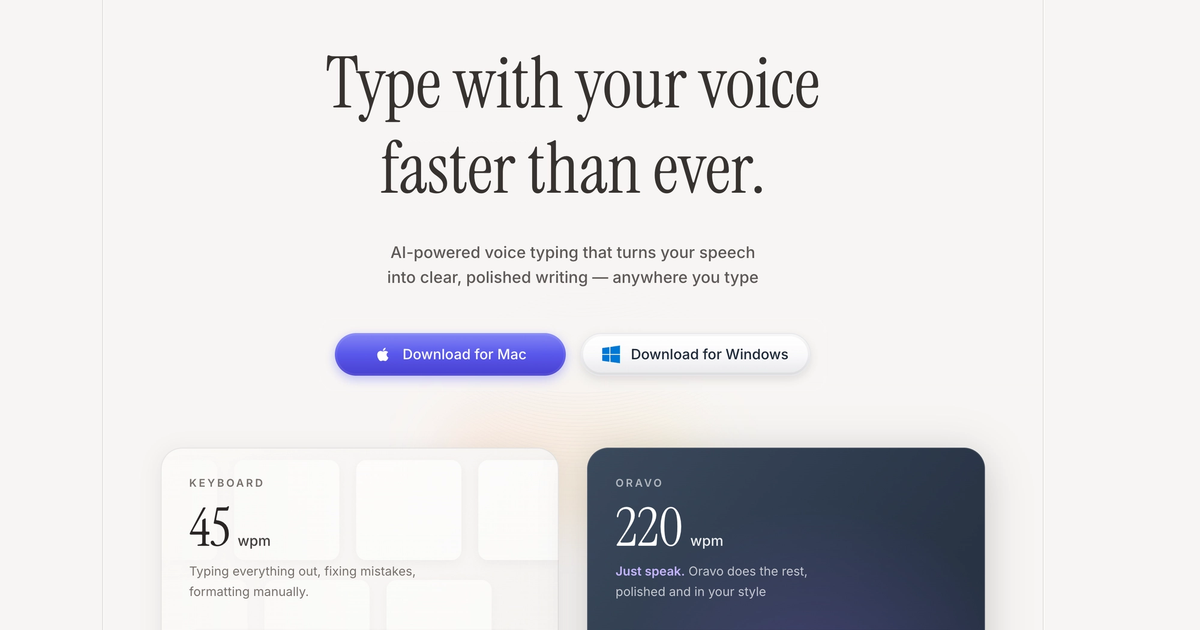
Students use voice typing to capture complete lecture notes at 200+ words per minute, write essays and research papers 3x faster than keyboard typing, reduce physical strain from extended study sessions, and achieve better grades through more comprehensive notes and thoroughly developed assignments. Modern AI voice typing like Oravo provides students with free and affordable options starting at $9.99 monthly or 2,000 words weekly free, making academic success accessible regardless of budget.
Why Voice Typing Benefits Students
Lecture Note-Taking Without Missing Content
Traditional note-taking creates impossible choices during fast-paced lectures. Typing captures 40-60% of lecture content because professors speak at 150-180 words per minute while students type at 40-60 WPM. Voice typing captures 80-95% of content because students speak at 200+ WPM matching lecture pace.
Traditional Typing Notes: Professor explains complex concept over 90 seconds. Student types abbreviated notes missing key details. Student confused during exam review because notes incomplete.
Voice Typing Notes: Student repeats key points spoken by professor into voice typing software. Complete explanation captured. Clear comprehensive notes for exam preparation.
Essay and Paper Writing Acceleration
College students report spending 60-70% of writing time on mechanical typing versus actual thinking and composition. Voice typing eliminates typing bottleneck enabling focus on argument development and content quality.
2,000-Word Essay Timeline:
- Traditional typing: 4-6 hours (including thinking, typing, editing)
- Voice dictation: 90 minutes (30-40 minutes speaking, 50-70 minutes editing)
- Time saved: 2.5-4.5 hours per essay
Reduced Academic Stress and Burnout
Students face overwhelming workload during exam periods with multiple papers, projects, and assignments due simultaneously. Voice typing provides speed advantage preventing all-nighters and reducing stress.
Finals Week Example:
- 3 research papers (6,000 words total)
- Traditional typing: 18-24 hours over 4-5 days
- Voice dictation: 6-8 hours over 2-3 days
- Sleep preserved, stress reduced, quality maintained
Better Grades Through Thoroughness
Voice typing speed enables students to develop arguments fully, include more supporting evidence, write comprehensive analysis, and produce longer well-developed papers without additional time investment.
Research shows papers with thorough development and complete supporting evidence receive 10-15% higher grades than abbreviated papers with same core arguments.
Voice Typing Use Cases for Students
Lecture Note-Taking
In-Person Lectures: Activate voice typing on laptop or phone. Repeat key concepts professor explains. Capture complete explanations impossible to type quickly enough.
Best Practice: Listen first, dictate summary immediately after key point ends. Do not try to transcribe verbatim. Focus on concepts, explanations, examples, and important details.
Online Classes (Zoom, Teams): Dictate notes while watching lecture video. Pause recording when needed to capture complete explanations. Rewind if missed important concept.
Efficiency Gain: Capture 2-3x more content than typing enables.
Essay and Research Paper Writing
First Draft Process:
- Create outline (traditional typing or voice, outline is quick)
- Dictate introduction paragraph explaining thesis
- Dictate each body paragraph speaking argument naturally
- Dictate conclusion synthesizing main points
- Edit for clarity, grammar, citations, formatting
Example: 5-Paragraph Essay
- Outline: 5-10 minutes
- Dictate draft: 15-25 minutes (1,200-1,500 words)
- Edit and refine: 30-45 minutes
- Total: 60-80 minutes versus 3-4 hours typing
Long Research Papers: Dictate literature review while reading sources on second screen. Speak analysis and interpretation of research findings. Create comprehensive discussion sections through natural explanation.
Benefits:
- Faster first drafts enabling multiple revision cycles
- More comprehensive argument development
- Natural writing flow matching speaking clarity
- Reduced procrastination from daunting blank page
Study Guides and Summaries
Textbook Chapter Summaries: Read chapter, then dictate summary of key concepts, important terms, and critical takeaways. Speaking summaries reinforces learning while creating study materials.
Lecture Review Synthesis: After class, dictate 5-minute summary of main points. Reinforces learning through verbal articulation while creating concise study notes.
Exam Preparation: Dictate practice essay responses to potential exam questions. Speaking answers aloud improves recall and identifies knowledge gaps.
Group Project Documentation
Meeting Notes: Designated note-taker dictates discussion points, decisions, and action items in real-time. Comprehensive notes shared with team immediately after meeting.
Project Reports: Team members dictate their sections separately. Compile into complete project document. Faster collaboration with less coordination friction.
Presentation Scripts: Dictate speaking points and slide content. Natural conversational tone translates well to presentation delivery.
Language Learning and Foreign Language Papers
ESL Students: Voice typing helps non-native English speakers write better English. AI grammar correction fixes common errors. Speaking English reinforces language learning while producing written assignments.
Foreign Language Papers: Advanced voice typing like Oravo supports 100+ languages. Students studying Spanish, French, German, Chinese, or other languages can dictate papers in target language improving fluency.
Best Voice Typing Tools for Students
Oravo AI: Best Overall for Students
Why Students Choose Oravo:
Free Tier Available: 2,000 words per week free forever. Sufficient for lecture notes, weekly essays, and regular assignments without payment.
Student-Friendly Pricing: $9.99 monthly or $99.99 annually when free tier insufficient. Cheaper than textbooks with immediate academic ROI through time savings.
98% Accuracy: Professional transcription quality ensuring notes and essays require minimal editing. Critical for maintaining academic standards.
Works Everywhere: Laptop, phone, tablet across Mac, Windows, iOS, Android. Dictate notes in class on laptop, write essays in dorm on desktop, review on phone.
Offline Mode: Dictate without internet connection. Essential for students in libraries, coffee shops, or areas with unreliable WiFi.
Multi-Language Support: 100+ languages helping international students, language learners, and bilingual students.
No Learning Curve: Works immediately without training. Students start dictating productively within minutes.
Google Docs Voice Typing: Free for Google Docs Only
Pros:
- Completely free
- Built into Google Docs
- Acceptable for casual use
Cons:
- Chrome browser only
- Google Docs only (does not work in other apps)
- 90-92% accuracy requiring substantial editing
- Requires verbal punctuation commands
- No offline mode
- No customization
Recommendation: Acceptable for students exclusively using Google Docs with limited budgets. Oravo free tier provides better experience.
Mac and Windows Built-In: Basic Free Option
Pros:
- Free with operating system
- No installation required
Cons:
- 85-90% accuracy too low for academic writing
- Manual punctuation commands interrupt flow
- No customization or learning
- Limited to 60 seconds (Mac) without enhanced mode
- Poor performance for student workloads
Recommendation: Testing only. Upgrade to Oravo for serious academic use.
How Students Set Up Voice Typing
Quick Setup for Oravo (5 Minutes)
Step 1: Sign Up (2 minutes) Visit oravo.ai/signup, create account with student email, download for your device.
Step 2: Test Microphone (1 minute) Speak test sentence, verify accurate transcription, adjust microphone if needed.
Step 3: Add Academic Vocabulary (2 minutes) Add professor names, course-specific terminology, common academic words you use frequently.
Done: Start dictating notes and assignments immediately.
Student Budget Options
Free Tier Strategy: 2,000 words weekly = 8,000 words monthly covers:
- Weekly lecture notes (1,500-2,000 words)
- One essay per month (1,500-2,000 words)
- Study materials and summaries (remainder)
When to Upgrade to Paid ($9.99/month):
- Writing 2+ essays weekly
- Research paper heavy courses
- Thesis or dissertation writing
- Using for all note-taking across multiple classes
ROI Calculation: $9.99 monthly saves 10+ hours studying and writing. At minimum wage ($15/hour), time saved worth $150+ monthly. Investment pays for itself immediately.
Academic Writing Tips with Voice Typing
Maintaining Academic Tone
Speak Formally: Students naturally speak casually but academic writing requires formal tone. Practice speaking in academic voice.
Casual Speaking: "So basically, the author is trying to say that social media is kind of messing with how we communicate."
Academic Speaking for Dictation: "The author argues that social media platforms fundamentally alter interpersonal communication patterns by prioritizing brief asynchronous interactions over extended face-to-face dialogue."
Practice Tip: Read academic papers aloud practicing formal speaking patterns before dictating assignments.
Citation and Reference Handling
In-Text Citations: Speak citations naturally: "According to Smith parenthesis 2023 close parenthesis comma social media use correlates with increased anxiety."
AI transcribes: "According to Smith (2023), social media use correlates with increased anxiety."
Reference List: Type reference list traditionally (faster for precise formatting) or dictate entries ensuring proper punctuation and formatting.
Editing Dictated Academic Writing
Two-Pass Editing:
Pass 1: Content and Arguments Review for logical flow, argument strength, evidence support, thesis development. Voice typing produces more content enabling selective refinement versus expansion.
Pass 2: Grammar and Citations Check grammar (AI corrects most errors automatically), verify citations formatted correctly, ensure academic tone throughout, polish sentence structure.
Time Distribution:
- Dictate draft: 25% of total time
- Content editing: 40% of total time
- Grammar/citations: 35% of total time
Still dramatically faster than traditional typing approach.
Voice Typing for Different Student Types
High School Students
Primary Uses:
- Essay assignments and book reports
- History and English papers
- Research project documentation
- Lab report writing for science classes
Benefits:
- Faster homework completion
- Better grades from thorough development
- Reduced late-night cramming
- Improved writing confidence
Budget: Free tier sufficient for most high school workloads.
College Undergraduates
Primary Uses:
- Weekly essay assignments
- Research papers and term papers
- Lecture notes in large classes
- Group project documentation
- Exam preparation and study guides
Benefits:
- Manage heavy course loads
- Comprehensive notes improving exam performance
- Professional quality papers
- Sustainable study habits preventing burnout
Budget: Free tier for light weeks, $9.99 monthly during heavy semesters.
Graduate Students
Primary Uses:
- Thesis and dissertation writing
- Academic journal article drafts
- Comprehensive exam preparation
- Research documentation and analysis
- Teaching material preparation
Benefits:
- 50,000-100,000 word dissertations completed faster
- Sustainable writing preventing graduate school burnout
- Higher quality comprehensive analysis
- Professional academic writing productivity
Budget: $9.99 monthly essential investment for graduate school success.
Students with Disabilities
Learning Disabilities: Students with dyslexia, dysgraphia, or other learning differences benefit enormously. Speaking bypasses spelling and writing challenges while maintaining content quality.
Physical Disabilities: Students with limited hand mobility, repetitive strain injuries, or physical limitations use voice typing to complete assignments independently.
ADHD and Executive Function: Voice typing reduces executive function demands of writing. Speaking feels more natural than organizing thoughts for typing.
Accommodations: Many schools provide voice typing software as official accommodation. Oravo works for both accommodated students and general student population.
Student Success Stories
Case Study: Engineering Student
Challenge: Heavy math and engineering coursework with extensive lab reports and technical documentation.
Before Voice Typing:
- Lab reports taking 4-6 hours
- Technical writing slow and painful
- Falling behind on documentation
- Grades suffering from rushed reports
After Oravo (1 semester):
- Lab reports completed in 90 minutes
- Comprehensive technical documentation
- All assignments submitted on time
- Grades improved from B average to A-
Quote: "Explaining technical concepts verbally is natural for me but writing them was torture. Voice typing let me document my engineering work the way I actually think about it."
Case Study: English Literature Major
Challenge: 5-7 analytical essays weekly totaling 10,000-15,000 words.
Before Voice Typing:
- 20-25 hours weekly on essays
- Procrastination from writing dread
- Shallow analysis due to time constraints
- Chronic stress and all-nighters
After Oravo (1 year):
- 8-10 hours weekly on essays
- Consistent early submission
- Thorough detailed literary analysis
- Sustainable healthy study schedule
- GPA increased 0.4 points
Quote: "I went from hating writing to enjoying it. Dictating lets me analyze literature conversationally instead of fighting with keyboard. My writing improved because I can actually develop ideas fully."
Case Study: International Student (ESL)
Challenge: Non-native English speaker struggling with written English assignments.
Before Voice Typing:
- Essays taking 8-10 hours due to language barriers
- Hiring expensive tutors for editing
- Grades limited by English writing ability
- Considering dropping out
After Oravo (6 months):
- Essays completed in 3-4 hours
- AI grammar correction reducing tutor dependency
- Grades competitive with native speakers
- Confidence in academic English
- Staying in program successfully
Quote: "Speaking English is easier than writing for me. Oravo lets me use my verbal English strength while AI fixes my grammar mistakes. My professors say my writing improved dramatically."
Frequently Asked Questions
Is voice typing cheating or against academic integrity?
No, voice typing is a tool like word processors or spell-checkers. You are creating original content with your own words and ideas. Voice typing simply changes the input method from fingers to voice. Schools and universities widely accept voice typing, and many provide it as official accommodation for students with disabilities.
Can I use voice typing during online exams?
Check with your professor or exam guidelines. Some online exams permit assistive technology including voice typing while others prohibit all external tools. For permitted exams, voice typing helps students complete essay questions faster with more comprehensive responses.
How accurate is voice typing for academic vocabulary?
Modern AI voice typing like Oravo achieves 95-98% accuracy for academic writing including complex vocabulary. Add discipline-specific terms (psychology terminology, biology terms, historical names) to custom dictionary for 99% accuracy on specialized vocabulary.
Will professors know I used voice typing?
No, dictated text appears identical to typed text. No indication of input method remains in final document. Your content, arguments, and writing quality determine evaluation, not whether you typed or spoke.
Can voice typing help me write longer papers faster?
Yes, significantly. Students consistently report 3-4x faster first drafts through voice dictation. Typical 2,000-word paper taking 4-6 hours typing requires 90-120 minutes dictating (30 minutes speaking, 60-90 minutes editing). Speed advantage enables thorough development improving paper quality and grades.
Is free voice typing good enough for students?
Oravo free tier (2,000 words weekly) handles typical student workloads including weekly lectures and regular assignments. Free Google Docs Voice Typing and OS dictation provide 85-92% accuracy requiring substantial editing. For best results with minimal editing, Oravo free tier or $9.99 monthly plan recommended.
How does voice typing help students with ADHD or learning disabilities?
Voice typing reduces cognitive load by eliminating typing mechanics from writing process. Students with ADHD find speaking more natural than organizing thoughts for typing. Dyslexic students bypass spelling challenges. Students with dysgraphia overcome writing difficulties. Many schools approve voice typing as official accommodation.
Can I use voice typing for group projects?
Yes, excellent for collaborative work. Team members dictate their sections separately then compile into complete document. Designated note-taker dictates meeting discussions capturing comprehensive notes. Faster collaboration with less coordination overhead.
Does voice typing work for STEM subjects with equations and symbols?
Voice typing excels for conceptual explanations, lab reports, technical writing, and documentation. Mathematical equations faster to type or use equation editors. STEM students use hybrid approach: voice for explanations and analysis, keyboard/equation editor for formulas and symbols.
Will voice typing improve my writing skills?
Yes, many students report writing improvement through voice typing. Speaking ideas aloud clarifies thinking, produces more natural prose, encourages fuller development of arguments, and provides practice articulating complex concepts. Some students find their dictated writing clearer than typed writing.
Start Improving Your Grades with Voice Typing
Transform your academic performance with voice typing. Take complete lecture notes, write essays 3x faster, reduce study stress, and achieve better grades through thorough comprehensive work.
Try Oravo AI free (no credit card required):
- 2,000 words per week free forever
- 98% accuracy for academic writing
- Works on laptop, phone, tablet
- Mac, Windows, iOS, Android
- Perfect for students at all levels