Voice Dictation for Journaling (2026): How to Turn Your Thoughts Into Written Entries
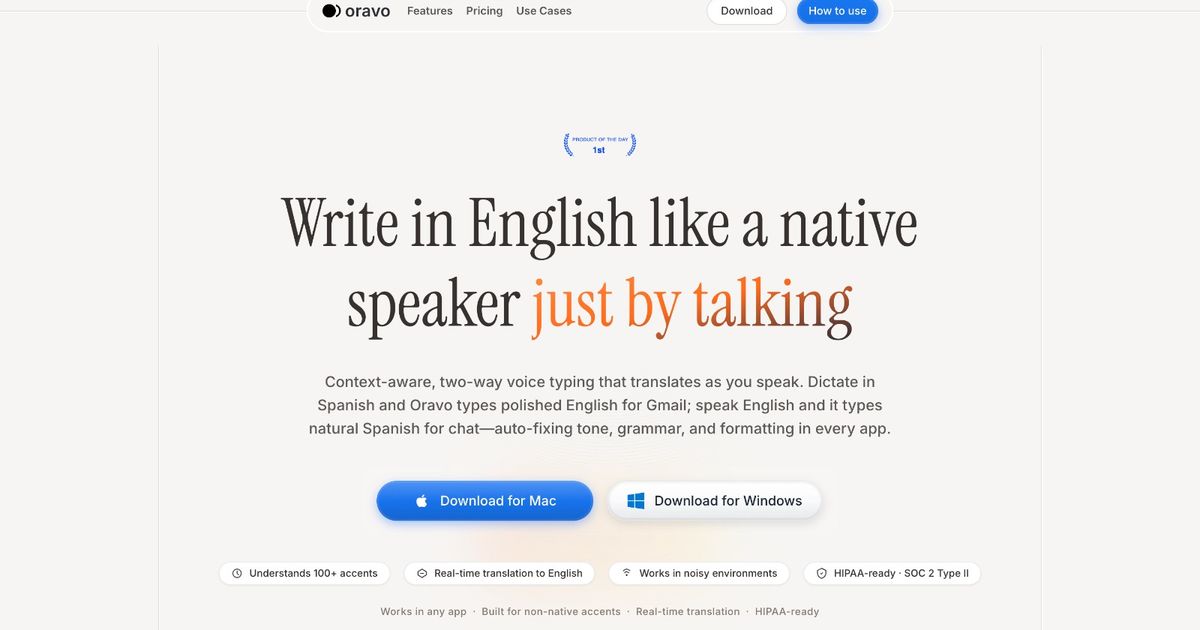
Voice dictation for journaling means speaking your thoughts into a dictation tool rather than typing them. The spoken entry is transcribed -- and with tools like Oravo, refined into clean, readable English -- and saved as a written journal entry. Voice journaling is faster than typed journaling, bypasses the blank page paralysis that kills most journaling habits, and for non-native English journalers who think in their native language, allows entries to be produced in English without the translation overhead that makes typed English journaling feel laborious.
Why Most Journaling Habits Fail -- and What Voice Dictation Fixes
Journaling has one of the highest habit-abandonment rates of any personal development practice. People start, maintain it for a week or two, and then the entries become less frequent, the gap between entries grows, and eventually the journal sits unopened.
The reason is almost always the same: friction.
The friction is not psychological resistance to reflection. Most people who try to journal genuinely want to reflect. The friction is the physical and cognitive overhead of converting active, flowing thought into written text. You sit down to journal. You open the notebook or the document. You think something. You begin to write it. The act of writing slows the thought. The words come out more formal than the thought felt. You re-read the sentence and it does not quite capture what you meant. You revise. By the time you finish one paragraph, the ease and naturalness of the original thought has been processed away, and what remains on the page is a carefully composed approximation of what you were actually thinking.
This gap between thinking and typed writing is why journaling feels more effortful than it should. And it is exactly what voice dictation eliminates.
When you speak a journal entry, you speak at the speed of your thinking. The words come out in the same register as the thought -- personal, direct, unfiltered. There is no translation step between the thought and its capture. What you were thinking is what appears on the page.
Voice dictation does not just make journaling faster. It makes journaling more accurate -- it captures what you were actually thinking rather than what survived the typing filter.
Three Types of Voice Journaling
Before covering the workflow, it helps to clarify what voice journaling means in practice, because there are three distinct approaches with different use cases.
Type 1: Voice memos as journals
You record audio and keep the audio as the journal. You never transcribe. The journal is a library of recordings.
This is the lowest-friction approach and the best for people whose primary goal is to speak without thinking about the output. The limitation is that audio journals are not searchable, not shareable, and not easily reviewable -- you cannot skim an audio entry the way you can skim a written entry. For reflection and review, written entries are more useful.
Type 2: Voice to raw transcript journals
You speak and a standard dictation tool transcribes your words verbatim. The journal is a written record of exactly what you said -- filler words, sentence fragments, L1 grammar patterns, and all.
This approach works for journalers whose primary language is the language they journal in and who want an unfiltered record of their spoken thought. For non-native English journalers, the raw transcript reflects the translation process rather than the thought itself -- it is a record of how the thought came out in English, not what the thought was.
Type 3: Voice to refined written entry journals (Oravo)
You speak and Oravo converts your spoken input to clean, natural English prose. The journal entry reads like something you wrote thoughtfully rather than something you said quickly. Code-switching is resolved. Filler words are removed. The register is natural written English rather than spoken register.
This approach produces the most readable journals and is most useful for journalers whose entries they want to revisit, reflect on, or eventually share -- as a memoir, as content, or as personal correspondence. For non-native English journalers, this approach removes the language gap from the journaling process entirely.
The Voice Journaling Workflow
Setting up
For journaling, a dedicated document or journaling app in Chrome works best. Options include:
A Google Doc with a running journal structure (date header, entry below, repeat) -- simple, searchable, accessible across devices.
Notion with a journal database -- each entry is a separate page with date, tags, and mood properties. Useful for journalers who want to organize and search entries by theme.
Day One (web version) or similar dedicated journaling apps with Chrome access -- provides journaling-specific features like streak tracking and photo integration alongside voice entry.
Whichever tool you use, open it in Chrome and activate Oravo for the entry writing step.
The entry itself
A voice journal entry does not need a structure. It is a thought record, not a document. The prompts below are starting points, not requirements. Speak freely from whatever opening question resonates on a given day.
The entry speaks itself once you start. Most journalers find that after the first sentence, the thought flows for longer than expected. The speaking mode is generative in ways that the writing mode often is not.
After the entry
With Oravo, the spoken entry appears as clean written text. Read it once after speaking. The re-reading is the journaling moment -- the point where the spoken thought becomes an examined thought. You often discover things about what you were thinking in the re-reading that were not fully visible while speaking.
Add a title if you want entries to be findable by topic. Add a date header. Close the document. The entry is complete.
Total time for a voice journal entry, most days: 5 to 10 minutes including the re-read.
Journal Prompts That Work Well by Voice
The blank page problem that kills typed journaling is less severe with voice journaling because speaking to an open prompt is a more natural mode than writing to one. But a starting prompt still helps focus the session and prevents the opening silence from becoming an extended silence.
These prompts are designed specifically for spoken rather than written responses:
For daily reflection: "The most important thing that happened today was..." Speak until you have said everything that matters about it.
"Right now I am feeling... and I think the reason is..."
"The conversation I keep replaying in my head is... and what it tells me is..."
For problem-solving: "The thing I am most stuck on right now is... and when I think about why, what comes up is..."
"If I could not fail at this, what would I try? And what is actually stopping me from trying it?"
"The honest version of what is going on with [situation] is..."
For planning and intention: "What I most want to happen in the next week is... and what I need to do differently to make that possible is..."
"The version of today that I would be proud of at the end of it looks like..."
For gratitude and appreciation: "Something I noticed today that I am glad exists is... The reason it matters to me is..."
For processing difficult experiences: "I need to talk through what happened with [situation]. Here is how it went from my perspective..." Speak the narrative without stopping. Let the speaking do the processing.
Voice Journaling for Non-Native English Speakers: The Specific Value
Journaling in your second or third language is a practice that most language-learning guides recommend and most non-native speakers abandon quickly. The reason is the same gap that makes all second-language professional writing slower: the translation overhead between native language thinking and English written expression.
When you think about something personal, emotionally complex, or analytically demanding, you think about it in the language where those thoughts are most fluent. For a Hindi speaker processing a difficult work situation, the thoughts arrive in Hindi or in Hinglish. Translating those thoughts into English as you type them -- trying to produce personal, authentic reflection in a language that feels more formal and effortful than the language the reflection is actually happening in -- produces entries that feel stiff, incomplete, and not quite true to the thought.
Many non-native English journalers give up and journal in their native language. This is a reasonable choice. But for professionals who want to develop English writing fluency, build an English-language written record of their thinking, or eventually turn journal entries into English-language content, journaling in English with native language thinking patterns suppressed produces a less useful journal than journaling in the natural cognitive mode with Oravo handling the translation.
The Oravo approach for non-native English journaling:
Speak your journal entry the way you actually think. If you think in Hindi and English simultaneously, speak in Hinglish. If a thought arrives in Spanish, say it in Spanish. If the emotional content is in your native language and the analytical framework is in English, speak both.
Oravo resolves the code-switching to English. The entry in your journal reads in natural English. But the speaking process was in your actual cognitive language -- which means the entry captures what you were actually thinking, not what survived the translation.
For many non-native English journalers who try this approach, the result is the first time journaling in English has felt as natural and as true as journaling in their native language. The language processing is handled. The thinking is your own.
Using Voice Journaling as a Writing Development Tool
For non-native English professionals who want to improve their English writing fluency, voice journaling with Oravo has a second function: it demonstrates the difference between your spoken natural English and professional written English, in real time, through your own words.
When you speak a journal entry and read Oravo's refined output, you see the transformation. The phrase you said -- "the situation was quite challenging and I was not knowing how to proceed" -- becomes "the situation was challenging and I was unsure how to proceed." You see the L1 grammar pattern (progressive tense for stative verb) corrected. Over hundreds of journal entries, this pattern recognition is more effective than grammar rules because it operates on your own language, your own patterns, your own recurring errors.
Journaling with Oravo is not primarily a writing instruction tool. But the incidental exposure to the gap between your natural English and standard written English, applied to your own words over time, builds writing pattern awareness more practically than any textbook approach.
Making Voice Journaling a Consistent Habit
The journal that gets maintained is the one with the lowest barrier. Voice journaling already has a lower barrier than typed journaling -- speaking is faster and less effortful than typing. But barriers to the habit itself -- opening the app, finding the document, remembering to do it -- still need to be addressed.
Attach it to an existing habit. The most consistent journalers do not find time for journaling -- they attach it to an activity that already happens daily. Voice journaling attached to the morning coffee, the commute, the end of the workday, or the wind-down before sleep happens more consistently than journaling scheduled as a standalone activity.
Keep the entry short on low-energy days. A two-minute voice entry on a tired day maintains the streak. A missed day because the standard felt too high breaks it. Give yourself explicit permission for short entries on difficult days. "Today was hard. I am tired. The main thing was X. I will think more about it tomorrow." That is a complete entry.
Do not read old entries too often in the early habit phase. Re-reading old entries is one of the great joys of a maintained journal, but doing it too early in the habit-building phase activates self-criticism that slows the next entry. Read old entries after the habit is established, not while you are still building it.
Use a streak tracker. Journaling apps with streak tracking (Day One, Notion with a habit tracker, or a simple counter in a document) make the streak visible. Visible progress is motivating in ways that invisible progress is not.
Frequently Asked Questions
Is voice journaling as effective as written journaling for mental health and reflection?
The mental health research on journaling is primarily based on expressive writing -- putting thoughts and feelings into words as a processing mechanism. Voice journaling fulfills this function because the critical step is the externalization of thought, not the specific modality of pen, keyboard, or voice. Voice journaling that produces a written record (through transcription and refinement) preserves the benefits of both spoken expression and written reflection. The re-reading of the entry is the reflection moment that typed journaling provides through the writing process itself.
What if I do not want my journal entries processed through a cloud service?
This is a legitimate privacy consideration for personal journaling. Oravo processes audio through cloud infrastructure. For journalers who want fully private, local processing, Apple Dictation on a device with on-device processing enabled, or a locally run Whisper model, provides offline transcription without cloud processing. The trade-off is raw transcription without professional refinement. For deeply personal content, local processing may be worth that trade-off. For professional and personal-development-oriented journaling, most users find cloud-based processing acceptable.
Can I use voice journaling in a language other than English?
Oravo is designed to output English. For journaling in a language other than English, a voice memo app with transcription in that language, or a language-specific speech-to-text tool, is more appropriate. Oravo is best for journaling where the goal is English output -- including for non-native English speakers who think partially in their native language but want the journal record in English.
How do I handle very personal or emotionally intense entries?
Intense emotional content often flows more easily by voice than by typed text -- the speaking mode is closer to the emotional mode than the writing mode is. Speak as freely as you would in a therapy session or a conversation with a trusted friend. Oravo's refinement handles the language; you handle the honesty. If a particular topic is too raw to speak aloud even privately, returning to typed journaling for that specific entry is always an option.
What is the difference between voice journaling and a voice note?
A voice note is audio saved as audio -- it remains a recording. Voice journaling through Oravo produces a written text entry from spoken input. The distinction matters for how you engage with the entry later: voice notes require listening; journal entries can be skimmed, searched, annotated, and shared as text. Both have their uses. Voice journaling is specifically valuable when the written record -- searchable, readable, revisable -- is the intended output.
The Bottom Line
Journaling is one of the most consistently recommended practices for personal clarity, professional development, and mental wellbeing. It also has one of the highest failure rates of any self-improvement habit, and the reason is almost always friction.
Voice dictation eliminates most of that friction. Speaking is faster than typing. Speaking bypasses the editing reflex that makes written journaling feel labored. Speaking captures the thought in the register of the thought rather than the register of careful composition.
For non-native English journalers, voice dictation with Oravo removes the additional friction of second-language translation while maintaining the English written record. You think in your language. The journal is in English. The gap between those two things -- which makes typed English journaling feel like work -- disappears.
The thoughts are already there. They always have been. Voice dictation is just a faster, more faithful way to get them onto the page.
Start Your Voice Journal Today -- Free Trial
Open Google Docs or Notion in Chrome. Go to oravo.ai and create your free account. Speak your first entry.
Start your free trial at oravo.ai
Five minutes. One entry. That is the whole commitment for today.