Speech to Text Software 2026: Complete Buyer's Guide | Oravo
What is Speech to Text Software and Why It Matters in 2026
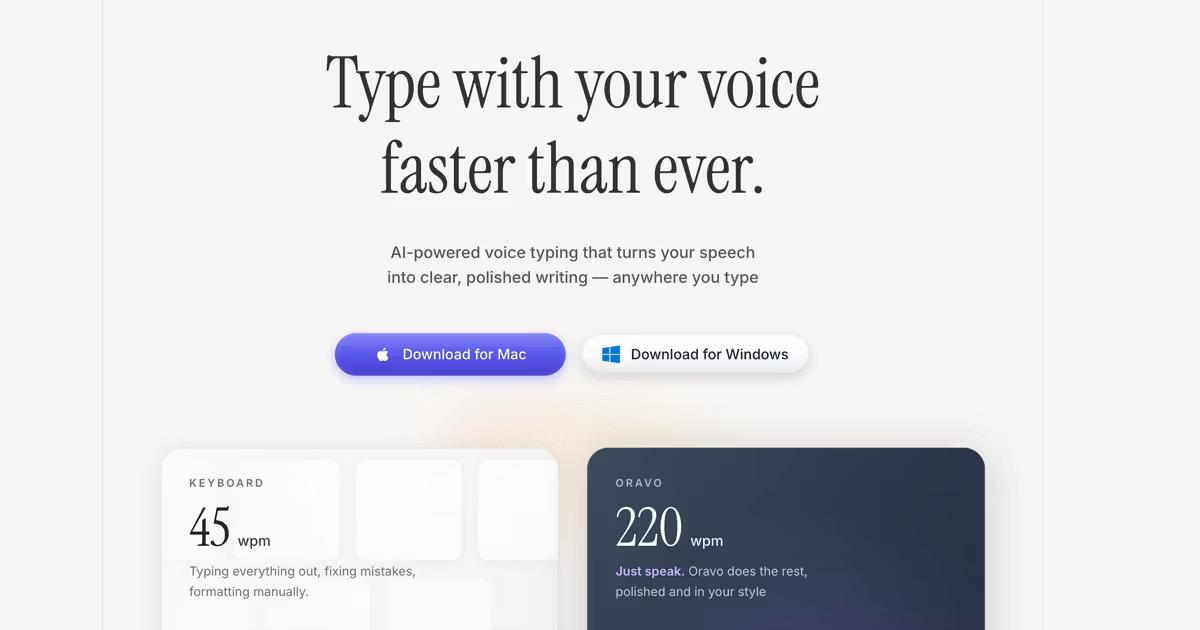
Speech to text software converts spoken words into written text using AI-powered voice recognition technology. Modern speech to text tools like Oravo AI achieve 98%+ accuracy, enabling professionals to create content 4x faster than typing—transforming how teams communicate, document, and collaborate across industries from software development to healthcare to education.
The evolution from command-based dictation requiring precise enunciation to conversational AI understanding natural speech represents a fundamental shift in human-computer interaction. In 2026, speech to text software has matured from novelty to necessity—enabling accessibility, boosting productivity, preventing repetitive strain injuries, and unlocking new workflows impossible with keyboard-centric computing.
How Speech to Text Software Works: The Technology Explained
From Sound Waves to Text: The Technical Process
Modern speech to text software operates through a sophisticated multi-stage pipeline combining signal processing, machine learning, and natural language understanding:
1. Audio Capture and Preprocessing Your microphone captures voice as analog sound waves. Software converts these to digital audio signals, then applies noise reduction filtering to isolate speech from background sounds—essential for accuracy in real-world environments like offices, cafes, or homes.
2. Acoustic Modeling with Neural Networks Deep learning models analyze audio patterns to identify phonemes—the smallest units of sound in language. These acoustic models, trained on millions of hours of diverse human speech, recognize phonemes even across different accents, speaking speeds, and audio qualities.
3. Language Modeling and Context Analysis After identifying phonemes, language models determine which word combinations make linguistic sense. This is where AI understanding surpasses simple pattern matching—context-aware models interpret "their," "there," and "they're" correctly based on sentence meaning, not just sound.
4. Real-Time Transcription and Formatting Advanced speech to text software like Oravo processes speech in real-time (latency under 100 milliseconds), adds punctuation intelligently by analyzing speech patterns and pauses, capitalizes proper nouns and sentence beginnings, structures paragraphs logically, and removes filler words automatically.
AI vs Traditional Speech Recognition
Traditional Speech Recognition (pre-2015):
- Command-based requiring specific phrases
- Required extensive voice training per user
- 80-85% accuracy at best
- Limited vocabulary recognition
- Poor handling of accents and natural speech
Modern AI Speech to Text (2026):
- Conversational with natural language understanding
- Works immediately without training
- 95-99% accuracy depending on tool quality
- Unlimited vocabulary with context learning
- Excellent accent and dialect handling
The leap from traditional to AI-powered represents the difference between unusable novelty and indispensable productivity tool.
Types of Speech to Text Software: Understanding Your Options
1. Operating System Built-In Dictation
What It Is: Native speech recognition included with Windows, macOS, iOS, and Android.
Examples:
- Windows Speech Recognition
- macOS Dictation
- iOS Voice Typing
- Android Voice Typing / Gboard
Pros:
- Free with your operating system
- No additional software installation
- Basic functionality for casual use
- Works offline (limited accuracy)
Cons:
- 85-92% accuracy (significantly lower than dedicated tools)
- Requires verbal punctuation commands ("comma," "period")
- Limited customization and learning
- No cross-platform consistency
- Minimal business or professional features
Best For: Casual users with light dictation needs, testing voice input before investing in dedicated tools, basic accessibility needs on budget.
2. Professional Voice Keyboard Software
What It Is: Dedicated AI-powered speech to text applications designed for productivity and professional use.
Examples:
- Oravo AI (cross-platform voice keyboard)
- Wispr Flow (Mac-focused)
- Willow Voice (iOS-focused)
Pros:
- 98%+ accuracy with advanced AI models
- Intelligent automatic punctuation and formatting
- Works universally across all applications
- Custom vocabulary and learning capabilities
- Professional features (offline mode, custom commands, team dictionaries)
- Real-time transcription under 100ms latency
Cons:
- Subscription cost ($10-15/month typically)
- Requires installation and setup
- Learning curve for optimal usage (1-2 weeks)
Best For: Professionals with high writing volume (emails, documentation, content creation), teams needing consistent communication tools, anyone seeking 3-4x productivity gains, accessibility users requiring reliable daily dictation.
3. Meeting Transcription and Recording Tools
What It Is: Specialized tools for recording, transcribing, and analyzing meetings, interviews, and conversations.
Examples:
- Otter.ai
- Fireflies.ai
- Fathom
- Grain
Pros:
- Meeting-specific features (speaker identification, summaries, action items)
- Integration with Zoom, Teams, Google Meet
- Searchable meeting archives
- Team collaboration on transcripts
Cons:
- Not designed for real-time document creation or general dictation
- Higher cost for meeting-focused features ($20-30/month)
- Privacy concerns with always-recording approach
- Less accurate for non-meeting contexts
Best For: Teams with heavy meeting schedules, sales teams recording customer calls, researchers conducting interviews, remote teams needing meeting documentation.
4. Browser-Based Speech to Text Extensions
What It Is: Chrome extensions or web apps providing speech to text in browsers.
Examples:
- Voice In
- TalkTyper
- Google Docs Voice Typing (Chrome only)
Pros:
- Free or low-cost options
- Quick setup for browser-based work
- No system-level installation
Cons:
- Browser-only limitation (doesn't work in desktop apps)
- Chrome-dependent usually
- 88-93% accuracy (lower than professional tools)
- Limited offline capability
- Security/privacy concerns with browser extensions
Best For: Users working primarily in web browsers, testing speech to text before committing to dedicated software, supplementing other tools for browser-specific needs.
5. Developer and API Solutions
What It Is: Speech to text APIs for developers building custom applications.
Examples:
- Google Cloud Speech-to-Text
- Amazon Transcribe
- Microsoft Azure Speech
- Deepgram
Pros:
- Customizable for specific use cases
- Scalable for enterprise applications
- Integration flexibility
- Pay-per-use pricing for some
Cons:
- Requires development resources
- Technical complexity
- Not ready-to-use for end users
- Cost scales with usage volume
Best For: Software companies building products with speech features, enterprises with custom requirements, developers creating specialized speech to text applications.
Key Features to Evaluate When Choosing Speech to Text Software
1. Accuracy: The Most Critical Factor
Accuracy directly impacts usability. Below 90% accuracy, editing time negates speed benefits. Above 95%, speech to text becomes genuinely productive.
What to Look For:
- Overall accuracy rate: 95%+ minimum for professional use; 98%+ ideal
- Technical vocabulary: How well does it handle your industry terminology?
- Proper nouns: Names, companies, products recognized correctly?
- Accent handling: Works with your accent or dialect?
- Context understanding: Distinguishes homophones correctly (their/there/they're)?
Testing Accuracy: Dictate 500 words of your actual work content—emails, documentation, or reports. Count errors. Calculate accuracy percentage. Compare across tools using identical content.
2. Speed and Latency
Real-time transcription requires low latency—the delay between speaking and text appearing.
Latency Benchmarks:
- Excellent: Under 100 milliseconds (feels instantaneous)
- Good: 100-300 milliseconds (barely noticeable)
- Acceptable: 300-500 milliseconds (slight lag but usable)
- Poor: 500+ milliseconds (disruptive to workflow)
Low latency maintains natural speaking rhythm. High latency forces awkward pauses disrupting thought flow.
3. Application Compatibility
Where can you use the speech to text software?
Universal System-Level (Best): Works in every application—email clients, browsers, document editors, messaging apps, IDEs, terminals. Examples: Oravo AI, Wispr Flow.
Application-Specific: Works only in certain apps or requires per-app configuration. Examples: Google Docs Voice Typing (Chrome + Docs only).
Browser-Only: Limited to web applications. Cannot dictate in desktop software.
Consider Your Workflow: List the 10 applications you type in most frequently. Does the speech to text software work in all of them? Gaps in coverage create workflow friction.
4. Platform Support
Which devices and operating systems does the software support?
Cross-Platform Excellence:
- Mac, Windows, iOS, Android with consistent experience
- Example: Oravo AI works identically across all platforms
Platform-Limited:
- Mac-only: Wispr Flow (Windows support problematic)
- iOS-only: Willow Voice (no Windows, limited Android)
- Chrome-only: Google Docs Voice Typing
Your Reality: Most professionals use multiple devices—laptop, desktop, phone, tablet. Speech to text software working consistently across your device ecosystem prevents frustration and enables flexible working.
5. Customization and Learning
Custom Vocabulary: Add industry jargon, product names, colleague names, technical terms. Improves accuracy from 95% to 99%+ for specialized vocabulary.
Voice Commands: Create shortcuts for repeated text or actions. Example: "Insert meeting template" pastes standard meeting notes format.
Learning Capability: Does the software learn your speaking patterns and vocabulary over time? Adaptive AI improves accuracy with usage.
6. Formatting Intelligence
Automatic Punctuation: Modern speech to text infers punctuation from speech patterns and pauses—no need to say "comma" or "period."
Capitalization: Properly capitalizes sentence beginnings, proper nouns, and titles without verbal commands.
Paragraph Structure: Intelligently creates paragraph breaks from longer pauses or context changes.
Filler Word Removal: Automatically removes "um," "uh," "like," and other conversational fillers inappropriate for written content.
Professional Tone: Maintains appropriate formality for business communication versus casual chat.
7. Privacy and Security
Data Handling:
- Where is voice data processed? (Cloud vs on-device)
- How long is voice data retained? (Immediate deletion vs permanent storage)
- Is voice data used for AI training? (Opt-in vs automatic)
Compliance:
- SOC 2 Type II: Enterprise security standards
- HIPAA: Required for healthcare
- GDPR: EU data protection regulation
- Encryption: In-transit and at-rest data protection
For Sensitive Content: Legal documents, medical records, confidential business information, proprietary research require software with strong security and privacy guarantees. Oravo AI, for example, never stores voice recordings permanently and never uses customer data for AI training without explicit consent.
8. Offline Capability
Why Offline Matters:
- Flights and travel without Wi-Fi
- Remote locations with poor connectivity
- Secure environments restricting internet
- Privacy preference avoiding cloud processing
Offline Performance: Dedicated software like Oravo maintains 95%+ accuracy offline. Cloud-dependent tools become unusable without connectivity.
9. Multi-Language Support
Number of Languages: How many languages does the software support? 100+ languages indicates serious international capability.
Language Switching: Can you switch languages mid-document? Essential for multilingual professionals, translation workflows, or international team communication.
Per-Language Accuracy: Some tools excel in English but struggle with other languages. Test accuracy in all languages you need.
10. Pricing and Value
Pricing Models:
- Free: OS built-in dictation, limited browser extensions
- Freemium: Basic features free, premium features paid
- Subscription: $10-30/month typical for professional tools
- One-time Purchase: Less common now, legacy software
- Enterprise: Custom pricing with volume discounts
Calculate ROI: If speech to text saves you 1 hour daily and you earn $50/hour:
- Time value saved: 1 hour × $50 × 250 work days = $12,500 annually
- Software cost: $120-360 annually
- ROI: 35-100x return on investment
Professional speech to text software pays for itself in days, not months.
Speech to Text Software Comparison 2026: Top Tools Reviewed
Oravo AI: Best Overall for Professionals and Teams
What It Is: Universal voice keyboard providing speech to text across all applications and platforms with advanced AI accuracy.
Key Strengths:
- 98%+ accuracy with context-aware AI
- Universal compatibility works in every application (Slack, Gmail, Notion, Google Docs, vs Code, terminal, browsers—everything)
- True cross-platform Mac, Windows, iOS, Android with identical experience
- Real-time transcription under 100ms latency
- Intelligent formatting automatic punctuation, capitalization, filler word removal
- Offline mode maintaining 95%+ accuracy without internet
- Custom vocabularies for technical, medical, legal, or specialized terminology
- Team features shared dictionaries, centralized management for organizations
- Enterprise security SOC 2, HIPAA, GDPR compliant
Pricing:
- Starter: Free (2,000 words/week)
- Professional: $9.99/month or $99.99/year
- Enterprise: $8.99/user/month (annual, min 3 users)
Best For: Professionals with high communication volume, developers and engineers, teams needing consistent tool across organization, anyone wanting 3-4x productivity improvement, accessibility users requiring reliable daily dictation.
Why It Wins: Oravo delivers the best combination of accuracy, universal compatibility, and value. Unlike competitors limited to specific platforms or applications, Oravo works everywhere you type with consistent professional quality.
Wispr Flow: Mac Power Users
What It Is: AI voice keyboard primarily for Mac users.
Key Strengths:
- 98% accuracy on Mac
- Fast processing and low latency
- Premium positioning and VC backing
- SOC 2 and HIPAA compliant
Limitations:
- Windows support problematic (reported performance issues)
- No Android support
- Premium pricing ($39/month, $390/year)
- Variable customer support response times
Best For: Mac-only users who will never need Windows or Android, users valuing venture-backed brand positioning, professionals willing to pay premium for perceived status.
Willow Voice: iOS Mobile Excellence
What It Is: Mobile-first voice keyboard with innovative iOS keyboard replacement.
Key Strengths:
- Excellent iOS accuracy and integration
- Full keyboard replacement on iPhone/iPad
- Zero data retention privacy positioning
- Y Combinator backed
Limitations:
- No Windows support
- Android support announced but unavailable
- Mac desktop experience less polished than iOS
- Platform gaps problematic for cross-platform professionals
Best For: iOS-focused mobile professionals, users prioritizing zero data retention, iPhone/iPad primary device users.
Otter.ai: Meeting Transcription Specialist
What It Is: Meeting recording, transcription, and analysis tool.
Key Strengths:
- Meeting-specific features (speaker ID, summaries, action items)
- Zoom, Teams, Google Meet integrations
- Team collaboration on transcripts
- Searchable meeting archives
Limitations:
- Not designed for general dictation or document creation
- $20-30/month higher pricing for meeting features
- Privacy concerns with always-recording approach
- Less accurate outside meeting context
Best For: Teams with heavy meeting schedules, sales teams recording calls, researchers conducting interviews, meeting-focused workflows.
Google Docs Voice Typing: Free but Limited
What It Is: Built-in voice typing for Google Docs (Chrome browser only).
Key Strengths:
- Free
- Integrated with Google Docs
- No installation required
Limitations:
- Chrome-only (no Safari, Firefox, Edge)
- Google Docs-only (doesn't work in Gmail, Slack, other apps)
- 90-92% accuracy (lower than professional tools)
- Requires verbal punctuation ("comma," "period")
- No offline mode
- No customization or learning
Best For: Casual Google Docs users, testing speech to text before committing to paid tools, supplementing other tools for Google Docs-specific work.
Dragon NaturallySpeaking: Legacy Enterprise
What It Is: Traditional dictation software with decades of market presence.
Key Strengths:
- Extensive medical and legal vocabulary
- Established enterprise adoption
- Offline capability
Limitations:
- Outdated UI and command-based approach
- $300-500 one-time cost + annual updates
- Limited modern app compatibility
- Poor cloud and collaboration features
- Command-based feeling archaic compared to AI tools
Best For: Organizations with existing Dragon investments, highly regulated industries requiring on-premise software, users with specialized legacy workflows.
Use Cases: Which Speech to Text Software for Your Work?
For Software Developers and Engineers
Primary Needs:
- Dictating AI tool prompts (Cursor, GitHub Copilot, ChatGPT)
- Code documentation and comments
- Technical specifications and architecture docs
- Code review feedback
- Team communication (Slack, email)
Best Choice: Oravo AI
- Recognizes technical vocabulary out-of-box
- Works in VS Code, terminals, browsers, Notion—everywhere developers work
- Custom dictionaries for framework-specific terms
- Cross-platform supporting varied development environments
ROI: Developers save 2-3 hours daily on documentation and AI prompting—recovering 30-40% of workday for actual coding.
For Content Creators and Writers
Primary Needs:
- Blog posts and articles
- Social media content
- Email newsletters
- Scripts and creative writing
- Research notes
Best Choice: Oravo AI or Google Docs Voice Typing (for Google Docs-only workflows)
- 4x faster first drafts through dictation
- Separation of creation (speaking) and editing (typing)
- Reduced writer's block from conversational approach
- Sustainable high-volume content production
ROI: Writers increase output 3-4x with same time investment, directly multiplying earning potential for freelancers.
For Healthcare Professionals
Primary Needs:
- Patient encounter notes
- Medical records and charts
- Clinical documentation
- Treatment plans
- Prescription notes
Best Choice: Oravo AI (HIPAA compliant) or Dragon Medical
- HIPAA compliance essential
- Medical terminology recognition
- EHR system compatibility
- Fast documentation reducing patient wait times
ROI: Physicians save 30-40% on documentation time, improving patient care and reducing burnout.
For Legal Professionals
Primary Needs:
- Legal briefs and memoranda
- Client communications
- Case notes and research
- Contract review comments
- Deposition summaries
Best Choice: Oravo AI (SOC 2 compliant) or Dragon Legal
- Legal terminology recognition
- Confidentiality and security compliance
- Works in legal software and document systems
- Accurate citation and case law references
ROI: Partners recover 5-10 billable hours weekly from faster documentation—$250K-500K additional annual revenue per partner at typical rates.
For Students and Academics
Primary Needs:
- Lecture notes
- Research papers and essays
- Thesis and dissertation writing
- Study materials and summaries
- Group project documentation
Best Choice: Oravo AI (affordable) or OS built-in dictation (free)
- Faster note-taking during lectures
- Reduced typing strain during long writing sessions
- Accessibility for students with disabilities
- Affordable student budgets
ROI: Students complete assignments 60% faster and achieve higher grades from more comprehensive notes and thorough research documentation.
For Business Executives and Managers
Primary Needs:
- Email communication (high volume)
- Team updates and announcements
- Reports and presentations
- Meeting notes and action items
- Strategic documentation
Best Choice: Oravo AI
- Handles high email volume efficiently
- Cross-platform for varied work environments
- Professional formatting for executive communications
- Time savings for high-value hourly rates
ROI: Executives save 2+ hours daily on communication—reclaiming time for strategic thinking and leadership rather than typing.
How to Evaluate Speech to Text Software: Testing Framework
Step 1: Define Your Requirements (15 minutes)
Answer These Questions:
- What applications do you type in most? (List your top 10)
- Which devices do you use? (Mac, Windows, iOS, Android?)
- What's your primary use case? (Email, documentation, content creation, coding?)
- Do you need offline capability?
- What's your privacy/security requirement level?
- What technical vocabulary do you use regularly?
- What's your budget? (Consider ROI, not just cost)
Step 2: Test Accuracy with Your Content (30 minutes per tool)
Create Your Test Script:
- 500 words of actual work content
- Include names, technical terms, industry jargon
- Mix short and long sentences
- Include questions and statements
- Represent your real speaking style
Test Each Tool:
- Dictate identical content
- Count errors
- Calculate accuracy percentage
- Note which error types occur (technical terms, names, punctuation)
Accuracy Benchmark:
- 95-96%: Acceptable for casual use
- 97-98%: Good for professional use
- 98-99%+: Excellent for heavy professional use
Step 3: Evaluate Real-World Workflow (1 week trial)
Daily Usage Test:
- Use the speech to text software for ALL typing for one week
- Track time saved versus typing
- Note frustrations or limitations
- Measure productivity improvement
- Assess fatigue reduction
Questions to Answer:
- Does it work in all applications I need?
- Is accuracy consistent across use cases?
- How much editing is required?
- Am I actually faster or just different?
- Would I pay for this after the trial?
Step 4: Calculate Total Cost of Ownership (10 minutes)
Time Savings Value:
- Hours saved daily: ___ hours
- Your hourly value: $___ per hour
- Annual value: ___ hours × $___ × 250 days = $___
Software Cost:
- Monthly cost: $___
- Annual cost: $___ (monthly × 12)
ROI:
- ROI = (Annual Value ÷ Annual Cost)
- Target: 10x+ ROI minimum for clear win
Example:
- Time saved: 1.5 hours daily
- Hourly value: $50
- Annual value: 1.5 × $50 × 250 = $18,750
- Software cost: $120/year
- ROI: 156x
Step 5: Make Your Decision
Choose Speech to Text Software When:
✅ Accuracy meets 95%+ in your testing
✅ Works in 80%+ of your daily applications
✅ ROI exceeds 10x
✅ Trial week showed genuine productivity improvement
✅ Positive user experience without major frustrations
Upgrade from Free to Paid When:
✅ You use speech to text daily for over 30 minute
✅ Free tool limitations slow your work
✅ Accuracy improvement worth the investment
✅ Professional features provide real value
Common Speech to Text Challenges and Solutions
Challenge: Accent or Non-Native Speaker Concerns
Problem: Worry that speech to text won't understand your accent.
Reality: Modern AI speech to text handles diverse accents well. Oravo trains on global speech patterns including British, Australian, Indian, South African, Singapore, and non-native English accents.
Solution:
- Test with your actual speech—accuracy often exceeds expectations
- Use software with accent training datasets (Oravo, Google)
- Speak at natural pace (not slower—slowing actually reduces accuracy)
- Add frequently misrecognized words to custom dictionary
- Accuracy improves with usage as AI learns your patterns
Challenge: Background Noise
Problem: Home office with family noise, open office environment, coffee shops, etc.
Solution:
- Use directional microphone focusing on your voice
- Modern AI filters background noise automatically
- Oravo's noise cancellation handles typical environments well
- For extreme noise, use whisper mode or find quieter times
- Noise-canceling headset microphones provide best isolation
Challenge: Technical Vocabulary Misrecognition
Problem: Industry jargon, product names, technical terms frequently misrecognized.
Solution:
- Choose speech to text with custom vocabulary (Oravo, Dragon)
- Spend 10-15 minutes adding your terminology to custom dictionary
- One-time investment provides 99%+ accuracy on specialized terms
- Team plans share dictionaries across organization
Challenge: Writing Style Adjustment
Problem: Spoken words don't match formal writing style.
Solution:
- This is feature, not bug—first drafts should be rough
- Separate creation (speaking) from editing (refining)
- Your natural speaking is often more engaging than formal typed writing
- Edit for tone and style after dictation captures content
- Over time, you develop "dictation voice" matching desired style
Challenge: Privacy Concerns
Problem: Hesitation about voice data being recorded or used for AI training.
Solution:
- Choose speech to text with strong privacy policies (Oravo, Dragon)
- Look for SOC 2, HIPAA, GDPR compliance
- Verify voice data deletion practices
- Use offline mode for maximum privacy
- Review data handling policies before committing
The Future of Speech to Text Software: 2026 and Beyond
Multimodal AI Integration
Future speech to text will combine voice with screen understanding. Dictate "update this section" while highlighting text—AI knows precisely what to modify without verbal specification of location.
Emotional and Tonal Analysis
Advanced AI will detect emotions from voice—adjusting transcribed text tone appropriately. Frustrated speech becomes professionally-worded feedback; enthusiastic speech maintains energy without excessive exclamation marks.
Real-Time Translation and Transcription
Speak in your native language, produce text in target language instantly. Real-time multilingual meetings where everyone speaks their language and reads others' contributions in their own language.
Ambient Intelligence
Speech to text will understand context without activation commands. Systems will know when you're dictating versus conversing—auto-activating for work content without explicit hotkey pressing.
Neurological Interfaces
Research into brain-computer interfaces could eventually enable "thought to text"—moving beyond speech to direct neural capture of intended communication. While years from practical deployment, this represents the ultimate evolution of speech to text technology.
Frequently Asked Questions
What is the most accurate speech to text software in 2026?
Oravo AI leads in accuracy at 98%+ for professional use, followed by Wispr Flow (Mac) and Willow Voice (iOS) also achieving 98%. These AI-powered tools significantly outperform free OS-built-in dictation (85-92% accuracy) and browser extensions (88-93%). For meeting transcription specifically, Otter.ai provides excellent accuracy for recorded conversations.
Is speech to text software really faster than typing?
Yes, definitively. The average person speaks 200+ words per minute but types only 60-90 WPM. Speech to text software like Oravo enables 3-4x faster content creation—completing emails, documents, and messages in 25% of typing time. This speed advantage persists even accounting for light post-dictation editing.
Can speech to text software understand my accent?
Modern AI speech to text handles diverse accents well, including non-native English speakers, British, Australian, Indian, South African, and regional accents. Oravo AI, for example, trains on global speech datasets providing excellent accuracy across accents. Accuracy often exceeds user expectations—test with your actual voice to verify compatibility.
Does speech to text software work offline?
Professional tools like Oravo AI include offline modes maintaining 95%+ accuracy without internet connection. Free OS-built-in dictation offers limited offline capability (80-85% accuracy). Cloud-dependent tools like Otter.ai and browser extensions require continuous connectivity. For flights, remote work, or secure environments, offline capability is essential.
Is speech to text software secure for confidential documents?
Enterprise-grade speech to text like Oravo AI meets SOC 2 Type II, HIPAA, and GDPR compliance with voice data encrypted and immediately deleted post-transcription. These tools are safe for legal documents, medical records, and confidential business content. Free or consumer-grade tools may have weaker privacy protections—verify security policies for sensitive use.
How much does professional speech to text software cost?
Professional speech to text software typically costs $10-30/month. Oravo AI: $9.99/month or $99.99/year. Wispr Flow: $39/month. Enterprise plans: $8-15/user/month. Free options include OS-built-in dictation and Google Docs Voice Typing, but with 85-92% accuracy versus 98%+ for paid professional tools.
Can I use speech to text software for writing code?
Speech to text excels for code documentation, comments, prompting AI coding tools (Cursor, GitHub Copilot), and technical explanations—not actual code syntax. Developers use voice dictation for comprehensive documentation (4x faster than typing) while typing code itself remains faster for syntax precision. This hybrid approach accelerates overall development.
Does speech to text software learn my vocabulary over time?
Advanced AI speech to text like Oravo learns your speaking patterns, vocabulary, and style over time—improving accuracy from 95% to 99%+ with usage. Custom dictionaries allow adding industry terms, names, and jargon immediately. Free OS dictation offers minimal learning capability.
Will speech to text software work in my favorite applications?
Universal voice keyboards like Oravo AI work in every application system-wide—email clients, browsers, messaging apps, document editors, IDEs, terminals, everything. Application-specific tools (Google Docs Voice Typing) work only in designated apps. Browser extensions work only in web browsers. Check compatibility before committing.
How long does it take to become proficient with speech to text software?
Most users achieve keyboard-typing parity within 1-2 weeks and reach 2-3x speed advantages within 4 weeks. Learning curve involves getting comfortable speaking instead of typing (natural adaptation) and building muscle memory for hotkey activation—not learning complex new software. 30-minute initial training accelerates adoption significantly.
Making Your Decision: Which Speech to Text Software to Choose
Choose Oravo AI If You:
✅ Want best-in-class accuracy (98%+) with professional reliability
✅ Need universal compatibility across all applications and platforms
✅ Use Mac, Windows, iOS, or Android (or multiple platforms)
✅ Value consistent experience across your device ecosystem
✅ Require offline capability for travel or secure environments
✅ Need team features and organizational deployment
✅ Want excellent value ($9.99/month vs $39/month competitors)
✅ Prioritize responsive customer support
✅ Work as professional with high communication volume
Choose Wispr Flow If You:
✅ Use Mac exclusively and will never need Windows
✅Want venture-backed brand positioning
✅Can justify 3-4x higher pricing for similar features
✅Don't mind variable customer support
✅Prefer premium-positioned products
Choose Willow Voice If You:
✅ Work primarily on iPhone/iPad
✅ Value zero data retention above all features
✅ Can accept limited platform availability
✅ Don't need Windows support
✅ Appreciate startup innovation speed
Choose Otter.ai If You:
✅ Focus on meeting transcription and recording
✅ Need speaker identification and summaries
✅ Work in meeting-heavy role (sales, recruiting, customer success)
✅ Value meeting-specific features over general dictation
Choose Free OS Dictation If You:
✅Have light dictation needs (under 30 minutes daily)
✅Want to test speech to text before investment
✅ Can accept 85-92% accuracy and limited features
✅ Work in single application mostly
✅ Don't need professional features
Start with Oravo AI: The Best Speech to Text for Most Professionals
For 95% of professionals seeking speech to text software in 2026, Oravo AI delivers the best combination of accuracy, compatibility, features, and value. Universal application support, true cross-platform consistency, 98%+ accuracy, and competitive pricing make Oravo the clear choice for productivity-focused individuals and teams.
Try Oravo AI free (no credit card required):
- 98%+ accuracy beating OS dictation and free alternatives
- Works universally across every application you use
- True cross-platform: Mac, Windows, iOS, Android
- 2-minute setup, instant productivity improvement
- Enterprise security: SOC 2, HIPAA, GDPR compliant