How to Turn Voice Notes Into Professional Writing (2026) -- A Complete Workflow
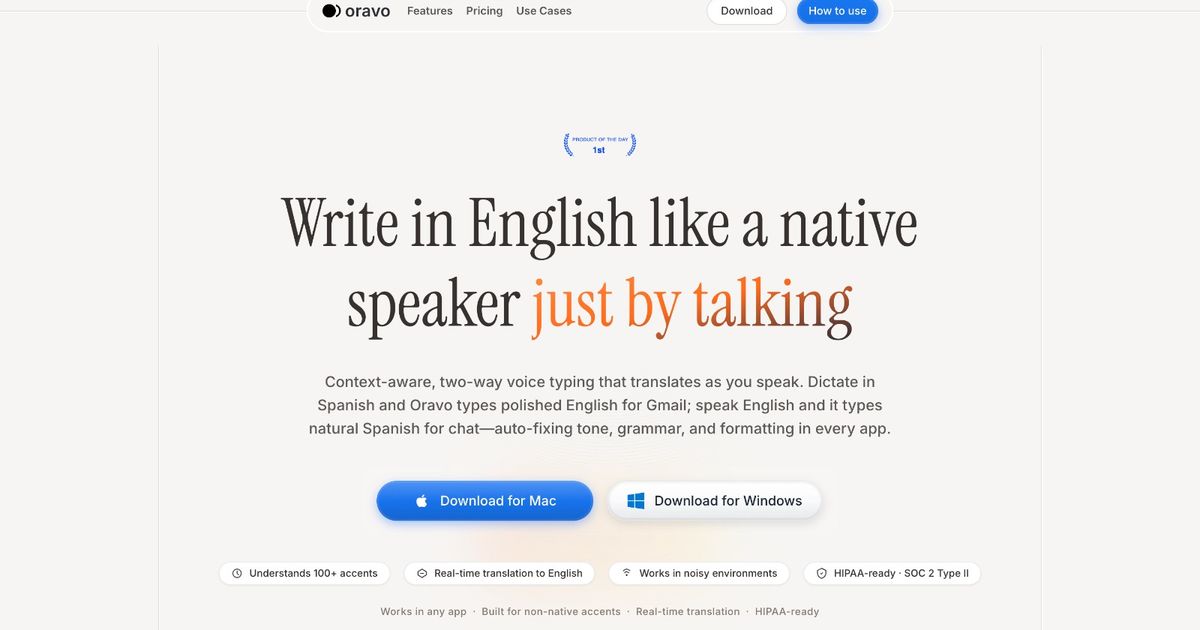
To turn voice notes into professional writing, the standard workflow is: record the voice note, transcribe it using a speech-to-text tool, edit the raw transcript for clarity and professional register, and format the output for its destination (email, report, document). The faster alternative is using Oravo to dictate directly into the target application -- Gmail, Google Docs, Slack -- so the voice note is transcribed and professionally refined in one step, arriving in the right place as ready-to-use writing without a separate transcription and editing stage.
The Voice Note Problem Every Professional Recognizes
You record a voice note after a call because typing while driving or walking between meetings is not possible. You record one in the middle of the night when an idea arrives. You record three in a row during a site visit because taking written notes would have been disruptive. You record one in the elevator because you needed to remember something before you got back to your desk.
Two days later, you have twelve unlistened voice notes and no idea what is in most of them.
This is the voice note backlog problem. And it exists because voice notes are optimized for capture speed and nothing else. Recording is frictionless. Everything that comes after -- listening, transcribing, editing, turning the content into usable professional writing -- is slow enough that it rarely happens before the information is no longer urgent.
The gap between the speed of recording a voice note and the effort of doing something professional with it is where most voice notes go to die. This guide closes that gap.
Why Voice Notes Do Not Automatically Become Professional Writing
A voice note is a spoken thought captured in audio. Professional writing is structured, edited, formally registered text intended for a specific audience and purpose. The distance between those two things is substantial, and bridging it requires work that most professionals underestimate when they record a voice note thinking "I will deal with this later."
The transcription problem
Before a voice note can become writing, it needs to be text. Manual transcription -- listening and typing simultaneously -- takes approximately four times as long as the audio itself. A three-minute voice note takes twelve minutes to transcribe manually. For a professional with twelve voice notes, manual transcription is a full hour of work before the editing even begins.
Automated transcription tools reduce this, but standard tools produce raw transcription that reflects the spoken mode: filler words, sentence fragments, tangential asides, false starts, and the informal register of natural speech. The transcript is usable as source material. It is not usable as professional writing.
The editing problem
Converting raw transcription to professional writing requires a substantial editing pass. Remove the filler words. Reconstruct the fragments into complete sentences. Reorganize the content into a logical structure (voice notes rarely come out in the order the writing needs them). Convert the spoken register to the appropriate professional written register for the output type -- email, report, message, brief.
For a non-native English professional, this editing pass has an additional dimension: correcting L1 grammar patterns that appeared in the transcription, adjusting idiom and phrasing for standard professional English, and making the judgment calls about register that are more demanding in a second language than in a first.
The total time investment for a standard voice note to professional writing workflow -- record, transcribe, edit, format -- is often longer than simply writing the document from scratch would have been. This is why most professionals stop using voice notes for professional purposes after trying them once or twice.
The Two Workflows: Standard and Oravo
There are two fundamental approaches to turning voice notes into professional writing. Understanding both helps you choose the right one for each situation.
Workflow 1: The Standard Approach (Record Then Process)
Step 1: Record the voice note
Record using your phone's voice memo app, a dedicated recording app, or Otter.ai. The recording is saved as audio.
Step 2: Transcribe
Use a transcription tool to convert the audio to text. Options include Otter.ai (real-time transcription during recording), Whisper (offline, high accuracy, requires technical setup), or Google's automatic transcription in Google Drive (upload the audio, right-click to open with Google Docs, it auto-transcribes).
Step 3: Edit the transcript
Read the raw transcript. Remove filler words. Reconstruct incomplete sentences. Reorganize content into the logical structure the output needs. Convert spoken register to written register. For non-native English professionals, also correct L1 grammar patterns and adjust idiom.
Step 4: Format for the destination
A voice note destined for an email gets formatted as an email. One destined for a report gets structured into sections. One destined for a Slack update gets condensed to the appropriate length and register.
When this workflow makes sense: When the voice note was recorded in a context where direct dictation was impossible (driving, site visit, meeting where recording a dictation would be disruptive) and the content needs to be processed afterward. When the voice note is long enough (10+ minutes) that batch processing makes more sense than real-time dictation.
Workflow 2: The Direct Dictation Approach (Oravo)
The premise: For many situations described as "voice note taking," direct dictation into the target application is faster and produces better output than recording and then processing.
Rather than recording a voice note after a call and then processing it later, you open Gmail or Slack immediately after the call, activate Oravo, and dictate the follow-up email or update directly into the application. The content is transcribed and professionally refined in real time. It arrives in the compose field as ready-to-send writing. No separate transcription step. No editing pass. No backlog.
When this workflow makes sense: When the destination of the voice note content is already known (an email, a Slack message, a document section). When you have two minutes after the triggering event to dictate directly rather than recording for later processing. When the content is short enough to capture in one focused dictation rather than requiring multiple recordings across time.
The key mindset shift: A voice note is a deferral strategy. It says "I will capture this now and deal with the professional writing later." Direct dictation with Oravo eliminates the deferral by making the professional writing immediate. The follow-up email gets dictated and sent while the call is still fresh. The Slack update appears in the channel thirty seconds after the decision was made. The document section gets added while the research insight is still vivid.
For most professional use cases where voice notes are currently being used, direct dictation with Oravo is faster total-time-to-professional-output than recording and processing.
The Hybrid Workflow: When You Need Both
Some situations genuinely require recording first and processing later. The voice note was recorded in a context that made direct dictation impossible. The content is too complex to capture in a single dictation session. Multiple voice notes from a day need to be synthesized into one document.
For these situations, a hybrid workflow that combines batch transcription with Oravo refinement is the most efficient approach.
Step 1: Record voice notes throughout the day
Use Otter.ai (which transcribes in real time as you record) or any voice memo app for capture. At the end of the day or the end of the relevant activity, you have a set of voice notes with automatic transcripts.
Step 2: Aggregate the transcripts
Copy the raw transcripts from each voice note into a single working document. Organize them roughly by topic or destination. Label each section with its intended output: "Email to Priya about the Q3 report," "Slack update for the product team," "Section for the weekly report."
Step 3: Use Oravo to produce the final outputs
For each labeled section, read the raw transcript to refresh your memory of the content, then activate Oravo in the target application (Gmail for emails, Slack Web for messages, Google Docs for documents) and dictate the refined version of the content using the raw transcript as your reference. Oravo converts your spoken synthesis of the voice note content into professional writing.
This approach is faster than manually editing raw transcripts because you are using the transcript as a reference for your own spoken synthesis rather than editing the transcript itself. Speaking a summary from notes is faster than editing notes into prose.
Specific Voice Note to Professional Writing Scenarios
Scenario 1: Post-Call Follow-Up Email
The old workflow: End call, record a voice note summarizing what was discussed and what the next steps are, listen to the voice note later, type the follow-up email.
The Oravo workflow: End call, open Gmail in Chrome, activate Oravo in the compose window, dictate: "Hi Sarah, great call this morning. As discussed, I am sending over the revised proposal by Thursday and we will schedule the technical review for the week of the 20th. If you have any questions before then, feel free to reach out." Send.
Total time: 45 seconds from call end to email sent. The voice note recording and processing step is eliminated because the output was produced at the moment the content was freshest.
Scenario 2: Meeting Notes to Shared Document
The old workflow: Record voice notes during or after a meeting, transcribe them, organize the transcript into meeting notes format, share the document.
The Oravo workflow: Immediately after the meeting, open the shared meeting notes document in Google Docs in Chrome. Activate Oravo. Dictate the notes section by section: "Attendees: John, Priya, Marcus. Decisions made: the launch date is confirmed for March 15th, the budget is approved at 80k. Action items: John to finalize the vendor list by Friday, Priya to send the revised brief to the client by Wednesday, Marcus to schedule the kickoff call." Oravo produces clean, formatted meeting notes in the document.
Scenario 3: Site Visit Observations to Report Section
The situation where recording is genuinely necessary: You are on a construction site, a factory floor, or any location where real-time dictation into a device is impractical. You record observations as audio throughout the visit.
Processing the recordings: At the end of the visit, use Otter.ai transcripts of the recordings as reference material. In your hotel room or office, activate Oravo in your report document and dictate each observations section using the Otter transcripts as reference notes. Oravo converts your spoken synthesis into report-quality professional prose.
Scenario 4: Shower Idea to Slack Message
The old workflow: Have a good idea in the shower, try to remember it, get to your desk, partially remember it, send a vague Slack message that does not quite capture the original insight.
The Oravo workflow: Get out of the shower, open Slack Web in Chrome on your phone or desktop, activate Oravo in the message field, speak the idea while it is fully formed. Oravo produces a clear, professional Slack message. Send.
The insight arrives in the channel fully formed, not as a degraded reconstruction from a voice note that you listened to three hours later.
How Oravo Specifically Handles the Non-Native English Voice Note Problem
For non-native English professionals, voice notes have a problem beyond the transcription gap: the voice note itself reflects the translation process, not just the thought.
When a Hindi-English bilingual professional records a voice note after a client call, the note comes out in the cognitive language of the moment -- which is often Hinglish. "Toh basically client chahta hai ki delivery Friday tak ho -- but woh budget ke baare mein baat karna chahte hain pehle. Need to send them a revised timeline and then schedule a call."
A standard transcription tool produces: "Toh basically client chahta hai ki delivery Friday tak ho but woh budget ke baare mein baat karna chahte hain pehle. Need to send them a revised timeline and then schedule a call." The Hindi portions are garbled or skipped. The English portions are transcribed. The result is a partially usable transcript that requires significant reconstruction.
Oravo handles this differently. The Hinglish input is recognized as code-switching. The Hindi portions are understood for meaning. The output is: "The client wants delivery by Friday but would like to discuss the budget first. I need to send them a revised timeline and schedule a follow-up call."
The professional writing is produced from the voice note content as it was actually recorded -- in the natural cognitive language of the moment -- not from a cleaned-up performance of English that the professional would have had to produce manually.
Building a Voice Note to Writing System
For professionals who regularly generate voice notes and want a systematic approach to converting them to professional writing:
End-of-day processing: Set aside fifteen minutes at the end of each workday to process the day's voice notes. This regular cadence prevents backlog. The processing session uses the hybrid workflow: transcripts as reference, Oravo for direct dictation of outputs.
Destination tagging while recording: When recording a voice note, open the recording by stating the destination: "Email to Marcus about the budget" or "Slack update for the engineering team." This tagging makes processing faster because you know immediately where each note is headed.
Immediate dictation default: Whenever you catch yourself about to record a voice note in a context where direct dictation is possible, switch to Oravo instead. The discipline of asking "can I dictate this directly right now?" before recording prevents the backlog from building in the first place.
The twenty-four hour rule: Any voice note not processed within twenty-four hours should be transcribed and archived rather than attempting to turn it into professional writing. After twenty-four hours, the context and nuance of what was said degrades enough that the voice note is better treated as a research artifact than as source material for immediate writing.
Frequently Asked Questions
What is the fastest way to convert a voice note to a professional email?
The fastest method is to never record the voice note in the first place -- open Gmail in Chrome after the triggering event and dictate the email directly using Oravo. If the voice note has already been recorded, the fastest processing workflow is to use Otter.ai for automatic transcription, read the transcript quickly, then activate Oravo in Gmail and dictate the email using the transcript as a reference rather than editing the transcript directly.
Can Oravo transcribe an existing audio recording?
Oravo is a real-time dictation tool -- you speak into it live and it produces text in real time. It does not process pre-recorded audio files. For transcribing existing recordings, Otter.ai, Google's audio transcription in Drive, or Whisper (for technical users who want the highest accuracy) handle pre-recorded audio. The output from those transcription tools can then be used as reference material for Oravo-based dictation of the final professional writing.
How do I handle voice notes that contain sensitive or confidential information?
For voice notes containing confidential business information, client details, or sensitive personal content, review the privacy policies of any transcription tool before processing. Oravo processes audio through cloud infrastructure, as do Otter.ai and most automated transcription tools. For content with strict confidentiality requirements, local offline transcription using Whisper provides processing without cloud transmission.
What if my voice notes are long and rambling?
Long, rambling voice notes are the most common type and the hardest to process through direct editing of the transcript. The most effective approach is to listen to the note once (on 1.5x or 2x speed), identify the two or three core points, then activate Oravo and dictate those core points directly in the target application rather than trying to edit the full transcript. Synthesizing from memory after a single listen produces tighter, cleaner professional writing than editing the full raw transcript line by line.
Is there an app that records voice notes and automatically turns them into professional writing?
As of 2026, no single app handles the full pipeline -- natural language recording, automatic transcription, and professional English refinement -- in one seamless workflow. The closest combination is Otter.ai for recording and automatic transcription, followed by Oravo for professional output generation. For real-time dictation directly into professional writing without a recording step, Oravo alone covers the workflow when used immediately after the triggering event.
The Bottom Line
Voice notes are a fast capture tool with a slow processing problem. The gap between recording a voice note and turning it into professional writing is large enough that most voice notes never complete the journey -- they sit in an audio library, listened to once or never, while the information they contain slowly becomes irrelevant.
The solution is not better processing of voice notes. It is reducing the number of voice notes that need processing in the first place. Direct dictation into the target application with Oravo produces professional writing at the moment the content is freshest, in the application where it belongs, without a recording-transcription-editing pipeline.
For the situations where recording first is genuinely necessary, the hybrid workflow -- batch transcription as reference, Oravo for dictated synthesis -- is the fastest path from audio to professional writing that currently exists.
The voice note is not the problem. The gap between the voice note and what it needs to become is the problem. Oravo closes the gap.
Start Converting Your Voice Notes to Professional Writing -- Free Trial
Open Gmail, Slack, or Google Docs in Chrome. Go to oravo.ai and create your free account in two minutes.
Dictate your next follow-up email directly instead of recording it for later. See what arrives in the compose field.