Best Dragon NaturallySpeaking Alternatives in 2026
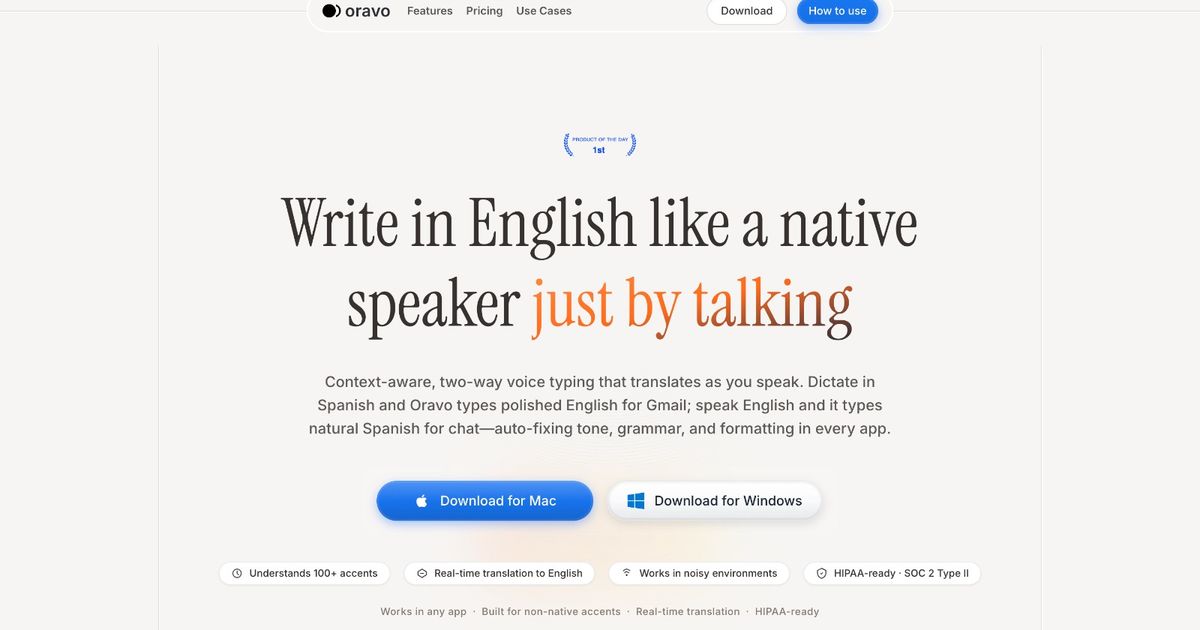
The best Dragon NaturallySpeaking alternatives in 2026 are Oravo, Apple Dictation, Windows Voice Typing, OpenAI Whisper, and Nerd Dictation (Linux). Dragon NaturallySpeaking charges up to $500 for a perpetual license, runs only on Windows, and provides raw transcription without professional tone refinement. For non-native English speakers who need clean professional output -- not just accurate transcription -- Oravo is the strongest alternative, combining accent-aware recognition with an AI refinement layer that Dragon does not offer at any price point.
At a Glance: Dragon NaturallySpeaking vs. The Best Alternatives
Tool
Price
Platform
Accent Support
Professional Output
System-Wide
Best For
Dragon NaturallySpeaking
Up to $500 one-time
Windows only
Moderate -- trains to your voice over time
No -- raw transcription
Yes
Windows professionals needing high-volume system-wide dictation
Oravo
Free trial; subscription
All platforms via browser
Excellent -- accent correction built in
Yes -- full AI refinement layer
Browser text fields
Non-native English professionals; browser-based workflows
Apple Dictation
Free (built-in)
Mac and iOS only
Moderate -- improved but standard English optimized
No
Yes on Apple devices
Mac and iPhone users wanting free system-wide dictation
Windows Voice Typing
Free (built-in)
Windows only
Moderate -- standard English optimized
No
Yes on Windows
Windows users wanting free system-wide dictation
OpenAI Whisper
Free (open-source)
All platforms (technical setup)
Excellent -- diverse training corpus
No -- raw transcription
No -- pipeline required
Technical users wanting best offline accuracy
Nerd Dictation
Free (open-source)
Linux (X11)
Moderate -- Vosk model dependent
No
Yes on X11
Linux developers wanting offline system-wide dictation
Why People Are Leaving Dragon NaturallySpeaking
Dragon NaturallySpeaking -- now sold as Dragon Professional by Nuance (owned by Microsoft) -- was the gold standard of speech recognition software for over two decades. In the early 2000s, it was genuinely revolutionary. It ran locally, it trained to your voice, and it worked system-wide across Windows applications with accuracy that nothing else could match.
In 2026, the case for Dragon is significantly weaker than it used to be. Several things have changed.
The price has not kept up with the alternatives. Dragon Professional Individual costs up to $500 as a one-time purchase. Dragon Professional for enterprise deployments costs substantially more. In a world where Apple gives you system-wide dictation for free, Google gives you accurate cloud-based recognition on every Android device, and OpenAI releases a state-of-the-art multilingual transcription model as open source, $500 for a Windows-only dictation tool is a difficult value proposition to defend.
The platform lock-in has become a dealbreaker. Dragon runs on Windows. Full stop. Mac users, Linux users, and anyone whose workflow spans multiple operating systems cannot use Dragon across their full setup. As remote work has distributed professionals across platforms and as browser-based tools have become the primary communication layer for most knowledge workers, Windows-only software is a structural limitation that was acceptable in 2005 and is not in 2026.
The accent support has not kept pace. Dragon trains to an individual speaker's voice over time, which helps it adapt to specific pronunciation patterns. But its baseline model is built on American English, and the adaptation mechanism is slow -- it requires significant corrective training sessions before accuracy meaningfully improves for non-native speakers. In 2026, tools trained on diverse accent corpora from the start outperform Dragon on non-native accents without any training overhead.
There is no professional output layer. Dragon transcribes what you say. It does not refine it. It does not convert spoken casual English into professional written English. It does not handle code-switching. Every limitation of raw transcription applies to Dragon at full price.
These are the reasons professionals are searching for Dragon NaturallySpeaking alternatives in growing numbers, and why this post exists.
Deep-Dive Reviews: Every Serious Dragon Alternative
Oravo -- The Alternative Built for What Dragon Never Addressed
Dragon NaturallySpeaking has always had a ceiling: it is a transcription tool. It records what you say and places it in a text field. The accuracy is good. The system-wide integration on Windows is genuine. But the gap between what you say and what you need to write professionally -- the register gap, the grammar gap, the accent gap -- has always been yours to close manually.
Oravo starts where Dragon stops.
Accuracy without the training overhead
Dragon's accuracy for non-standard accents improves over time through corrective training. You use it, it makes mistakes, you correct them through Dragon's correction interface, and it learns. This process takes weeks of consistent use before the accuracy uplift is meaningful for heavy non-native accents. During that training period, error rates are high and correction overhead is significant.
Oravo's accuracy for non-native accents is high from the first sentence. The training happened at the model level, not at the individual user level. South Asian accents, African accents, Latin American accents, Southeast Asian accents -- these are first-class inputs in Oravo's transcription model, not accent profiles that need to be corrected into the system through weeks of usage data.
The refinement layer Dragon does not have
After transcription, Oravo runs a professional English refinement pass. This is the capability that does not exist in Dragon at any tier or price point.
"Please do the needful and revert at earliest" becomes "Please take care of this and get back to me at your earliest convenience."
"I will look into the same and update you accordingly" becomes "I will look into this and keep you updated."
"Kindly find the attached report for your reference and perusal" becomes "Please find the attached report for your reference."
Dragon transcribes all of these phrases correctly. Oravo transcribes them and then converts them to standard professional English. For a non-native English professional, that difference is not cosmetic. It is the difference between output that needs editing and output that is ready to send.
Platform availability
Dragon runs on Windows. Oravo runs in Chrome and Firefox on Windows, Mac, Linux, Android, and any other platform that supports a modern browser. For professionals who work across platforms, this is a meaningful practical advantage.
The honest trade-off
Dragon covers every Windows application system-wide. Oravo covers browser text fields. For professionals whose communication happens in Gmail, Slack, Google Docs, Outlook Web, WhatsApp Web, and similar browser-accessible tools -- which describes the majority of knowledge workers in 2026 -- this coverage gap is minimal. For professionals who need to dictate into specialized Windows desktop software (legal case management systems, medical record software, specific enterprise tools), Dragon's system-wide coverage is a real advantage that Oravo does not replicate.
Oravo summary vs. Dragon
- Price: Free trial; subscription vs. up to $500 one-time
- Accent accuracy: Better for non-native accents from day one vs. improves slowly through training
- Professional output: Yes -- full refinement layer vs. raw transcription only
- Platform: All platforms via browser vs. Windows only
- System-wide: No -- browser only vs. Yes -- all Windows applications
- Best for: Non-native English professionals in browser-based workflows vs. Windows-dependent heavy dictation users in standard English
Apple Dictation -- The Best Free System-Wide Option for Mac Users
If you are on a Mac and you were considering Dragon NaturallySpeaking specifically because you wanted system-wide dictation that works in every application, Apple's built-in Dictation feature is the answer you were looking for -- and it costs nothing.
What Apple Dictation does well
Apple Dictation has improved substantially over the past few years. On macOS Ventura and later, it offers enhanced on-device dictation that works offline and provides real-time transcription with auto-punctuation across every application on the Mac -- Mail, Pages, Notion, Slack, VS Code, Terminal, any text field anywhere. The accuracy for standard American and British English in quiet conditions is genuinely high.
The on-device processing on Apple Silicon Macs (M1, M2, M3, M4 chips) is particularly impressive. The model runs fast enough for real-time use without cloud dependency, which addresses privacy concerns that cloud-based tools cannot.
Apple Dictation also includes voice command support -- you can say "delete that," "undo that," "select all," and navigate documents by voice, which extends its usefulness beyond pure dictation.
Where Apple Dictation falls short
Apple Dictation has the same ceiling as every other built-in OS dictation tool: raw transcription. The output is what you said. No refinement, no professional tone layer, no accent correction beyond whatever the on-device model handles natively.
For non-native English speakers, the accuracy on strong South Asian, African, or Latin American accents is acceptable but not strong. Apple's model is better tuned to standard English than to diverse global English accent profiles.
Platform lock-in is also a real constraint. Apple Dictation works on Mac and iOS. Windows, Android, and Linux users cannot use it. For cross-platform workflows, it is not a universal solution.
Who Apple Dictation is right for
Mac users who want free, system-wide dictation with good accuracy in standard English. The best free Dragon alternative for Mac users by a significant margin.
Apple Dictation summary
- Price: Free -- built into macOS
- Accent accuracy: Good for standard English; moderate for non-native accents
- Professional output: None -- raw transcription
- Platform: Mac and iOS only
- System-wide: Yes -- every Mac application
- Best for: Mac users wanting free system-wide dictation; native English speakers
Windows Voice Typing -- The Free Built-In Dragon Alternative for Windows
Windows Voice Typing (Win + H) is Microsoft's built-in dictation tool for Windows 10 and 11. It is the most direct free alternative to Dragon for Windows users -- system-wide, no installation, no cost.
What Windows Voice Typing does well
Windows Voice Typing works across all Windows applications, uses Microsoft's cloud speech recognition for high accuracy in standard English, and includes auto-punctuation that handles sentence boundaries reasonably well. For a professional who wants to replace Dragon with something free and already installed, Windows Voice Typing is the starting point.
Microsoft has invested meaningfully in Windows Voice Typing as part of its broader accessibility push, and the tool has improved significantly from its early iterations. It is no longer the afterthought it once was.
Where Windows Voice Typing falls short
The accuracy gap with Dragon for non-standard accents is real. Dragon's voice training mechanism, for all its overhead, does eventually adapt to specific pronunciation patterns. Windows Voice Typing applies a standard cloud model without personalization, which means non-native speakers see consistently higher error rates.
There is no professional output layer. Raw transcription, as with every alternative in this section. And there is no voice command layer equivalent to Dragon's document navigation commands -- Windows Voice Typing is dictation only, not voice control.
Who Windows Voice Typing is right for
Windows users who want a free Dragon replacement for standard dictation. The best starting point for anyone transitioning away from Dragon on a budget.
Windows Voice Typing summary
- Price: Free -- built into Windows 10 and 11
- Accent accuracy: Good for standard English; moderate for non-native accents
- Professional output: None -- raw transcription
- Platform: Windows only
- System-wide: Yes -- all Windows applications
- Best for: Windows users wanting a free Dragon replacement; native English speakers
OpenAI Whisper -- The Best Accuracy if You Can Handle the Setup
Whisper is the most accurate offline speech recognition model publicly available in 2026 and the strongest open-source Dragon alternative on accuracy metrics alone. It supports over 50 languages, handles diverse accent profiles better than any other open-source model, and produces transcription quality that approaches commercial cloud-based APIs.
What Whisper does well
For professionals who need offline processing, privacy-first architecture, and the best available transcription accuracy for non-native accents -- and who have the technical capability to set up a Python-based real-time pipeline -- Whisper is the strongest Dragon alternative on pure accuracy.
The multilingual support is genuine and practically useful. A professional who sometimes dictates in their native language and wants English output can use Whisper's translation mode to achieve this -- a capability Dragon does not have.
Where Whisper falls short
Whisper was not designed as a real-time dictation tool. Achieving low-latency dictation with Whisper requires building or adapting a community pipeline (faster-whisper, whisper-live). GPU hardware is recommended for the accuracy levels that make Whisper worth the setup effort. And there is no professional output layer -- Whisper transcribes with excellent accuracy but does not refine the output.
Who Whisper is right for
Technical users on any platform who want the best offline accuracy and are comfortable building a custom pipeline. Not a consumer-friendly Dragon replacement.
Whisper summary
- Price: Free -- open-source
- Accent accuracy: Excellent -- best available offline accuracy for diverse accents
- Professional output: None -- raw transcription
- Platform: All platforms (technical setup required)
- System-wide: Via custom pipeline
- Best for: Technical users; highest offline accuracy; privacy-first workflows
Nerd Dictation -- The Linux Answer to Dragon
For Linux users who were using Dragon NaturallySpeaking on a previous Windows setup and want equivalent system-wide dictation on Linux, Nerd Dictation with a large Vosk model is the closest available option.
What it does: System-wide dictation on Linux via xdotool (X11), offline processing, open-source, no cost. Full detail covered in the Linux speech to text blog in this series.
The honest position: Good for developers and technically literate Linux users. Not Dragon-equivalent in accuracy or ease of use. No professional output layer.
Nerd Dictation summary
- Price: Free -- open-source
- Platform: Linux (X11)
- Best for: Linux developers wanting offline system-wide dictation
The Case Against Dragon NaturallySpeaking in 2026: A Direct Assessment
Dragon NaturallySpeaking is not a bad product. For a specific user profile -- a Windows-dependent professional who dictates at very high volume, works primarily in standard English, needs to dictate into specialized Windows desktop applications, and has already invested in Dragon training -- it remains a reasonable choice.
For everyone outside that profile, the value case has eroded significantly.
$500 for raw transcription is hard to justify when free tools provide comparable raw transcription and paid alternatives like Oravo provide meaningfully better output quality.
Windows-only in 2026 is a real constraint for professionals whose work spans platforms or whose primary communication happens in browser-based tools.
The training overhead -- weeks of corrective sessions before accuracy meaningfully improves for non-native accents -- represents a time investment that tools trained on diverse corpora from the start do not require.
No professional output layer at any price point means Dragon's ceiling is accurate transcription. For professionals who need the gap between spoken input and professional written output closed automatically, Dragon does not offer a path to that regardless of tier or license cost.
The professionals who are best served by switching away from Dragon are precisely the ones who are most underserved by Dragon's design: non-native English speakers who need both higher accent accuracy and professional output refinement, and professionals whose workflows have migrated to browser-based tools where Dragon's system-wide Windows integration provides no advantage.
Dragon NaturallySpeaking vs. Oravo: The Direct Comparison
This is the comparison most people searching for Dragon alternatives actually want.
Transcription accuracy for standard English: Dragon wins slightly, particularly for heavily trained profiles. Oravo is comparable for most standard English input.
Transcription accuracy for non-native accents: Oravo wins significantly from day one. Dragon improves with training but starts with a higher error rate and requires weeks of corrective sessions to close the gap.
Professional output quality: Oravo wins entirely. Dragon provides raw transcription at every price point. Oravo's refinement layer converts spoken input to professional English automatically.
Platform support: Oravo wins for cross-platform users. Dragon wins for Windows-only power users who need every desktop application covered.
Price: Oravo's subscription is significantly cheaper than Dragon's one-time license and includes features Dragon does not offer.
Setup and maintenance: Oravo wins. Browser-based, two-minute setup, no training sessions, no vocabulary building, no version upgrades. Dragon requires installation, training, and periodic model updates.
Voice commands and document navigation: Dragon wins. Dragon's voice command layer for navigating documents, selecting text, and controlling applications has no equivalent in Oravo, which is a dictation tool, not a full voice control system.
Who should choose Dragon over Oravo: A Windows-only professional who needs voice control of desktop applications, dictates at extremely high volume in standard English, and does not need professional output refinement.
Who should choose Oravo over Dragon: Everyone else -- particularly non-native English speakers, cross-platform professionals, and anyone whose work happens primarily in browser-based applications.
Frequently Asked Questions
Is Dragon NaturallySpeaking still worth buying in 2026?
For most professionals, no. The price is high relative to alternatives, the platform limitation is a real constraint, and the absence of a professional output layer means you are paying $500 for accurate raw transcription that free tools approach and that Oravo exceeds with a professional refinement layer. The remaining case for Dragon is specific: Windows-only workflows requiring voice control of specialized desktop applications, primarily in standard English.
What is the best free Dragon NaturallySpeaking alternative?
For Mac users: Apple Dictation. For Windows users: Windows Voice Typing. For Linux users: Nerd Dictation with a large Vosk model. For the best free offline accuracy on any platform: OpenAI Whisper (requires technical setup). None of these provide professional output refinement.
Does Oravo work like Dragon NaturallySpeaking?
Both are voice dictation tools, but the underlying model is different. Dragon trains to an individual speaker's voice over time. Oravo uses pre-trained models with diverse accent data that provide high accuracy from the first use without a training period. Dragon provides raw transcription. Oravo provides transcription plus professional English refinement. Dragon is system-wide on Windows. Oravo works in browser text fields on all platforms.
Can Dragon NaturallySpeaking handle non-native English accents?
Dragon adapts to individual voices through training, which eventually improves accuracy for non-native accents after significant corrective sessions. The initial accuracy for strong non-native accents is lower than Dragon's marketed accuracy figures, which are measured on standard English speakers. Tools trained on diverse accent corpora -- like Oravo and Whisper -- outperform Dragon on non-native accents without any training investment.
Is there a Dragon NaturallySpeaking alternative for Mac?
Dragon does not have a native Mac version. For Mac users, the main alternatives are Apple Dictation (free, system-wide, raw transcription) and Oravo (browser-based, accent-aware, professional refinement). For native English Mac users who want system-wide coverage, Apple Dictation is the practical first choice. For non-native English Mac professionals who need professional output quality, Oravo is the better option.
Is there a Dragon NaturallySpeaking alternative for Linux?
Dragon has never supported Linux. For Linux users, the best offline alternative is Nerd Dictation with a large Vosk model (system-wide on X11) or OpenAI Whisper with a real-time wrapper (best accuracy, requires GPU and custom pipeline). For browser-based professional communication on Linux, Oravo is the strongest option.
Who Should Use Which Dragon Alternative
Your profile
Recommended alternative
Mac user; free system-wide dictation; standard English
Apple Dictation
Windows user; free system-wide dictation; standard English
Windows Voice Typing
Linux user; offline; developer; standard English
Nerd Dictation + large Vosk model
Technical user; any platform; best offline accuracy; GPU available
OpenAI Whisper + real-time wrapper
Non-native English speaker; professional communication; any platform
Oravo
Cross-platform professional; browser-based workflow; needs clean output
Oravo
Windows power user; voice control of desktop apps; standard English; very high volume
Dragon NaturallySpeaking (stay)
The Bottom Line
Dragon NaturallySpeaking dominated speech recognition for twenty years because nothing else was close. In 2026, that gap has closed. Free built-in tools match Dragon for casual use. Open-source models match or exceed Dragon on accuracy for diverse accents. And Oravo offers something Dragon has never offered at any price: the layer between transcription and professional output that converts what you said into what you needed to write.
The professionals who are most underserved by Dragon -- non-native English speakers, cross-platform users, browser-first workers -- are precisely the ones who benefit most from switching. For them, Dragon's $500 price tag and Windows-only architecture are not minor inconveniences. They are signs that the product was never designed with them in mind.
Oravo was.
Try the Dragon Alternative That Does More Than Transcribe
Free trial. No download. Works in Gmail, Slack, Google Docs, and WhatsApp in under two minutes.
Start your free trial at oravo.ai
Speak naturally. Get professional output. No training sessions, no correction loops, no $500 license.