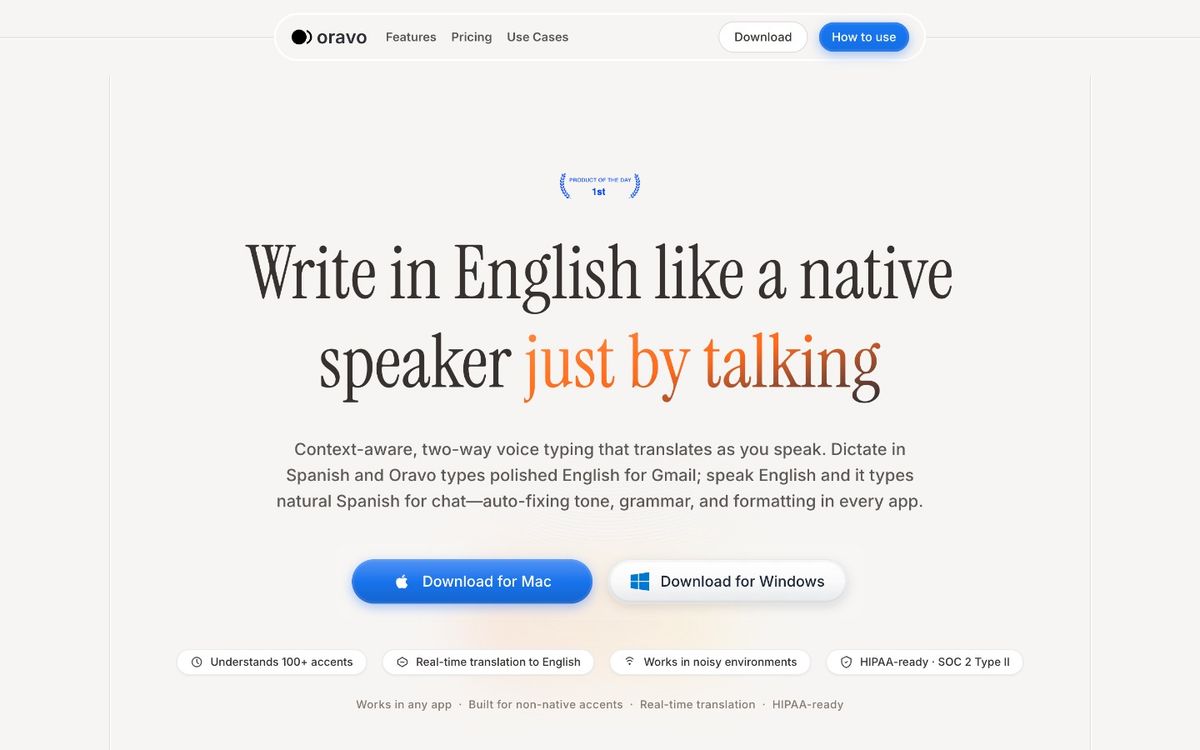
Short answer: should you switch from Wispr Flow to Oravo?
Switch if: you want the same push-to-talk dictation workflow for about a third less ($9.99/mo vs Wispr's stated $15/mo), you want zero data retention with a mic that's only active while you hold the hotkey, or you dictate in more than one language and want real-time translation.
Don't switch if: you depend on Wispr's Command Mode voice editing ("delete that sentence," "make this more formal"), you use Wispr's Notetaker meeting assistant, you need dictation on Android today, or you dictate in languages outside Oravo's 60+ supported ones. The honest details on each are below.
The workflow you already know (and what stays identical)
Wispr Flow trained its users on one interaction: hold a hotkey, speak, release, get clean text at the cursor. Oravo uses the same model, so muscle memory transfers on day one:
- Push-to-talk, everywhere. Hold the hotkey, talk, release. Text lands in Gmail, Slack, Notion, Google Docs, VS Code, Linear — anywhere your cursor blinks, with no per-app setup.
- Auto-cleanup. Filler words, false starts, and mid-sentence corrections are stripped automatically. You talk like a human; the output reads like careful typing.
- Context-aware tone. The feature that made Wispr Flow feel magical rather than mechanical: casual phrasing in Slack, professional formatting in email, structured output in docs. Oravo does the same — tone adapts to the app you're dictating into, casual in chat and formal in Gmail, with zero configuration.
- Custom dictionary on the free tier. Add product names, client names, and jargon once; both apps stop mangling them. Honest note: Wispr Flow also includes this on its free plan, so it's parity, not an Oravo exclusive.
The practical upshot: watched over your shoulder, the two are indistinguishable. The differences are price, privacy architecture, and the edges of the feature set — covered below.
Head-to-head: Wispr Flow vs Oravo
Pro price, monthly; Wispr Flow: $15/mo (stated on wisprflow.ai); Oravo: $9.99/mo
Pro price, annual; Wispr Flow: $144/yr ≈ $12/mo effective (stated); Oravo: $99/yr
Free tier; Wispr Flow: 2,000 words/week (stated); Oravo: 5,000 words
Pro trial; Wispr Flow: 14-day trial, no credit card (reported); Oravo: 14-day Pro trial, no credit card
Stated accuracy; Wispr Flow: Not published; reviewers call it highly accurate; Oravo: 99%
Stated latency; Wispr Flow: Not published; reviewers call it fast with minimal lag; Oravo: Sub-300ms
Languages; Wispr Flow: 100+ (reported); Oravo: 60+ with real-time translation
Platforms; Wispr Flow: Mac, Windows, iOS; mobile keyboard apps (reported); Oravo: Mac, Windows, iOS; Android coming
Data retention; Wispr Flow: Zero retention on Enterprise tier (per review); privacy mode available; Oravo: Zero data retention for voice recordings and transcription data
Microphone behavior; Wispr Flow: Push-to-talk hotkey; Oravo: Push-to-talk; mic active only while hotkey is held
Compliance; Wispr Flow: SOC 2 Type II and HIPAA BAA on select/Enterprise plans (reported); Oravo: HIPAA-ready, SOC 2 Type II
Custom dictionary; Wispr Flow: Free tier (reported); Oravo: Free tier
Voice editing commands; Wispr Flow: Command Mode on Pro ("delete that," "bold this"); Oravo: Auto-formatting; no voice-command editing mode
Meeting assistant; Wispr Flow: Notetaker launched Aug 2026 (Mac); Oravo: None
The price math, done properly
Wispr Flow Pro is stated at $15/month billed monthly, or $144/year (about $12/month effective) billed annually. Oravo Pro is $9.99/month, or $99/year.
- Monthly vs monthly: $15.00 − $9.99 = $5.01 less per month, about a third less.
- Annual vs annual: $144 − $99 = $45 less per year, also about a third less.
Over two years on annual billing, that's $90 back in your pocket for the same core workflow. Oravo's 14-day Pro trial requires no credit card, so run both for two weeks on your real work and cancel whichever one loses. One caveat in Wispr's favor: its free Basic tier (2,000 words/week, stated) is more generous than Oravo's 5,000 free words for light users who never intend to pay. If you're already paying for Pro, that caveat doesn't apply to you.
Privacy: the real architectural difference
This is where the two products diverge — and why many people seek an alternative.
Wispr Flow is a cloud dictation tool. To do its context-aware formatting, it reads contextual information about the app you're working in, and your speech is processed on cloud servers. It offers a privacy mode, states it doesn't train models on your data unless you opt in, and third-party reviews list zero data retention as an Enterprise-tier feature, with a HIPAA BAA available on select plans. Fine for everyday writing — but your voice data leaves your device.
Oravo was designed around a stricter posture:
- Zero data retention for voice recordings and transcription data — not as an enterprise upsell, as the default architecture.
- The microphone is only active while you hold the hotkey. Push-to-talk isn't just a UX choice; it's a privacy guarantee. Nothing is listening between dictations.
- HIPAA-ready and SOC 2 Type II certified — relevant for healthcare, legal, or client-confidential dictation.
For patient notes, legal memos, or unreleased plans, the gap between "cloud processing with a privacy mode" and "zero retention with a mic that's off unless your finger is down" is the whole decision. For low-stakes text, weigh price and features instead.
Accuracy, latency, and languages
Accuracy and latency. Oravo states 99% accuracy and sub-300ms latency — words land essentially as fast as you speak, which is what makes dictation feel like thinking out loud. Wispr doesn't publish a single accuracy or latency figure; independent reviewers consistently describe it as fast and genuinely accurate in real-world testing. Treat both as excellent for everyday speech; both still occasionally mangle heavy accents, niche jargon, or noisy rooms, and that's where the custom dictionary earns its keep.
Languages. Wispr Flow is reported to support 100+ languages — broader raw coverage. Oravo supports 60+ languages with a differentiator: real-time translation. Speak in Spanish, get polished English where your cursor is, and vice versa, mid-sentence if needed. If your language is in Oravo's 60+, translation is arguably more useful than a longer list. If it isn't, Wispr's broader coverage wins outright — check before you switch.
What you'd actually give up (honest trade-offs)
A comparison that only lists wins is an ad. Here's what switching costs:
- Command Mode voice editing. Wispr Pro edits by voice — "delete the last sentence," "make this more formal." Oravo auto-formats as you dictate but offers no voice-command editing. Command Mode devotees will reach for the keyboard more.
- Wispr Notetaker. Wispr's meeting assistant (launched August 2026, Mac) captures meetings and generates structured notes. Oravo is dictation-only — you'd need a separate tool.
- Android, today. Oravo is Mac, Windows, and iOS, with Android coming. Wispr reportedly ships mobile keyboard apps including Android. If your phone is Android and mobile dictation matters now, wait.
- Language breadth. 100+ reported languages (Wispr) vs 60+ with translation (Oravo). Multilingual users outside Oravo's coverage should stay put.
- Whisper Mode. Wispr's quiet-dictation mode for dictating softly in shared spaces has no Oravo equivalent in the published feature set.
None of these are hidden gotchas — they're just the real edges where the products differ. For straight push-to-talk dictation across desktop apps, the day-to-day experience is near-identical.
How to switch in about 15 minutes
- Install Oravo and grant mic + accessibility permissions (the same two prompts Wispr asked for).
- Set the same hotkey you use in Wispr Flow — your thumb already knows where it lives.
- Import your vocabulary. Open Oravo's custom dictionary and add the 10–20 terms Wispr got right for you — product names, client names, jargon. This prevents the "new tool feels dumber" effect that's really just an empty dictionary.
- Run the 14-day Pro trial (no credit card) on real work: standup notes in Slack, two emails in Gmail, one doc in Notion. That's enough to know.
- Compare one thing: dictate the same paragraph in both apps and count corrections. That's your answer, not a marketing page.
Ready to compare? Start your free 14-day Oravo Pro trial — no credit card. If Oravo doesn't beat Wispr on your real work in two weeks, keep Wispr — it cost you nothing to find out.
FAQ
Is Oravo really cheaper than Wispr Flow?
Yes, on the paid plans. Wispr Flow Pro is stated at $15/month or $144/year; Oravo Pro is $9.99/month or $99/year — about a third less either way. On the free tiers it flips: Wispr's free Basic plan (2,000 words/week, stated) is more generous than Oravo's 5,000 free words, so light users who never pay may prefer staying free on Wispr.
Will my Wispr Flow muscle memory transfer to Oravo?
Almost entirely. Both are push-to-talk: hold a hotkey, speak, release, and clean text lands at your cursor in any app. Match the hotkey and the first hour feels familiar; the adjustment is in editing habits, not dictation.
Does Oravo have voice editing like Wispr's Command Mode?
No. Wispr's Pro-only Command Mode ("delete that sentence," "make this more formal") has no Oravo equivalent. Oravo focuses on getting text right on the first pass — auto-cleanup of fillers, auto-punctuation, tone matched to the app — rather than voice-driven editing after the fact.
Is Oravo more private than Wispr Flow?
Architecturally, yes. Oravo retains zero voice recordings and zero transcription data by default, is HIPAA-ready and SOC 2 Type II certified, and the mic is only active while you're holding the hotkey. Wispr processes speech in the cloud, reads app context to format output, offers a privacy mode, and lists zero data retention on its Enterprise tier per third-party reviews. For sensitive dictation — medical, legal, confidential client work — Oravo's posture is stricter.
Can I try Oravo before cancelling Wispr Flow?
That's the recommended path. Oravo's 14-day Pro trial needs no credit card, plus a free tier with 5,000 words. Install it alongside Wispr, use both on real work for a week or two, then cancel the loser. Don't cancel Wispr first — side-by-side comparison is the only honest test.
Does Oravo work on Android?
Not yet — Android is coming. Oravo currently supports Mac, Windows, and iOS. If Android dictation is a must-have today, Wispr (which reportedly ships an Android keyboard app) is the safer choice for now.
The bottom line
Wispr Flow earned its reputation: it made push-to-talk dictation good. But $15/month is a lot for a workflow Oravo replicates — same hotkey habit, same auto-cleanup, same app-aware tone — for $9.99/month, with stricter privacy defaults and real-time translation across 60+ languages. Honest reasons to stay: Command Mode, the Notetaker meeting assistant, Android today, or languages outside Oravo's coverage. Everything else, verify yourself in a free two-week trial.
Start your free 14-day Oravo Pro trial — no credit card required
Written by
Raju Yadav
The Oravo team writes about voice typing, productivity and writing clear English when it is not your first language.