Best Voice Dictation for Developers & Coders: 4x Your Development Speed in 2026
Why Developers Need Voice Dictation in 2026
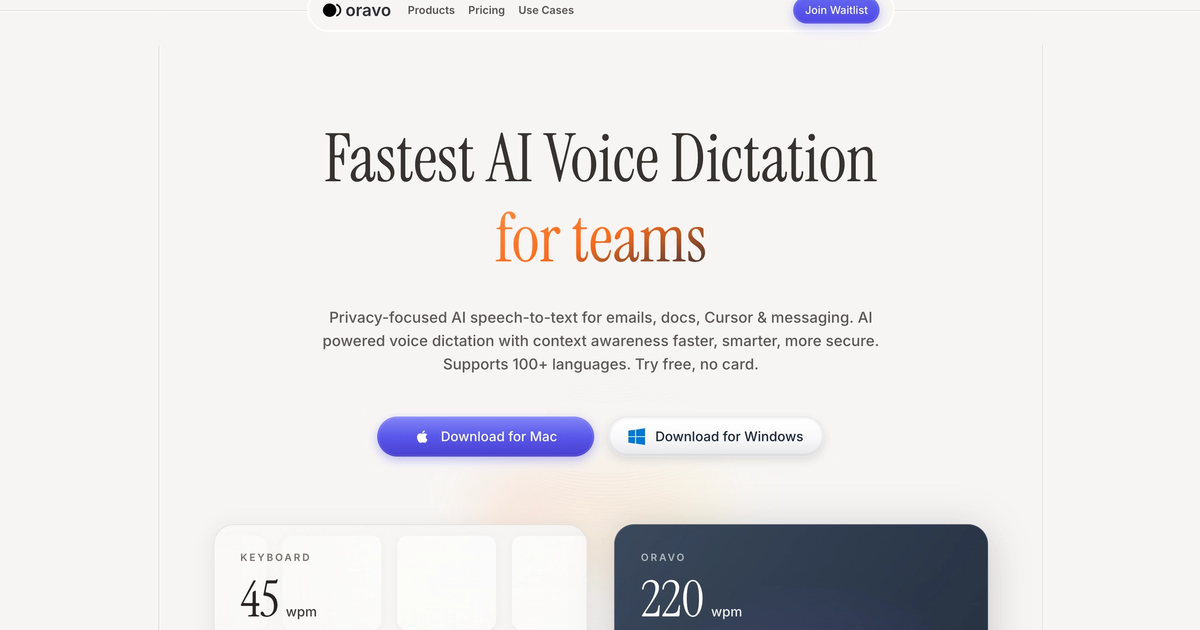
Voice dictation transforms developer productivity by accelerating the three most time-consuming coding tasks: prompting AI tools, writing documentation, and conducting code reviews. Oravo AI enables developers to speak detailed prompts to Cursor, GitHub Copilot, and ChatGPT at 200+ words per minute—4x faster than typing—while maintaining hands-free code documentation and comprehensive PR reviews that improve team code quality.
Modern software development in 2026 has fundamentally changed. Developers spend 40-50% of coding time writing prompts for AI assistants, explaining architectural decisions in documentation, and providing thoughtful code review feedback. These communication-heavy tasks are perfectly suited for voice dictation, where speaking is 3-4x faster than typing while reducing cognitive load and preventing repetitive strain injuries.
The rise of AI coding assistants like Cursor, Windsurf, GitHub Copilot, and Codeium has created a new productivity bottleneck. The quality of AI-generated code depends entirely on prompt clarity and detail—yet typing comprehensive prompts is painfully slow. Developers find themselves choosing between quick, vague prompts that produce mediocre code or detailed prompts that consume precious development time. Voice dictation eliminates this tradeoff entirely.
The AI Prompting Revolution: Why Voice Dictation Matters for Modern Developers
AI Coding Tools Demand Detailed Prompts
AI coding assistants in 2026 are extraordinarily powerful when given clear, detailed instructions. A vague 10-word prompt produces generic, often incorrect code. A comprehensive 100-word prompt explaining context, requirements, edge cases, and constraints produces production-ready code that requires minimal editing.
The productivity paradox: Better prompts = better code, but detailed prompts take too long to type.
Typing a detailed prompt:
"Create a React component that fetches user data from an API endpoint,
displays it in a sortable table with pagination, handles loading states
with skeleton screens, manages error states with retry functionality,
implements debounced search filtering, uses TypeScript for type safety,
follows our design system conventions, includes comprehensive prop types,
and writes unit tests covering happy paths and error scenarios."
Time to type: 2-3 minutes of focused typing Time to speak with Oravo: 20-30 seconds of natural speech
This 5-6x speed advantage compounds across dozens of daily AI interactions. Developers using voice dictation for AI prompting report 2-3 hours saved daily—time redirected to architectural thinking, problem-solving, and creative development work.
Context-Rich Prompts Produce Better Code
Research on AI coding assistant effectiveness shows prompt quality directly correlates with code quality. Detailed prompts specifying:
- Implementation context (existing architecture, patterns, conventions)
- Edge cases (error handling, validation, boundary conditions)
- Performance requirements (optimization needs, scalability considerations)
- Testing expectations (coverage requirements, test scenarios)
...produce code requiring 60-80% less manual editing than minimal prompts.
Voice dictation enables this level of detail without productivity cost. Developers can speak conversationally about requirements, naturally including context that would feel tedious to type. This conversational approach to AI prompting produces superior results while actually saving time.
Real Developer Workflow with Voice Dictation
Before Oravo (Typing Prompts):
- Think about what code you need (30 seconds)
- Type basic prompt to AI tool (45-60 seconds)
- Review generated code (30 seconds)
- Realize it's not quite right due to vague prompt (15 seconds)
- Type clarification prompt (45 seconds)
- Review revised code (30 seconds)
- Manually fix remaining issues (2-3 minutes)
Total time: 5-6 minutes per AI interaction
After Oravo (Speaking Prompts):
- Think about what code you need (30 seconds)
- Speak comprehensive prompt naturally (30 seconds)
- Review generated code (30 seconds)
- Make minor adjustments if needed (30-60 seconds)
Total time: 2-2.5 minutes per AI interaction
Productivity gain: 60-70% faster AI-assisted coding with higher quality output
For developers making 50+ AI tool interactions daily, this represents 2-3 hours saved—nearly 40% of an 8-hour workday.
Voice Dictation Use Cases for Developers
1. AI Tool Prompting (Cursor, GitHub Copilot, ChatGPT, Claude)
The primary use case for developer voice dictation is rapid, detailed prompting of AI coding assistants.
Common Prompting Scenarios:
Feature Implementation Prompts: "Create a user authentication system with JWT tokens, implement login and signup endpoints with email validation, hash passwords using bcrypt with salt rounds of 10, store refresh tokens in HTTP-only cookies, implement token refresh logic, add rate limiting to prevent brute force attacks, include middleware for protected routes, and write integration tests for all authentication flows."
Speaking time: 25-30 seconds Typing time: 2-3 minutes Time saved: 90-150 seconds per prompt
Refactoring Requests: "Refactor this component to use React hooks instead of class components, extract repeated logic into custom hooks, implement proper TypeScript types for all props and state, add error boundaries, optimize re-renders with useMemo and useCallback, split large components into smaller focused components following single responsibility principle, and ensure all state management follows our Redux patterns."
Speaking time: 30-35 seconds Typing time: 2.5-3 minutes Time saved: 120-150 seconds per prompt
Bug Fix Prompts: "This function is throwing undefined errors when the API returns empty arrays. Add null checks, provide default values, implement proper error handling with try-catch blocks, log errors to our monitoring service, show user-friendly error messages, add loading states, and write tests that cover these edge cases including network failures and malformed responses."
Speaking time: 25-30 seconds Typing time: 2-2.5 minutes Time saved: 90-120 seconds per prompt
2. Code Documentation
Documentation is critical for maintainable codebases but notoriously time-consuming to write. Voice dictation makes comprehensive documentation feasible.
Function Docstrings:
Typed version time: 3-4 minutes for thorough docstring Voice dictation time: 45-60 seconds
Example spoken docstring: "Authenticates user credentials and generates JWT access and refresh tokens. Takes email and password as parameters, validates format and length requirements, queries the database for matching user account, compares provided password against stored hash using bcrypt, throws authentication error if invalid, generates access token valid for 15 minutes and refresh token valid for 7 days, stores refresh token in database with user ID and expiration timestamp, returns both tokens in response object. Throws validation error for invalid email format, authentication error for incorrect credentials, and database error for connection issues."
Oravo transcribes this naturally-spoken explanation as properly formatted, comprehensive documentation.
README Files:
Writing comprehensive README documentation for repositories, libraries, or modules is essential but time-intensive. Voice dictation enables thorough documentation without productivity sacrifice.
Typical README sections developers dictate:
- Installation instructions with prerequisites
- Configuration options and environment variables
- Usage examples with code snippets
- API endpoint documentation
- Architecture overview and design decisions
- Contributing guidelines
- Troubleshooting common issues
Time comparison:
- Typing comprehensive README: 2-3 hours
- Voice dictation + editing: 45-60 minutes
- Time saved: 60-70%
Inline Comments:
While brief inline comments are often faster to type, voice dictation excels for complex algorithmic explanations or architectural rationale.
Example: "This caching strategy uses a multi-level approach with in-memory cache for frequently accessed data, Redis for shared cache across instances, and database fallback for cache misses. Cache invalidation happens on write operations using pub-sub pattern to notify all instances. TTL varies by data type with user profiles cached for 5 minutes, static content for 1 hour, and API responses for 30 seconds. This balances performance with data freshness requirements."
3. Code Review Comments
Thoughtful code review significantly improves team code quality but requires detailed, constructive feedback. Most developers provide minimal PR comments because typing comprehensive feedback is tedious. Voice dictation enables the thorough reviews that improve codebases.
Architecture Feedback:
Typed comment time: 2-3 minutes Voice dictation time: 30-45 seconds
Example: "This implementation works but introduces tight coupling between the payment service and email notification system. Consider using an event-driven architecture where payment completion publishes an event that notification services subscribe to. This makes the system more maintainable, allows independent scaling of services, and enables adding new post-payment actions without modifying payment code. I'd recommend using our existing event bus pattern from the order service."
Suggesting Improvements:
"Great work on this feature. A few suggestions: extract the validation logic into a separate validator class for reusability and testing, consider adding caching to the API calls since this data changes infrequently, the error handling could be more specific with different error types for different failures, add integration tests for the happy path and major error scenarios, and update the API documentation to reflect these new endpoints. Also consider adding rate limiting to prevent abuse."
Security Concerns:
"I've noticed this endpoint doesn't validate user permissions before allowing data deletion. This is a critical security vulnerability. Please add authentication middleware to verify JWT tokens, implement role-based access control checking if the user has delete permissions for this resource, add audit logging for deletion actions, and ensure soft deletes are used so data can be recovered. Also add tests verifying unauthorized users receive 403 responses."
Voice dictation enables this level of detail in code reviews without the time investment that typically limits review thoroughness.
4. Technical Documentation and Architecture Decision Records (ADRs)
Documenting architectural decisions, technical specifications, and system design rationale is crucial for long-term project maintainability. These documents are often neglected because writing them is time-consuming.
Architecture Decision Records:
Voice dictation makes it realistic to document every significant architectural decision with full context, alternatives considered, and rationale.
Example ADR spoken in 2-3 minutes: "Decision: Migrate from REST API to GraphQL for our mobile client communication. Context: Our mobile app makes dozens of API calls per screen load causing performance issues and high data usage. The REST endpoints return excessive data requiring client-side filtering. Problem: REST API design doesn't align with mobile app data requirements leading to over-fetching and multiple round trips. Alternatives considered: Continue with REST and add custom endpoints per screen, use REST with field selection parameters, implement batch request endpoints, or migrate to GraphQL. Decision rationale: GraphQL allows clients to request exactly the data needed in a single request, eliminating over-fetching and reducing round trips. The strongly-typed schema provides excellent developer experience and automatic API documentation. GraphQL subscriptions enable real-time features we're planning. Consequences: Learning curve for team, requires client-side schema management, increased backend complexity for query optimization, need for caching strategy. Implementation: Gradual migration starting with new features, maintaining REST endpoints for backward compatibility for 6 months."
Typing time: 15-20 minutes Voice dictation time: 3-4 minutes + light editing Time saved: 75%
5. Standup Updates and Team Communication
Daily standups, Slack updates, and team communications take significant time when typed but are effortless when spoken.
Daily Standup Reports:
Typed: 2-3 minutes per update Voice dictation: 30-45 seconds
"Yesterday I completed the authentication refactoring, migrated all tests to the new auth flow, and fixed the Redis connection pooling issue causing intermittent timeouts. Today I'm implementing the OAuth integration with Google and GitHub, setting up the token refresh mechanism, and reviewing Sarah's PR on the user profile updates. No blockers currently but I'll need design review on the OAuth flow UI mockups by end of week."
Slack Technical Discussions:
Developers often avoid detailed technical explanations on Slack because typing them is tedious. Voice dictation enables thorough explanations that improve team knowledge sharing.
"The performance issue you're seeing is likely caused by N+1 database queries in the user loading code. Each user object triggers a separate query for their associated profile data. To fix this, implement eager loading using joins to fetch user and profile data in a single query. You can use our ORM's include method to specify related data. Also consider adding database indexes on the foreign key columns and implementing query result caching for frequently accessed user data. I've seen similar patterns in our order service where we reduced load time from 800ms to 120ms using this approach."
6. Git Commit Messages
Comprehensive commit messages document project history and decision context but most developers write minimal messages due to typing friction.
Minimal typed commit: "fix bug" (3 seconds) Comprehensive spoken commit: 20-30 seconds
"Fix race condition in payment processing causing duplicate charges. The issue occurred when users clicked submit multiple times before receiving response. Implemented idempotency keys using UUID stored in Redis with 10-minute expiration. Added client-side submit button disabling and loading state. Updated payment service to check idempotency key before processing and return existing result if key exists. Added integration tests covering duplicate submission scenarios."
This level of commit message detail makes git history genuinely useful for understanding code evolution and debugging issues months later.
7. Issue and Bug Reports
Creating detailed GitHub issues, Jira tickets, and bug reports with reproduction steps, expected behavior, and system context improves team efficiency but is often rushed due to typing time.
Voice-dictated bug report example: "Bug: User profile images not displaying on production environment. Reproduction steps: Log in as any user, navigate to profile page, observe that profile image shows broken image icon instead of uploaded photo. Expected behavior: Profile image should display the user's uploaded photo from cloud storage. Actual behavior: Broken image icon displays for all users regardless of whether they uploaded photos. System details: Issue occurs on production only, staging environment works correctly, started after Friday's deployment of version 2.4.1. Browser console shows 403 forbidden errors when requesting image URLs from cloud storage. Investigation notes: Cloud storage permissions might have changed during infrastructure update, CDN configuration may need updating, or image URL generation logic may have changed. Severity: High, affects all users and impacts core functionality. Suggested investigation: Check cloud storage IAM permissions, review CDN configuration changes, and compare image URL format between staging and production."
Speaking time: 60-90 seconds Typing time: 5-7 minutes Quality improvement: Comprehensive reproduction steps and investigation direction
Technical Vocabulary and Code-Aware Dictation
Custom Dictionary Setup for Developers
Oravo AI allows extensive custom vocabulary for programming terms, framework names, and project-specific terminology.
Essential Developer Vocabulary to Add:
Programming Languages & Frameworks:
- Language names: JavaScript, TypeScript, Python, Rust, Go, Kotlin
- Frameworks: React, Next.js, Vue, Angular, Django, FastAPI, Express
- Libraries: Redux, TensorFlow, pandas, NumPy, Jest, Pytest
Technical Terms:
- Design patterns: singleton, factory, observer, dependency injection
- Architectural concepts: microservices, event-driven, serverless, monolithic
- Data structures: hash map, binary tree, linked list, queue, stack
- Algorithms: quick sort, merge sort, binary search, depth-first search
Cloud & DevOps:
- Cloud providers: AWS, GCP, Azure, Cloudflare, Vercel
- Services: Lambda, S3, EC2, Cloud Functions, Cloud Storage
- Tools: Docker, Kubernetes, Terraform, Jenkins, CircleCI
Project-Specific Terms:
- Internal service names
- Proprietary technology names
- Team member names
- Client/partner company names
- Custom architectural patterns
Speaking Code vs Dictating About Code
Important distinction: Voice dictation excels for talking about code (prompting AI, documentation, reviews) rather than dictating actual code syntax.
Effective use: "Create a function that validates email addresses using regex pattern to check for valid format, returns boolean true if valid false otherwise, and include unit tests covering valid emails, invalid formats, and edge cases like missing at symbol or multiple at symbols."
Less effective: "Function validate email open paren email colon string close paren colon boolean open brace const regex equals forward slash..."
Why the distinction matters: Experienced developers type code syntax faster than dictating punctuation-heavy code character by character. However, explaining what code should do in natural language for AI tools is dramatically faster via voice.
Optimal workflow:
- Speak detailed prompts to AI coding assistants (Cursor, Copilot)
- Let AI generate the actual code syntax
- Type any manual code adjustments needed
- Speak documentation and comments explaining the code
This hybrid approach maximizes productivity by using each input method for its strength.
Best Voice Dictation Software for Developers in 2026
Oravo AI: Built for Developer Workflows
Oravo AI leads developer voice dictation in 2026 with AI-powered accuracy understanding technical terminology, universal application compatibility working seamlessly in VS Code, Cursor, terminal, browsers, and documentation tools, and intelligent formatting that adapts to technical writing conventions.
Key Developer Features:
Technical Vocabulary Recognition: Oravo's AI model trains on technical documentation, code repositories, and developer communications—recognizing programming languages, frameworks, architecture patterns, and technical terminology without extensive custom dictionary setup.
IDE Integration: Works in all development environments including VS Code, Cursor, JetBrains IDEs, Vim, Emacs, Sublime Text, and terminal applications. Simply press your hotkey and speak—Oravo transcribes wherever your cursor is positioned.
Multi-Language Support: Dictate in English for documentation then seamlessly switch to other languages for international team communication without manual mode changes.
Whisper Mode for Open Offices: Sub-vocal dictation maintains accuracy while minimizing disruption to nearby developers in shared workspaces.
Security & Privacy: SOC 2 Type II compliance, never stores voice recordings permanently, all processing encrypted, meets enterprise security requirements for sensitive codebases.
Custom Command Support: Create voice shortcuts for repeated boilerplate like "insert function template" or "add standard error handling" to accelerate repetitive tasks.
Integration with Popular Developer Tools
Cursor AI: Oravo enables rapid, detailed prompting of Cursor's AI pair programmer. Speak comprehensive context about desired code changes, architectural requirements, and implementation constraints 4x faster than typing.
GitHub Copilot: Voice dictation transforms Copilot usage by enabling detailed code generation prompts, natural language explanations of desired functionality, and comprehensive comment documentation that improves Copilot's suggestions.
ChatGPT / Claude for Coding: Developers using ChatGPT or Claude for code generation, debugging assistance, or architectural advice can articulate complex problems and requirements in natural spoken language—producing better AI responses through clearer, more detailed prompts.
VS Code: Works seamlessly in all VS Code text areas including file editor, integrated terminal, search panels, and extension sidebars. Dictate code comments, documentation, commit messages, and AI prompts without leaving your editor.
Terminal / Command Line: Speak complex command sequences, Docker commands, git operations, and script execution commands. Particularly useful for lengthy commands with multiple flags and parameters.
Notion / Confluence: Document technical specifications, architecture decisions, API documentation, and team knowledge bases 4x faster through natural spoken explanations.
Slack / Discord: Provide detailed technical assistance to teammates, explain architectural decisions, document bug solutions, and participate in technical discussions without typing friction.
Developer-Specific Setup and Optimization
Microphone Selection for Developers
Desktop Developers (Primary Location): Blue Yeti or Audio-Technica AT2020USB provide excellent accuracy for stationary desk setups with superior noise cancellation compared to laptop mics. Invest $80-130 for professional results.
Mobile Developers (Laptop Users): AirPods Pro or Jabra Evolve2 wireless headsets enable dictation while moving between spaces, attending meetings, or working from various locations. Built-in noise cancellation handles typical office/café environments.
Remote Team Developers: Consider directional microphones that focus on your voice and reject keyboard typing sounds, allowing simultaneous voice dictation and keyboard use without audio interference.
Workspace Optimization for Open Offices
Many developers work in open-plan offices where speaking aloud could disturb teammates. Strategies for successful voice dictation in shared spaces:
Whisper Mode: Oravo's whisper mode recognizes sub-vocal speech, allowing quiet dictation that doesn't disturb neighbors while maintaining 95%+ accuracy.
Focus Rooms: Reserve conference rooms or phone booths for intensive dictation sessions like writing comprehensive documentation or detailed code reviews.
Headphone Protocol: Establish team norms where headphones signal "deep work mode" allowing voice dictation without social friction.
Time Shifting: Use voice dictation during less populated hours—early morning, late afternoon, or when team members are in meetings—for tasks requiring extended speaking.
Remote Days: Maximize voice dictation on work-from-home days for documentation sprints, comprehensive code reviews, and other speaking-intensive development tasks.
Custom Vocabulary for Your Stack
Week 1 Setup (30 minutes): Create a comprehensive custom dictionary with your technology stack:
- Programming Languages: All languages your team uses including version-specific terminology
- Frameworks & Libraries: Every framework, library, and package name in your dependencies
- Internal Services: Your company's service names, API endpoints, internal tools
- Team Member Names: Correct spellings for all teammates for PR reviews and communications
- Domain Terminology: Industry-specific terms, client names, product names
Ongoing Maintenance: Add new terms as you encounter misrecognitions. After the initial setup, this requires 2-3 minutes weekly as you adopt new technologies or join new projects.
Voice Command Shortcuts
Advanced Oravo users create custom voice commands for frequently repeated patterns:
Example Voice Commands:
"Insert function template" →
/**
* [Function description]
* @param {type} paramName - [param description]
* @returns {type} [return description]
*/
function functionName(paramName) {
// Implementation
}
"Add error handling" →
try {
// Code here
} catch (error) {
logger.error('Error message:', error);
throw new Error('User-friendly error message');
}
"Standard API response" →
return res.status(200).json({
success: true,
data: data,
message: 'Operation successful'
});
These custom commands accelerate repetitive code patterns that aren't worth typing each time.
Overcoming Developer Skepticism About Voice Dictation
"I Type Code Faster Than I Can Speak It"
This is true for experienced developers typing actual code syntax. However, this misses the primary use case: You're not dictating code character-by-character.
What you're actually doing:
- Speaking prompts to AI coding assistants (4x faster than typing)
- Explaining code functionality in documentation (3x faster)
- Providing code review feedback (3x faster)
- Writing commit messages and issue reports (4x faster)
These communication-heavy tasks dominate modern development time and benefit immensely from voice dictation.
"Voice Dictation Makes Too Many Errors"
This was true for 2015-era voice recognition. Modern AI voice dictation like Oravo achieves 98%+ accuracy—especially after custom vocabulary setup with technical terms.
Reality check: Compare error rates:
- Voice dictation accuracy: 98%+ (2 errors per 100 words)
- Average typing accuracy: 92-96% (4-8 errors per 100 words)
- Typing while thinking: Often 85-90% accuracy
Voice dictation accuracy matches or exceeds typing accuracy, particularly for complex technical content requiring cognitive focus on ideas rather than motor coordination.
"I Work in a Quiet Office / Library Environment"
Valid concern for extremely noise-sensitive environments. Solutions:
- Whisper mode for sub-vocal dictation
- Reserve focus rooms for dictation sessions
- Use during off-peak hours when space is less populated
- Remote work days for voice-intensive tasks
- Outdoor walking dictation for creative problem-solving
Even with environmental limitations, developers find 20-40% of their work suitable for voice dictation—still providing significant productivity gains.
"Learning New Tools Wastes Time"
The voice dictation learning curve is minimal because you leverage existing speaking ability. Timeline:
Day 1: Functional immediately for basic dictation Week 1: Custom vocabulary setup (30 minutes), achieving typing parity Week 2-4: Building fluency, reaching 2-3x typing speed Month 2+: Advanced workflows, 3-4x speed with hybrid voice/keyboard approach
Total learning investment: 2-3 hours spread over a month. ROI appears within the first week as you save 30-60 minutes daily.
Real Developer Case Studies
Case Study 1: Senior Full-Stack Developer at B2B SaaS
Developer Profile:
- 8 years experience, TypeScript/React/Node.js stack
- Uses Cursor AI extensively for code generation
- Manages 50-80 emails daily plus Slack communications
- Experienced early RSI symptoms from long coding hours
Before Oravo (Keyboard Only):
- Daily typing time: 5-6 hours (coding, docs, comms, AI prompts)
- AI prompting time: 90-120 minutes for 40+ daily Cursor interactions
- Documentation: Minimal due to time constraints
- Wrist pain: 4-5 days per week, considering career change
After Oravo (4 Months Usage):
- Daily voice dictation time: 90-120 minutes
- AI prompting time: 30-40 minutes for 60+ detailed Cursor interactions
- Documentation: Comprehensive, enabling better team knowledge sharing
- Wrist pain: Eliminated completely within 6 weeks
- Code quality: Improved through better AI prompts and thorough documentation
Quantified Results:
- Time saved: 2+ hours daily on communication and AI prompting
- Productivity increase: 40% more features shipped per sprint
- Health improvement: Zero RSI symptoms, eliminated need for physical therapy
- Team impact: Documentation quality improved team velocity by 15%
Developer Quote: "Voice dictation didn't just save time—it saved my career. I was seriously considering switching to management because typing pain was unsustainable. Now I code more productively than ever with zero pain. The AI prompting speed alone justifies the investment—I can iterate on prompts 4-5 times in the time I used to type one prompt, resulting in dramatically better AI-generated code."
Case Study 2: Developer Relations Engineer
Developer Profile:
- Creates technical tutorials, documentation, and demo applications
- Writes 3-5 blog posts weekly plus extensive code samples
- Records video tutorials requiring scripts and documentation
- Active in community Slack/Discord providing technical support
Before Voice Dictation:
- Content production time: 25-30 hours weekly
- Blog post (2,000 words): 3-4 hours including code examples
- Weekly output: 6,000-8,000 words written content
- Community support: Brief answers due to typing time constraints
After Voice Dictation (6 Months Usage):
- Content production time: 15-18 hours weekly
- Blog post (2,500 words): 90-120 minutes including code examples
- Weekly output: 12,000-15,000 words written content
- Community support: Comprehensive, detailed technical explanations
Quantified Results:
- Productivity increase: 2x content output in 40% less time
- Quality improvement: More detailed tutorials with better explanations
- Community impact: Response quality increased engagement by 60%
- Work-life balance: Reclaimed 10+ hours weekly for family time
Developer Quote: "As DevRel, I'm measured on content output and community engagement. Voice dictation doubled my output while improving quality. I can now provide the detailed technical explanations that actually help developers instead of quick, incomplete answers. Walking dictation also helps me think through complex topics—some of my best tutorial ideas come during dictated brainstorming walks."
Case Study 3: Engineering Manager at Fast-Growing Startup
Manager Profile:
- Manages team of 12 developers across 3 products
- Daily responsibilities: 1-on-1s, code reviews, architecture decisions, hiring
- Handles 80-100 emails daily plus Slack communications
- Limited time for actual coding despite technical role
Before Voice Dictation:
- Email management: 3-4 hours daily
- Code review comments: Rushed, minimal feedback due to time pressure
- Documentation: Nonexistent—no time to document architectural decisions
- Strategic thinking time: Squeezed out by communication overhead
After Voice Dictation (8 Months Usage):
- Email management: 60-90 minutes daily
- Code review comments: Thorough, constructive, improving team code quality
- Documentation: Comprehensive ADRs and technical strategy docs
- Strategic thinking time: 2+ hours daily reclaimed for architecture planning
Quantified Results:
- Time saved: 2-3 hours daily on communications
- Team impact: Code quality improved measurably from detailed reviews
- Organizational impact: Documented decisions prevent repeated debates
- Career growth: Promotion to Director of Engineering citing improved team effectiveness
Manager Quote: "Voice dictation transformed me from a reactive communicator drowning in email to a strategic leader with time for thoughtful code reviews and architectural planning. The ability to provide comprehensive feedback on PRs improved our entire team's code quality. I now document every major architectural decision by speaking my thoughts—it takes 5 minutes and prevents hours of repeated debates later."
Measuring Voice Dictation ROI for Development Teams
Individual Developer ROI
Conservative Calculation:
- Average developer salary: $120,000 annually ($58/hour)
- Time saved via voice dictation: 1.5 hours daily
- Daily value: 1.5 hours × $58 = $87
- Annual value: $87 × 250 work days = $21,750
- Voice dictation cost: $400-600 annually
- ROI: 36-54x return on investment
Additional Benefits:
- Prevented RSI medical costs: $5,000-15,000 saved
- Reduced sick leave from injury: $2,000-5,000 saved
- Improved code quality from better documentation: immeasurable
- Enhanced job satisfaction and retention: immeasurable
Team-Wide Implementation ROI
10-Person Development Team:
- Annual productivity value: $217,500 (10 developers × $21,750)
- Total software cost: $4,000-6,000 (team license discount)
- ROI: 36-54x return
Organizational Benefits:
- Faster feature delivery: Ship 20-40% more features per quarter
- Better code quality: Fewer bugs from comprehensive documentation
- Improved onboarding: New developers learn faster from thorough docs
- Reduced technical debt: Time for refactoring and cleanup
- Higher retention: Developers stay longer with better tools and less pain
Measuring Individual Adoption Success
Track these metrics to quantify individual productivity gains:
Week 1 Baseline:
- Time spent on email/Slack daily (track with RescueTime)
- Number of AI prompts per day and average prompt length
- Lines of code documentation per week
- Code review comment word count
Month 1 Comparison:
- Communication time should decrease 40-60%
- AI prompt quantity increases 50-100% with 2-3x length
- Documentation word count increases 100-200%
- Code review thoroughness increases 150-300%
Advanced Voice Dictation Techniques for Developers
Multi-Modal Development Workflow
Elite developers combine voice dictation, keyboard typing, and AI tools in fluid workflows maximizing each tool's strengths:
Workflow Example: Implementing New Feature
- Voice dictate detailed prompt to Cursor explaining feature requirements, edge cases, and architectural constraints (30 seconds)
- Review AI-generated code on screen (30 seconds)
- Type syntax adjustments or algorithmic tweaks (1-2 minutes)
- Voice dictate comprehensive function documentation (45 seconds)
- Type unit test assertions (2-3 minutes)
- Voice dictate commit message explaining implementation and decisions (20 seconds)
Total time: 5-7 minutes for fully documented, tested, production-ready feature implementation
Compare to keyboard-only approach: 15-20 minutes for same quality output.
Walking Dictation for Problem Solving
Many developers report breakthrough insights while walking and thinking through complex problems. Voice dictation enables capturing these insights immediately rather than losing them by the time you return to your desk.
Walking Dictation Use Cases:
Architectural Problem-Solving: "Walk and talk" through system design challenges, speaking your thought process aloud. The act of verbalizing often clarifies thinking, and Oravo captures everything for later reference.
Debugging Complex Issues: Verbally work through debugging hypotheses, reproducing mental models of system behavior, and potential root causes. This externalized thinking often reveals solutions while creating documentation of the investigation process.
Code Review Preparation: Review PR diffs on mobile device while walking, dictating comprehensive feedback as you identify issues and improvement opportunities. Return to desk with complete review already written.
Meeting Preparation: Dictate meeting agendas, technical discussion points, and questions while commuting or walking to meeting rooms—arriving fully prepared without desk time investment.
Dictation-Driven Development (DDD)
A new development methodology emerging in 2026: using voice dictation as the primary interface for AI-assisted coding.
DDD Workflow:
- Speak the problem: Verbally describe the feature, bug, or refactoring needed in natural language
- AI generates code: Cursor/Copilot produces implementation based on spoken requirements
- Speak the tests: Verbally describe test scenarios covering happy paths and edge cases
- AI generates tests: Test code appears based on spoken specifications
- Speak the documentation: Explain what the code does and why decisions were made
- AI formats docs: Documentation appears properly formatted
- Manual refinement: Type any syntax adjustments or optimizations needed
This methodology enables developers to work at the speed of thought, creating comprehensive, documented, tested code faster than traditional keyboard-centric development.
Voice Dictation for Specific Developer Roles
Frontend Developers
Primary Use Cases:
- Component prompts to AI: "Create a responsive navigation component with mobile hamburger menu, dropdown submenus, search functionality, and accessibility features including keyboard navigation and ARIA labels"
- CSS explanations: Document complex styling decisions, responsive breakpoints, and browser compatibility considerations
- UI/UX discussions: Provide detailed feedback on design implementations and user experience concerns
Time Savings: 2-3 hours daily on AI prompting and component documentation
Backend Developers
Primary Use Cases:
- API documentation: Speak endpoint descriptions, request/response formats, authentication requirements, and error codes comprehensively
- Database design rationale: Document schema decisions, index strategies, and data model reasoning
- Architecture explanations: Articulate service boundaries, communication patterns, and scalability considerations
Time Savings: 2-3 hours daily on documentation and code review feedback
DevOps Engineers
Primary Use Cases:
- Infrastructure documentation: Explain deployment pipelines, infrastructure-as-code patterns, and configuration management decisions
- Runbook creation: Voice dictate incident response procedures, troubleshooting steps, and operational playbooks
- Post-mortem reports: Speak detailed incident analyses, root cause investigations, and prevention strategies
Time Savings: 1.5-2.5 hours daily on documentation and incident reporting
Mobile Developers
Primary Use Cases:
- Platform-specific implementation notes: Document iOS vs Android differences, platform API usage, and compatibility considerations
- UI implementation details: Explain responsive layouts, platform design patterns, and accessibility implementations
- Testing scenarios: Dictate comprehensive test cases covering device variations, OS versions, and edge cases
Time Savings: 2-2.5 hours daily on documentation and platform-specific explanations
Data Scientists and ML Engineers
Primary Use Cases:
- Model documentation: Explain algorithm selection, hyperparameter tuning, and training methodology
- Experiment notes: Voice record model experiments, performance metrics, and insights during training runs
- Jupyter notebook explanations: Dictate markdown cells explaining analysis steps, visualizations, and conclusions
Time Savings: 2-3 hours daily on experiment documentation and analysis explanations
Integrating Voice Dictation Into Your Development Environment
VS Code Setup
Extension Compatibility: Oravo works seamlessly with all VS Code extensions without configuration. Simply activate your hotkey and speak in any text area.
Optimal Workflow:
- Write code via AI assistance (voice-prompted Cursor/Copilot)
- Add comprehensive comments via voice dictation
- Manual type any syntax refinements
- Voice dictate commit messages in Source Control panel
Keyboard Shortcuts: Configure a convenient hotkey (many developers use Cmd/Ctrl + Shift + Space) to toggle voice dictation without interrupting flow.
Terminal and Command Line
Common Voice Dictation Uses:
- Long Docker commands with multiple flags
- Git commands with descriptive commit messages
- Complex bash/zsh scripts with multiple pipes
- SSH commands to multiple servers
- Package manager commands with version specifications
Example: Instead of typing:
docker run -d --name myapp -p 8080:80 -v $(pwd):/app -e NODE_ENV=production --restart unless-stopped myimage:latest
Speak: "Docker run dash d dash dash name myapp dash p 8080 colon 80 dash v dollar sign open paren pwd close paren colon slash app dash e node underscore env equals production dash dash restart unless dash stopped myimage colon latest"
Oravo transcribes accurately, saving typing time on complex commands.
Browser Development Tools
Console Logging: Dictate comprehensive console.log statements explaining what's being logged and why: "console dot log open paren quote Fetching user data for user ID colon quote comma user ID comma quote with authentication token quote close paren"
Browser DevTools: Voice dictate search queries, filter expressions, and element selectors when debugging frontend issues.
Troubleshooting Common Issues for Developers
Technical Terms Not Recognized
Problem: Specialized framework names, proprietary technology terms, or internal service names consistently misrecognized.
Solution:
- Add term to custom dictionary with exact spelling
- Say term in full context sentence (better recognition)
- If persistent issues, record custom pronunciation
- Consider whether term has common homophones causing confusion
Example: "Kubernetes" often heard as "Coober Netties" Fix: Add "Kubernetes" to dictionary, practice saying clearly in full sentences like "Deploy to Kubernetes cluster"
Punctuation in Code Explanations
Problem: When explaining code verbally, punctuation like "dot," "dash," "underscore" may appear as words rather than symbols.
Solution: Use natural speech patterns letting AI infer punctuation, or explicitly say "period," "comma," "semicolon" for clarity in technical contexts. For code itself, use AI tools rather than dictating syntax character-by-character.
Background Keyboard Noise
Problem: In quiet environments, your own keyboard typing creates background noise reducing dictation accuracy when mixing voice and keyboard input.
Solution:
- Use directional microphone focused on your voice
- Enable noise suppression in Oravo settings
- Separate dictation sessions from typing sessions temporally
- Use keyboard silencing pads/o-rings for quieter typing
Accent or Speaking Pattern Issues
Problem: Strong accents or fast speaking reduces accuracy below optimal levels.
Solution:
- Select appropriate language variant (UK English vs US English, etc.)
- Practice speaking at natural conversational pace (not slower, not faster)
- Use complete sentences rather than word fragments
- System improves with usage as AI learns your patterns
- Consider dictation training exercises during onboarding week
Voice Dictation Best Practices for Development Teams
Team Adoption Strategy
Phase 1: Pilot Program (Month 1)
- Select 2-3 enthusiastic early adopters
- Provide comprehensive onboarding and custom vocabulary setup
- Track productivity metrics and gather qualitative feedback
- Document success stories and optimization tips
Phase 2: Gradual Rollout (Months 2-3)
- Expand to 30-50% of team based on interest
- Share pilot results and best practices
- Provide team training sessions
- Create internal documentation on team-specific setup
Phase 3: Full Deployment (Month 4+)
- Offer to entire team with encouragement but not mandate
- Provide ongoing support and optimization help
- Share team success metrics
- Iterate on workflows based on team feedback
Creating Team Custom Dictionaries
Build shared custom vocabulary across the team:
- Technology Stack: All languages, frameworks, libraries used
- Internal Services: Service names, API endpoint patterns, database names
- Team Member Names: Correct spellings for everyone
- Domain Terminology: Industry-specific and client-specific terms
- Company Conventions: Naming patterns, abbreviations, internal acronyms
Export and share this dictionary so all team members benefit from comprehensive vocabulary without individual setup time.
Office Etiquette and Social Norms
Establish Clear Guidelines:
Headphone Protocol: Team members wearing headphones indicate deep work mode where voice dictation is acceptable even in open offices.
Focus Rooms: Reserve specific conference rooms or phone booths for extended voice dictation sessions.
Time Windows: Designate certain hours as "voice-friendly" where dictation is normalized and expected.
Volume Guidelines: Encourage conversational volume rather than loud speaking. Modern AI handles normal speaking volume excellently.
Respect Quiet Zones: Designate certain areas as typing-only for team members who need silence for concentration.
Documentation Standards
Establish minimum documentation standards that voice dictation makes achievable:
Function Documentation: All public functions require comprehensive docstrings including parameters, return values, exceptions, and usage examples.
PR Descriptions: Pull requests require detailed descriptions of changes, reasoning, and testing approach—easily achievable via voice dictation.
Architecture Decisions: Significant architectural choices documented in ADRs using standard template—voice dictated in 5-10 minutes each.
Code Review Comments: Reviewers provide substantive, constructive feedback rather than minimal comments—enabled by voice dictation speed.
Future of Voice Dictation for Developers
AI Code Generation Evolution
As AI coding assistants become more sophisticated in 2026 and beyond, the importance of clear, detailed prompting increases. Voice dictation will become the dominant interface for AI-assisted development because:
Natural Language is the New Programming Language: The best "code" you can write is a clear English explanation of requirements. Voice dictation enables this at conversational speed.
Multi-Turn Conversations with AI: Development becomes conversational dialogue with AI assistants. Speaking enables rapid back-and-forth refinement much faster than typing.
Context-Rich Prompts Win: AI tools produce better code from comprehensive context. Voice dictation makes providing that context effortless.
Multimodal AI Integration
Future voice dictation will integrate with screen understanding, allowing statements like:
"Refactor this component to use hooks" (AI sees highlighted code on screen) "Add error handling for this API call" (AI understands context from cursor position) "Document this function comprehensively" (AI analyzes code and generates docstring from spoken explanation)
This multimodal approach combining voice, visual context, and AI understanding will further accelerate development.
Voice-First Development Environments
IDEs and development tools are evolving to support voice-first workflows:
Voice-Optimized Interfaces: Reduced visual clutter for voice-primary developers Intelligent Voice Commands: IDE-aware voice shortcuts for common operations Visual Feedback for Dictation: Clear indicators of what AI heard and transcribed Seamless Voice/Keyboard Transitions: Zero-friction mode switching
Neural Interface Research
While years from commercial viability, research into brain-computer interfaces could eventually enable "thinking" code into existence—the ultimate evolution of voice dictation where thoughts become text without vocalization.
Frequently Asked Questions: Voice Dictation for Developers
Is voice dictation actually useful for coding or just for documentation?
Voice dictation is transformative for modern development but not for typing code syntax character-by-character. The primary use cases are prompting AI coding assistants like Cursor and GitHub Copilot (4x faster than typing prompts), writing comprehensive documentation (3x faster), conducting thorough code reviews (3x faster), and handling team communications (4x faster). These communication-heavy tasks dominate 2026 development work and benefit enormously from voice dictation speed.
Won't I look unprofessional speaking to my computer?
Developer culture in 2026 has normalized voice dictation as teams recognize the productivity advantages. Establish simple etiquette—headphones signal deep work mode where voice use is acceptable, reserve focus rooms for extended dictation, and speak at normal conversational volume. Most developers find initial self-consciousness disappears within days as they experience the productivity gains. Teams using voice dictation report it becoming completely normal within weeks.
How do I handle technical vocabulary and framework names?
Modern AI voice dictation like Oravo recognizes most common technical terminology out of the box because models train on technical documentation and developer communications. For specialized terms, spend 30 minutes during initial setup adding your technology stack, internal service names, and domain terminology to a custom dictionary. After this one-time investment, accuracy for technical terms matches or exceeds accuracy for common words.
Can I really use voice dictation in an open office?
Yes, with appropriate strategies. Oravo's whisper mode enables sub-vocal dictation that doesn't disturb nearby colleagues while maintaining 95%+ accuracy. Alternatively, use voice dictation during less populated hours, reserve conference rooms for intensive dictation sessions, or maximize voice usage on remote work days. Many development teams establish "headphones = voice OK" protocols normalizing dictation in shared spaces.
Does voice dictation work for pair programming?
Voice dictation excels during pair programming for explaining code logic, suggesting improvements, and documenting decisions collaboratively. One developer can dictate while the other navigates code, creating a natural division of labor. For actual code syntax entry, keyboard typing often remains faster, but voice dictation accelerates the communication aspects of pairing significantly.
Will this help with RSI and wrist pain from too much typing?
Yes, voice dictation is recommended by occupational therapists as an effective RSI treatment and prevention strategy. By eliminating keyboard reliance for communication, documentation, and AI prompting—often 50-70% of a developer's typing—voice dictation allows injured tissues to rest and heal while maintaining productivity. Many developers report complete RSI symptom elimination within 4-8 weeks of adopting voice-primary workflows.
How long does it take to become productive with voice dictation?
Most developers achieve keyboard typing parity within 1-2 weeks and reach 2-3x speed advantages within a month of regular use. The learning curve is minimal because you leverage existing speaking ability rather than learning a new motor skill. Initial adjustment involves overcoming self-consciousness, learning natural speech patterns, and building custom vocabulary—not developing fundamentally new capabilities like touch typing requires.
What's the ROI of voice dictation for development teams?
For an average developer earning $120,000 annually, voice dictation typically saves 1.5-2 hours daily worth approximately $87-116 per day or $21,750-29,000 annually in recovered productivity. Software costs $400-600 annually, providing 36-72x ROI. Teams of 10 developers realize $217,500-290,000 in annual productivity value from a $4,000-6,000 investment—plus additional benefits from reduced RSI medical costs, improved code quality, and better documentation.
Can voice dictation integrate with my existing development tools?
Yes, Oravo AI works with all development tools through universal system-level integration. This includes VS Code, Cursor, all JetBrains IDEs, Vim, Emacs, terminal applications, browsers, Slack, Notion, and any application where you position a text cursor. No IDE plugins or extensions required—simply press your hotkey and speak wherever you want text to appear.
How does voice dictation accuracy compare to my typing accuracy?
Modern AI voice dictation like Oravo achieves 98%+ accuracy—matching or exceeding skilled typing accuracy. Error types differ: voice produces occasional homophone errors while typing produces character-level typos. Importantly, voice dictation maintains accuracy even when your cognitive focus is on complex content, while typing accuracy often degrades significantly under cognitive load as you think about what to write rather than motor coordination.
Getting Started: Your First Week with Voice Dictation
Day 1: Setup and First Dictation
Morning (30 minutes):
- Download and install Oravo AI
- Complete initial microphone setup and testing
- Try first dictation in a text editor—speak a few sentences naturally
- Experience the "wow" moment when accurate text appears
Afternoon (30 minutes): 4. Add 20-30 essential technical terms to custom dictionary 5. Practice dictating a simple commit message 6. Try voice dictation for one email response 7. Identify 3 tasks you'll try voice dictation for tomorrow
Day 2-3: Building Custom Vocabulary
Focus: Setup comprehensive custom dictionary
- Add all programming languages and frameworks you use
- Include internal service names and domain terminology
- Add team member names and client names
- Include common technical terms from your work
Practice: Use voice dictation for all email and Slack responses
Day 4-5: AI Prompting Practice
Focus: Use voice dictation for AI tool prompting
- Speak 5+ prompts to Cursor/Copilot instead of typing
- Notice speed advantage and ability to include more context
- Experiment with longer, more detailed prompts
Practice: Voice dictate commit messages for all commits
Day 6-7: Documentation Practice
Focus: Write comprehensive documentation via voice
- Document one complex function thoroughly
- Update README with voice-dictated sections
- Write one detailed code review comment via voice
Reflection: Calculate time saved this week versus normal typing
Week 2-4: Building Fluency
Goals:
- Use voice dictation for 50%+ of appropriate tasks
- Achieve 2x keyboard typing speed on voice tasks
- Develop natural speaking patterns for documentation
- Integrate voice seamlessly into existing workflows
Track Progress:
- Time saved on communications
- Documentation word count increase
- Code review thoroughness improvement
- RSI symptom reduction (if applicable)
Conclusion: Voice Dictation as Essential Developer Tool
Voice dictation has evolved from a novelty to an essential productivity tool for developers in 2026. The rise of AI coding assistants created a new bottleneck—comprehensive prompting requires detailed explanations that are painfully slow to type but effortlessly fast to speak.
Beyond AI prompting, voice dictation transforms documentation from a neglected chore to an effortless habit, enables comprehensive code reviews that improve team quality, and eliminates the RSI risk that shortens development careers.
For the cost of a few hours lunch per year, voice dictation returns hundreds of hours of reclaimed productivity, thousands in avoided medical costs, and immeasurable improvements in code quality and team effectiveness.
The question isn't whether to adopt voice dictation—it's whether you can afford not to.
Transform Your Development Workflow with Oravo AI
Experience 4x faster AI prompting, effortless documentation, and comprehensive code reviews with Oravo AI voice dictation built for developers.
Try Oravo AI free with no credit card required. Works seamlessly with Cursor, VS Code, GitHub Copilot, and every development tool across Mac, Windows, iOS, and Android.