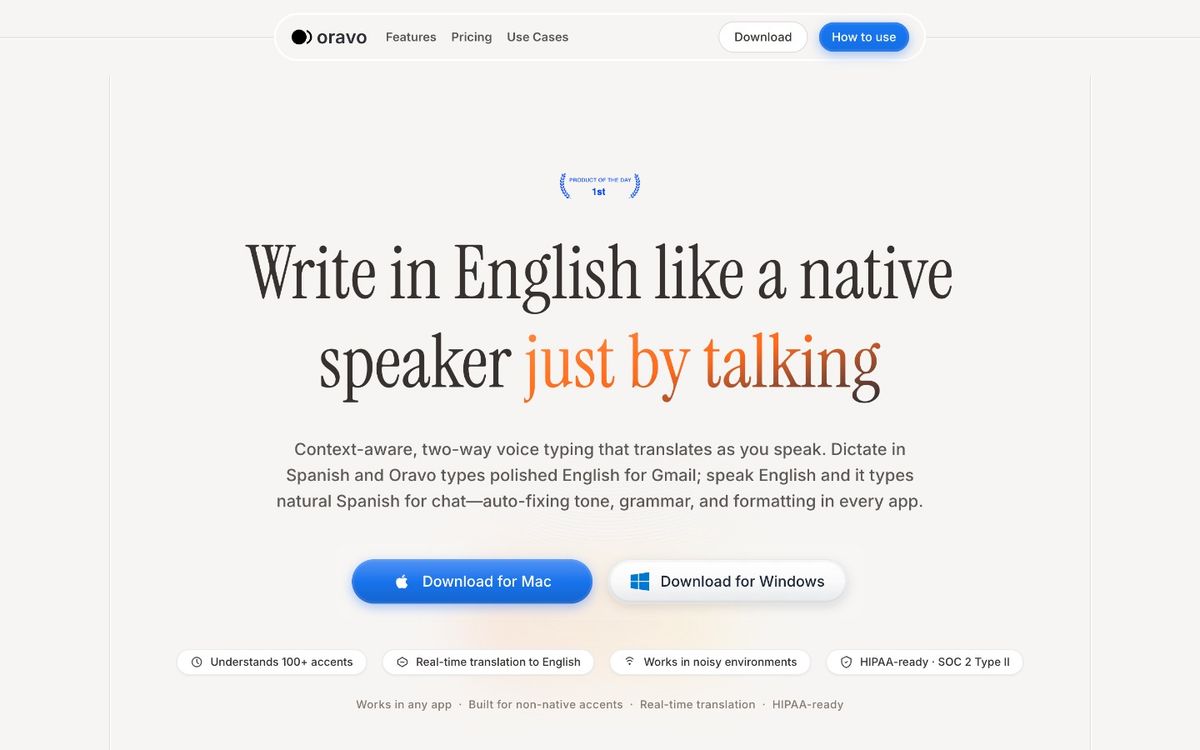
The best Linux speech to text software in 2026 includes Nerd Dictation (with Vosk), OpenAI Whisper, Kaldi, Vosk, and Oravo. For offline, open-source workflows, Nerd Dictation with a large Vosk model is the most practical ready-to-use option. For the highest raw transcription accuracy offline, Whisper leads the field. For professional-grade output with accent correction and tone refinement -- particularly for non-native English speakers -- Oravo is the strongest option, working through Chrome in any browser-accessible text field on Linux.
The State of Linux Speech to Text in 2026: Honest Starting Point
Linux professionals have been promised "it works great on Linux" about speech to text software more times than it has ever been true. The honest picture in 2026 is this: the tools exist, some of them are genuinely good, and none of them offer the seamless out-of-the-box experience that Windows or macOS provide at the OS level.
That is not a knock on the Linux ecosystem. It is a structural reality. Speech to text on Windows and macOS is integrated at the operating system layer -- built into the accessibility framework, available in every application by default, maintained by companies with dedicated teams. On Linux, the equivalent capability is assembled from components that were built for different purposes and connected together by the community.
For a developer or technically literate professional, this is manageable and often preferable -- full control, no vendor lock-in, local processing, open source. For a professional who simply needs reliable voice typing in their daily workflow and does not want to maintain a Python environment, it is a genuine friction point.
This article covers every serious Linux speech to text option in 2026 with that tension in mind. Some tools require real technical investment. Some are nearly plug-and-play. And one -- Oravo -- bypasses the Linux integration problem entirely by operating in the browser, which is where most professional communication happens anyway.
Why Speech to Text on Linux Is Harder Than It Should Be
Understanding the structural challenges of Linux speech to text helps set realistic expectations before choosing a tool.
No system-level accessibility API for voice input
Windows has SAPI (Speech Application Programming Interface). macOS has the Accessibility Speech Recognition framework. Both provide a standard way for any application to accept voice input without knowing anything about the speech recognition system underneath. Linux has no equivalent standard. Every speech to text solution on Linux either integrates at the application level (which limits where it works), uses X11's input simulation tools to inject keystrokes (which breaks on Wayland), or operates within its own isolated interface (which requires copy-pasting to other apps).
The Wayland problem
An increasing number of Linux distributions now default to Wayland as their display server -- GNOME on Ubuntu 22.04 and later, Fedora GNOME, many KDE installations. The most widely used Linux dictation tool (Nerd Dictation) relies on xdotool for system-wide text injection, and xdotool does not work on Wayland. Workarounds exist -- ydotool as a replacement, running an X11 session -- but they add configuration overhead and are not always reliable across compositor implementations.
Hardware requirements for quality models
The speech to text models that deliver accuracy approaching commercial quality -- large Whisper models, large Vosk models -- have real hardware requirements. The large Whisper model runs acceptably on CPU for batch transcription but is too slow for real-time dictation without a GPU with at least 6GB of VRAM. The small and medium Vosk models are fast on CPU but produce noticeably lower accuracy, particularly on non-native accents. The trade-off between hardware investment and output quality is a real constraint for Linux users on older or budget hardware.
No professional output layer in any local tool
Every local Linux speech to text tool -- without exception -- produces raw transcription. What the model hears goes into the text field. Filler words, L1 grammar patterns, informal register, code-switching, accent-related substitutions -- all of it lands verbatim. For native English speakers doing casual dictation, this is acceptable. For non-native professionals writing communication that needs to meet professional standards, it creates a correction loop that erases the time benefit of dictation.
With those constraints understood, here is what each tool actually delivers.
Deep-Dive Reviews: Linux Speech to Text Software
Nerd Dictation -- The Best Ready-to-Use Offline Option
Nerd Dictation is the most practical offline speech to text tool available on Linux for users who want system-wide dictation without building a custom pipeline from scratch. It is a lightweight open-source project that wraps the Vosk speech recognition engine with a simple activation mechanism and uses xdotool to inject recognized text into any X11 application.
What it is and how it works
Nerd Dictation is activated via a command-line call -- typically bound to a keyboard shortcut through your desktop environment's shortcut manager. You press the shortcut, speak, press it again to stop, and the recognized text is typed into whatever application has focus. From the user's perspective, it behaves like a system-wide dictation tool similar to Windows Voice Typing or macOS Dictation.
The speech recognition quality depends entirely on which Vosk model you download and use. Vosk offers models ranging from 40MB (fast, lower accuracy) to 1.8GB (slower on older hardware, meaningfully better accuracy). For daily professional use, the large model is the right choice if your hardware can handle it.
What Nerd Dictation does well
It works. For a Linux-native offline speech to text tool that activates system-wide and requires no cloud dependency, Nerd Dictation is the most complete ready-to-use option available. The project is actively maintained, the documentation is clear, and the community around it is helpful.
The offline-first architecture is a genuine advantage for privacy-focused users or those in environments with restricted internet access. Voice data never leaves the machine.
Setup, while not trivial, is well-documented and achievable in under an hour for a moderately experienced Linux user. Python, pip, the Nerd Dictation repository, a Vosk model download, xdotool installation, and a keyboard shortcut configuration. Each step is straightforward in isolation.
Where Nerd Dictation falls short
The accuracy ceiling is set by Vosk's models, which are good but not at the level of commercial cloud-based APIs for non-standard accents. Non-native English speakers -- particularly those with strong South Asian, African, or Latin American accents -- will see higher error rates with Nerd Dictation than with Oravo or cloud-based Google Speech.
There is no professional output layer. Raw transcription is the output. Every filler word, every L1 grammar pattern, every informal phrase lands in your document exactly as spoken.
Wayland compatibility is the other significant limitation. If your Linux setup uses a Wayland compositor -- which is increasingly common on Ubuntu, Fedora, and KDE-based distributions -- Nerd Dictation's xdotool dependency fails silently or errors out. The workaround using ydotool works on some setups but is not universally reliable and adds another layer of configuration.
Setup requirements
Python 3.8 or higher, pip, git, xdotool (X11 only), the Nerd Dictation repository cloned locally, and a Vosk language model. Works on Ubuntu, Fedora, Arch, Debian, and most mainstream distributions running X11. Wayland users need ydotool or an X11 session fallback.
Nerd Dictation summary
- Accuracy: Good with large Vosk model; drops for non-native accents
- Professional output: None -- raw transcription
- System-wide: Yes on X11; limited on Wayland
- Offline: Yes
- Setup difficulty: Medium -- 30 to 60 minutes for experienced Linux users
- Best for: Developers and technically proficient Linux users wanting offline, open-source, system-wide dictation in standard English
OpenAI Whisper -- The Highest Accuracy Offline Model Available
Whisper is OpenAI's open-source speech recognition model, trained on 680,000 hours of multilingual audio data. It is, by a significant margin, the most accurate offline speech recognition model publicly available for Linux in 2026. Its handling of diverse accents, including Indian English, African English, and Latin American English, is better than any other tool in this comparison.
What makes Whisper different from Vosk
The training data difference is the core distinction. Vosk models were trained on curated datasets that, while broad, do not approach Whisper's scale. Whisper's 680,000-hour training corpus includes substantially more diverse accent profiles, more domain-specific vocabulary, and more code-switching patterns than Vosk's training data. For non-native English speakers, this translates directly to measurably higher transcription accuracy.
Whisper also has genuine multilingual capabilities. It can transcribe speech in over 50 languages and can run in translation mode -- taking speech in any supported language and outputting English text. For professionals who sometimes dictate in their native language, this is a functional capability that Vosk does not offer in the same way.
The real-time dictation problem
Whisper was designed as a batch transcription tool. Its architecture processes audio in segments -- typically 30-second chunks -- which introduces latency that makes it unsuitable for real-time dictation out of the box. Speaking a sentence and waiting 3 to 10 seconds for the transcription to appear is not a usable dictation experience.
Several community projects have built real-time wrappers around Whisper -- whisper-live, whisper-mic, and faster-whisper being the most active. These reduce latency by streaming audio to the model in smaller chunks and processing continuously. The result is closer to real-time dictation but still noticeably laggier than Nerd Dictation or commercial dictation tools, particularly on CPU.
Hardware requirements
This is where Whisper creates real practical constraints for Linux users. The accuracy levels that justify choosing Whisper over Vosk require the medium or large models. These models run at acceptable speeds for real-time use only with a compatible GPU. Specifically: a GPU with at least 6GB of VRAM for the medium model, 10GB+ for the large-v2 and large-v3 models. On CPU, the large model can take 30 to 60 seconds to transcribe a short sentence -- completely unusable for live dictation.
Linux users with a gaming GPU or a machine with a recent NVIDIA or AMD GPU can run Whisper for real-time dictation with good results. Linux users on CPU-only machines, integrated graphics, or older hardware should use Nerd Dictation with a large Vosk model instead.
Still raw transcription
Like every other local Linux speech to text tool, Whisper produces raw transcription. The output quality advantage over Vosk is in accuracy -- fewer wrong words, better handling of diverse accents, better proper noun recognition. The professional output quality limitation -- no filler word removal, no grammar correction, no tone refinement -- applies to Whisper the same way it applies to Vosk.
Whisper summary
- Accuracy: Excellent -- best available offline accuracy, including for non-native accents
- Professional output: None -- raw transcription
- System-wide: No -- requires a custom real-time pipeline
- Offline: Yes (local model)
- Setup difficulty: High -- Python, GPU recommended, custom real-time pipeline required
- Best for: Technical users with GPU hardware who want best-in-class offline accuracy and are comfortable building a real-time dictation pipeline
Vosk -- The Fastest Offline Engine for Custom Pipelines
Vosk is an offline speech recognition toolkit with a Python API, a C API, support for over 20 languages, and a range of model sizes from 40MB to 1.8GB. It is the engine that powers Nerd Dictation, but it is also independently usable for developers who want to build custom voice pipelines.
Where Vosk fits as a standalone tool
For developers who want to build something beyond what Nerd Dictation offers -- a custom voice interface, a domain-specific vocabulary, a workflow-integrated dictation system -- Vosk is the most practical starting point on Linux. It is fast, well-documented, supports streaming recognition for real-time use, and has a clean Python API that integrates into most development environments without difficulty.
Vosk's lightweight models (the small and medium variants) are fast enough for real-time dictation on CPU without GPU hardware, making them accessible on a wider range of Linux machines than Whisper's accuracy-worthy models.
Where Vosk falls short
Vosk's accuracy, particularly on non-native accents, is below Whisper. The trade-off is speed and hardware accessibility -- Vosk runs well on CPU where Whisper's better models require a GPU. For users with strong regional accents, this trade-off matters. The accuracy difference between a large Vosk model and Whisper's medium model is noticeable in real-world use.
Like all local tools, Vosk produces raw transcription with no professional output layer.
Vosk summary
- Accuracy: Good with large models; real-time capable on CPU
- Professional output: None -- raw transcription
- System-wide: Via custom pipeline (xdotool or ydotool on Linux)
- Offline: Yes
- Setup difficulty: Medium to high -- API integration or use via Nerd Dictation
- Best for: Developers building custom voice pipelines; users needing real-time offline accuracy on CPU hardware
Kaldi -- The Research Toolkit That Is Not a Daily Driver
Kaldi is an open-source speech recognition toolkit developed for speech research and widely used in academic and enterprise contexts. It is one of the foundational tools in the speech recognition field and underpins many commercial systems.
Why Kaldi appears in Linux speech to text discussions
Kaldi has been part of the Linux speech recognition ecosystem long enough that it appears in forum recommendations and comparison articles regularly. It is powerful, flexible, and capable of achieving high accuracy with properly trained models.
Why Kaldi is not a daily driver for most professionals
Kaldi is a research toolkit. It is not designed for an end user to install and start dictating with. Achieving good accuracy with Kaldi requires training or fine-tuning models, which is a substantial project requiring domain expertise, training data, and compute resources. Using pre-trained Kaldi models for general English dictation is possible but produces results that are not competitive with the much simpler Whisper or Vosk setups that a modern Linux user can configure.
For researchers working on speech recognition systems or professionals building specialized voice applications, Kaldi is a serious tool. For professionals who want to dictate emails and documents, it is the wrong starting point.
Kaldi summary
- Accuracy: Excellent with properly trained models; highly variable with generic pre-trained models
- Professional output: None -- ASR engine only
- Setup difficulty: Very high -- research toolkit requiring model training expertise
- Best for: Researchers and engineers building speech recognition systems; not recommended for daily professional dictation use
DeepSpeech (Mozilla) -- A Historical Note
Mozilla's DeepSpeech was an influential open-source speech recognition project that provided a practical offline option for Linux users for several years. Mozilla discontinued active development of DeepSpeech in 2021. The project is no longer maintained and its models have not been updated since then. It is mentioned here because it still appears in older forum recommendations and blog posts -- if you encounter a recommendation for DeepSpeech, it is outdated. Use Whisper or Vosk instead.
Oravo -- Professional Output on Linux Without the Integration Complexity
The fundamental limitation of every local Linux speech to text tool is that it produces raw transcription. Accuracy varies -- Whisper is better than Vosk, large models are better than small models -- but the ceiling is accurate transcription of what you said, delivered into a text field as-is.
For a professional writing communication that needs to meet corporate English standards -- a client email, a Slack update to a senior stakeholder, a project proposal -- accurate transcription of natural speech is still not enough. The gap between how people speak and how professional documents need to read requires a second layer that no local Linux tool currently provides.
Oravo is the only tool in this comparison that addresses both layers simultaneously: higher accuracy transcription for diverse accents, plus a professional English refinement pass that converts natural spoken input into polished written output.
How Oravo fits into a Linux workflow
Oravo works through Chrome or Firefox on any Linux distribution. It operates inside browser text fields, which on a modern Linux professional workstation covers a substantial portion of where professional writing happens: Gmail, Google Docs, Slack Web, WhatsApp Web, Notion, Linear, Jira, Confluence, HubSpot, and most other SaaS tools that knowledge workers use daily.
You install nothing at the OS level. You configure nothing in your Python environment. You handle no Wayland compatibility issues. You open a browser, go to oravo.ai, and start dictating in any browser text field within two minutes of account creation.
What the professional output layer does on Linux
For Linux professionals who are also non-native English speakers -- a large portion of the global Linux user community, including developers across India, Southeast Asia, Africa, and Latin America -- the professional output layer is the capability that makes Oravo meaningfully different from every local alternative.
Spoken Indian English, Hinglish, Spanglish, or any other code-switching input is processed through Oravo's accent-aware transcription engine and then through the professional refinement layer before appearing in the text field. The output is clean, professional English that meets corporate communication standards without a manual correction step.
A developer in Bangalore who switches between Hindi and English mid-thought while dictating a client update does not get garbled output. They get a clean professional message. That is not a capability that Nerd Dictation, Whisper, or any other local Linux tool provides.
The honest limitation
Oravo requires an internet connection. For Linux users who choose Linux specifically for offline, private, local processing, this is a real trade-off and Oravo is not the right choice. For those users, Nerd Dictation with a large Vosk model or Whisper with a real-time wrapper is the best current option.
For Linux professionals whose work happens in browser-based tools and who need professional-quality output from voice input, the internet requirement is not a practical constraint -- they are already online, already using cloud-based tools, and the processing overhead of Oravo's cloud refinement layer is invisible in daily use.
Oravo on Linux summary
- Accuracy: Excellent -- accent-aware transcription for Indian English, African English, Latin American English, and other non-native accent profiles
- Professional output: Yes -- full refinement layer; filler removal, grammar correction, tone adjustment, code-switching resolution
- System-wide: No -- Chrome and Firefox browser text fields
- Offline: No -- cloud processing required
- Setup difficulty: Very low -- two minutes, browser only
- Best for: Non-native English professionals on Linux whose workflow lives in browser-based applications; anyone who needs professional output quality without local infrastructure investment
The Wayland Situation: What Actually Works in 2026
Wayland compatibility is the practical challenge that most Linux speech to text guides skip over. Here is the current state.
Nerd Dictation on Wayland: The xdotool dependency does not work on Wayland natively. The ydotool alternative works on some Wayland compositors (Sway, wlroots-based compositors) with proper uinput permissions but is unreliable on GNOME Wayland and KDE Wayland in many configurations. Running a nested X11 session (Xwayland) provides xdotool compatibility but adds complexity.
Whisper real-time wrappers on Wayland: Whisper's transcription itself is compositor-agnostic -- it runs in a Python process that does not interact with the display server directly. The text injection step (getting the transcribed text into your application) has the same Wayland problem as Nerd Dictation if you use xdotool. Using ydotool or writing directly to a focused application via a Wayland-compatible input method has the same reliability caveats as above.
Vosk on Wayland: Same situation -- Vosk's ASR engine is display-server-agnostic, but system-wide text injection on Wayland requires ydotool or a custom input method implementation.
Oravo on Wayland: No issue. Oravo runs in Chrome or Firefox, which handle their own input within the browser regardless of the underlying display server. Wayland, X11, or a nested session -- the browser works the same way and Oravo works inside it.
If you run Wayland and want system-wide dictation, the honest answer in 2026 is that no solution is completely reliable on all Wayland compositors. If you run X11, Nerd Dictation works well. If you want to avoid the display server question entirely and your workflow is browser-based, Oravo sidesteps it completely.
Performance Benchmarks: What to Expect on Real Hardware
Budget Linux machine (Intel i5, 8GB RAM, no GPU):
- Nerd Dictation + Vosk small model: Fast, real-time, usable accuracy for standard English
- Nerd Dictation + Vosk large model: Slightly slower processing, noticeably better accuracy, still usable for most dictation
- Whisper small model (CPU): Acceptable for short phrases; 2 to 5 second latency per sentence
- Whisper medium model (CPU): 10 to 30 second latency per sentence -- not usable for real-time dictation
- Oravo: Identical to flagship hardware -- processing happens in the cloud
Mid-range Linux workstation (AMD Ryzen 7, 16GB RAM, NVIDIA RTX 3060 12GB):
- Nerd Dictation + Vosk large model: Excellent performance; real-time with low latency
- Whisper medium model (GPU): Real-time capable with 0.5 to 1.5 second latency -- usable for dictation
- Whisper large-v3 (GPU): Near-real-time with proper real-time wrapper; best offline accuracy available
- Oravo: Same as budget machine -- cloud processing, hardware-independent
The practical takeaway: For budget hardware, Nerd Dictation with Vosk is the only local option with acceptable real-time performance. For GPU-equipped workstations, Whisper with a real-time wrapper delivers significantly better accuracy. For any hardware, Oravo delivers consistent professional-quality output independent of the machine's processing capability.
Which Linux Speech to Text Tool Is Right for You
Your profile
Recommended tool
Developer; offline-first; X11; standard English; comfortable with CLI setup
Nerd Dictation + large Vosk model
Developer; GPU available; highest offline accuracy; comfortable building Python pipelines
Whisper + real-time wrapper (faster-whisper or whisper-live)
Developer building a custom voice application on Linux
Vosk API
Researcher or engineer working on speech recognition systems
Kaldi
Professional; browser-based workflow; non-native English speaker; needs clean output
Oravo
Professional; mix of browser and desktop app workflows; non-native English speaker
Oravo for browser; Nerd Dictation for desktop apps (X11 only)
Professional; Wayland compositor; browser-based workflow
Oravo (avoids Wayland compatibility issues entirely)
Privacy-focused; absolutely no cloud; CPU-only hardware
Nerd Dictation + large Vosk model
Frequently Asked Questions
What is the best offline speech to text software for Linux?
For best offline accuracy, OpenAI Whisper with a real-time wrapper on GPU hardware. For best offline accuracy on CPU without GPU requirements, Nerd Dictation with the large Vosk model. Whisper's accuracy advantage over Vosk is meaningful but requires GPU hardware to be usable in real-time.
Does Linux have built-in speech to text?
No. Unlike Windows and macOS, Linux does not have a built-in, system-level speech to text feature available across all distributions and desktop environments. Some distributions include specific accessibility tools with limited voice control features, but nothing equivalent to Windows Voice Typing or macOS Dictation is available natively across the Linux ecosystem.
Does Whisper work for real-time dictation on Linux?
Yes, with the right hardware and additional tooling. Whisper was designed for batch transcription, so real-time use requires a community-built wrapper (whisper-live, whisper-mic, or faster-whisper are the most mature options in 2026). On a GPU with 6GB or more of VRAM, the medium model provides near-real-time performance. On CPU only, latency is too high for comfortable real-time dictation at accuracy levels worth using.
Can I use Google's speech to text on Linux?
Google's cloud Speech-to-Text API is accessible from Linux via its REST API or Python client libraries, but it is not available as a ready-to-use dictation application for Linux desktop use. Developers can build dictation tools on top of it, but there is no equivalent of Google's Android Gboard voice typing available as a Linux desktop application.
What is the most accurate speech to text software for Linux with Indian or non-native accents?
For offline use, Whisper large-v3 with GPU hardware provides the best accuracy for Indian English and other non-native accents. For online use with professional output refinement -- converting non-native English speech to polished corporate English -- Oravo is the strongest option and the only one that addresses both accuracy and output quality for non-native speakers.
Does Nerd Dictation work on Wayland?
Not reliably. Nerd Dictation uses xdotool for text injection, which does not work on Wayland natively. Workarounds using ydotool exist for some Wayland compositors but are not universally reliable. X11 sessions provide full Nerd Dictation functionality. Wayland users who want system-wide dictation currently have limited well-supported options.
Is there a speech to text tool for Linux that also corrects grammar and tone?
Yes -- Oravo. It is the only tool in this comparison that provides both speech recognition and a professional English refinement layer that corrects grammar, removes fillers, adjusts tone, and handles code-switching. All local Linux speech to text tools produce raw transcription without any post-processing layer.
The Bottom Line
Linux speech to text software in 2026 is a practical tool for developers and technically capable professionals who are willing to invest in setup and accept the limitations of raw transcription output. Nerd Dictation with a large Vosk model covers the system-wide offline use case reasonably well on X11. Whisper covers the highest-accuracy offline use case for users with GPU hardware. Vosk and Kaldi cover custom development and research use cases.
None of these tools address the professional output quality gap -- the distance between accurate transcription of natural speech and polished professional English that meets global communication standards.
Oravo addresses that gap. It does so by operating in the browser rather than at the OS level, which means it bypasses the Wayland compatibility problems, the Python dependency management, and the hardware constraints that define the local Linux speech to text landscape. The trade-off is cloud dependency and browser-only scope. For the growing majority of Linux professionals whose communication happens in Gmail, Slack, Google Docs, and other browser-accessible tools, that trade-off is invisible in daily use.
The right Linux speech to text setup in 2026 depends on your workflow, your hardware, your technical comfort, and whether you need professional output quality or just accurate transcription. This article has mapped all of those dimensions honestly. The choice is yours to make with complete information.
Start Using Oravo on Linux -- No Installation, No Configuration
Open Chrome or Firefox. Go to oravo.ai. Start dictating in any browser text field.
No Python. No pip. No model downloads. No xdotool. No Wayland troubleshooting.
Start your free trial at oravo.ai
Works on Ubuntu, Fedora, Arch, Debian, Pop OS, and any other Linux distribution that runs a modern browser. Which is all of them.
Written by
Dipesh Bhatt
The Oravo team writes about voice typing, productivity and writing clear English when it is not your first language.