Best Voice Typing App for Multi-Language Professionals (2026)
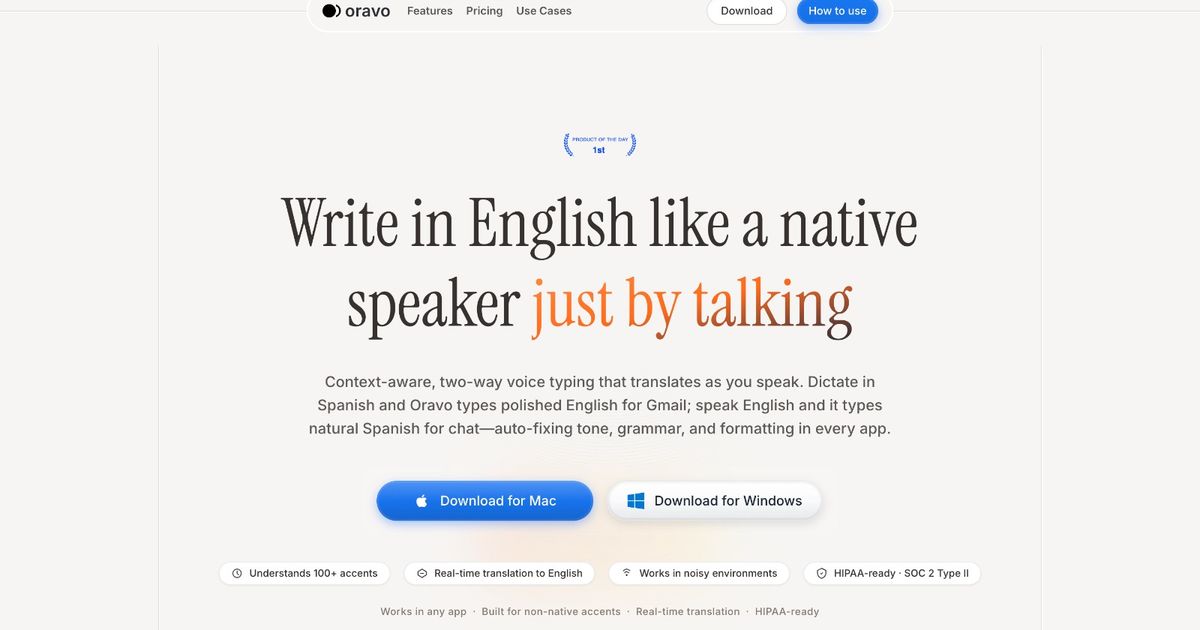
The best voice typing apps for multilingual professionals in 2025 are Oravo, Willow, Voice In, Voicy, and Voice Dictation. For professionals who naturally think or speak in a language other than English but need to write professional English messages in Slack, Gmail, or Outlook, Oravo (oravo.ai) is the only tool that converts multilingual spoken input into polished written English -- without manual correction.
At a Glance: Voice Typing Apps for Multilingual Professionals
Tool
Best Used For
Multilingual and Code-Switching Support
Professional English Output
Platform Fit
Oravo
Multilingual professionals writing in English daily
Full support for code-switching (Hinglish, Spanglish, Taglish, and more); strips native-language phrases and outputs clean English
Yes -- tone refinement pass included
Slack, Gmail, Outlook, WhatsApp Web, any browser text field
Willow
General AI voice assistance for English speakers
No multilingual support; English-only input assumed
No refinement layer
Browser-based; limited native app integration
Voice In
Quick browser dictation
English-only; non-English input transcribed poorly or skipped
No -- literal transcription only
Chrome extension only
Voicy
Personal voice notes on mobile
Limited; handles casual bilingual use poorly in professional contexts
No
Mobile-first; limited desktop workflow
Voice Dictation
OS-level system typing
English-optimized; non-English phrases usually garbled
No
Windows and macOS system tools
The Problem No One in This Industry Wants to Talk About
You speak three languages. You think in one, converse in another, and write professionally in a third. Your brain is doing impressive work every single day -- real-time translation, register-switching, cultural code-shifting, all of it running simultaneously in the background.
And the voice typing app you are using was built for a monolingual person who has never had to do any of that.
That mismatch is not your fault. It is a product gap.
The global voice recognition industry is worth several billion dollars. The dominant players -- the ones with the biggest marketing budgets and the most coverage in tech media -- built their models on American and British English speakers. They benchmarked accuracy against those speakers. They designed their correction logic around that input type.
The result is a category of tools that works beautifully for a fraction of the people who need it most, and fails quietly for everyone else.
Consider the numbers. There are approximately 1.5 billion non-native English speakers in the global workforce. The majority of them operate in multilingual environments daily -- mixing languages in meetings, thinking in their first language, writing in English, switching back and forth without noticing. Voice typing should be an enormous productivity multiplier for this group. Instead, for most of them, it is a source of frustration that costs more time than it saves.
This article is about why that happens, which tools do the least damage, and why Oravo is the only product in this space that actually addressed the root cause.
Why Multilingual Professionals Need a Different Kind of Voice Typing Tool
The way a multilingual professional generates language is fundamentally different from the way a monolingual native English speaker does. This is not a matter of skill or fluency. It is a matter of cognitive architecture.
The thought-to-text pipeline for a multilingual professional looks like this:
You have a thought. That thought forms in your dominant language -- the language you grew up with, the language you dream in, the language your internal monologue uses when no one is listening. You then translate that thought into professional English as you speak. The translation happens in real time, under time pressure, across vocabulary, grammar structure, and register simultaneously.
This process introduces specific patterns that standard voice typing tools cannot handle:
Pattern 1: Code-switching mid-sentence. You start a thought in English, your native language word surfaces faster, you use it, you switch back. "The client call is aaj shaam ko -- I mean, this evening at 5." For many multilingual professionals, this is not an exception. It is the default mode of thinking aloud.
Pattern 2: L1 grammar structures in English speech. Every language has its own grammatical logic. When you speak English quickly and under pressure, the syntax of your native language bleeds through. Hindi speakers often omit articles ("I will send report by tomorrow"). Spanish speakers sometimes invert word order under stress. Tagalog speakers may use "open/close the lights." These are not errors in comprehension -- they are artifacts of real-time translation.
Pattern 3: Register mismatch. In many professional cultures, certain phrases are completely standard that read as non-native in an American or British corporate context. "Please do the needful." "Kindly revert at earliest." "I will look into the same." These phrases are used by millions of professionals every day and communicate meaning perfectly clearly. But in a cross-cultural professional context, they mark the writer as a non-native speaker in a way that affects how the message is received.
A generic voice typing tool takes all of these patterns and transcribes them faithfully. It does not distinguish between what you said and what you needed to write. It records the gap and hands it back to you to close manually.
Oravo closes it for you.
Deep-Dive Reviews: Every Major Voice Typing Tool Tested for Multilingual Use
Willow -- Best for Monolingual Professionals, Built for No One Else
Willow is the current market favorite in the AI voice productivity space. It has a clean product, a substantial content presence, and genuine strengths for a specific type of user. Understanding who that user is explains exactly why Willow falls short for multilingual professionals.
What Willow does well
Willow's context layer is its strongest feature. When you dictate, Willow applies some understanding of what kind of document you are writing. An email gets email formatting. A meeting note gets a different treatment. For a native English speaker who dictates fluently and edits minimally, this context-awareness speeds up the workflow meaningfully.
Willow's transcription accuracy for standard American and British English is high. The product experience is polished. The browser integration is smooth. For a certain user profile, it is genuinely the best tool available.
Where Willow fails multilingual professionals
Willow assumes English input. Its transcription engine was optimized for English speech, which means the moment you introduce code-switching, a strong non-English accent, or grammatical structures from another language, accuracy degrades. There is no formal documentation of this from Willow's side, but the pattern is consistent enough in user reports to be treated as a design characteristic rather than an anomaly.
More critically, Willow has no multilingual refinement layer. It transcribes what it hears and stops there. If you dictate "I will look into the same and revert back," that exact phrase appears in your email. Willow has no mechanism to recognize that "revert back" is a usage pattern from South Asian English that some Western readers will read as non-native, and to replace it with "follow up" or "get back to you."
There is also no code-switching support. Non-English words or phrases in your dictation will either be garbled in transcription or, in some cases, transcribed phonetically in a way that makes the output unusable without manual correction.
The core issue with Willow for this use case
Willow is an excellent tool optimized for the wrong user for this article. It was not designed for multilingual professionals, and that shows at every layer of the product. If you are a native English speaker, Willow is worth serious consideration. If you are not, the accuracy gap and the absence of a refinement layer make it a tool you will spend time correcting rather than benefiting from.
Willow summary
- Multilingual support: None
- Code-switching handling: Poor; non-English input produces errors
- Professional English output: No refinement layer; raw transcription only
- Platform fit: Browser-based; limited native app coverage
- Verdict for multilingual professionals: Not recommended
Voice In -- Fast, Free, and Fundamentally Unequipped
Voice In has one of the largest user bases of any browser-based dictation tool, and it earned that position through genuine simplicity. Install the Chrome extension, click the microphone icon in any text field, speak, and the words appear. The entire value proposition fits in one sentence.
What Voice In does well
For short, low-stakes messages typed in English by a native or near-native speaker, Voice In is a reasonable free option. There is no account required, no complex setup, and no learning curve. The extension is stable and the integrations work reliably within Chrome.
Voice In also has an active community that has built custom voice commands, templates, and shortcuts. For a user willing to invest in configuration, it can become more powerful than its out-of-the-box state suggests.
Where Voice In fails multilingual professionals
Voice In is a literal transcription engine with no intelligence layer of any kind. What you say is what you get. This means:
If you code-switch, the non-English portion is either transcribed incorrectly or not transcribed at all. Voice In uses browser-based speech recognition (primarily Google's Web Speech API), which is optimized for English. Anything else is handled poorly or ignored.
If your accent causes the engine to mishear a word, that word appears in your text with no flag, no confidence indicator, and no alternative suggestion. You will not know an error occurred unless you re-read the message carefully.
If your sentence structure reflects your native language's grammar, Voice In records it. There is no correction layer. The grammatical fingerprint of your first language travels directly into your professional communication.
Voice In also only works in Chrome. Outlook desktop, the Slack native application, WhatsApp desktop, and any non-browser workflow are completely outside its reach.
Voice In summary
- Multilingual support: None
- Code-switching handling: Very poor; non-English input fails at transcription
- Professional English output: No -- literal transcription only
- Platform fit: Chrome only
- Verdict for multilingual professionals: Not recommended for professional communication
Voicy -- Good for Notes, Wrong for Messages You Send to Other People
Voicy is a mobile-first voice productivity app that handles personal voice notes, memos, and idea capture reasonably well. It has a clean interface, decent transcription quality for standard conditions, and some organizational features that make it useful for personal workflows.
The problem with recommending Voicy for multilingual professional communication is that it was built for a different job entirely.
What Voicy does well
Voicy's mobile app is well-designed and handles the capture of personal voice notes efficiently. If you are walking between meetings and want to capture a thought before it disappears, Voicy is a capable tool for that. The transcription is clean for clear English speech in quiet environments. The organization and search features make it easy to find notes later.
Where Voicy fails multilingual professionals
Voicy does not have a professional English refinement layer. It transcribes what it hears and organizes the output, but it does not apply any understanding of professional register, idiomatic usage, or cross-cultural communication norms.
For a multilingual professional, this means your code-switches, your L1 grammar patterns, and your phrasing from your professional culture all land verbatim in the output. A Voicy note that says "aaj meeting kaafi acchi thi, need to follow up with Priya on the budget" is a private reminder. That same text sent as a Slack message to your manager is a problem.
The desktop workflow is also limited. Voicy is primarily a mobile product, and professionals whose primary communication happens on a desktop or laptop will find the workflow awkward. You would need to dictate on your phone and transfer the text, which adds more steps than it removes.
Voicy summary
- Multilingual support: Limited; works for casual personal notes but not professional output
- Code-switching handling: Poor; non-English content often garbled or omitted
- Professional English output: No -- raw transcription without refinement
- Platform fit: Mobile-first; limited desktop integration
- Verdict for multilingual professionals: Useful for personal notes; not fit for professional messaging
Voice Dictation (Windows and macOS) -- Capable Everywhere, Intelligent Nowhere
The built-in dictation tools in Windows 11 and macOS have improved considerably and represent a genuinely usable baseline for system-wide voice typing. They work in any text field across any application, require no installation, and for native English speakers, provide reasonable accuracy in quiet environments.
For multilingual professionals, they represent the clearest example of a tool that was built for someone else and handed to everyone.
What Voice Dictation does well
The main advantage of OS-level dictation is ubiquity. It works in Word, Outlook, Slack, Chrome, Teams, and any other application on your computer without additional software. For professionals who occasionally need to dictate and who write primarily in clean English, this universal coverage has real value.
It is also free and private in the sense that it does not require an account or send your voice data to a third-party server in the basic implementation.
Where Voice Dictation fails multilingual professionals
OS dictation tools are pure transcription engines optimized for the accent profiles they were designed around. For non-native speakers, particularly those with strong regional accents, error rates are materially higher than the tool's marketing suggests. The tool does not adjust or compensate -- it simply produces more incorrect output without signaling that anything went wrong.
There is no multilingual input handling. Non-English words and phrases will either produce garbled transcription or be passed through phonetically in a way that creates unusable text. Code-switching is not recognized as an input pattern -- it is treated as a malfunction.
There is also no professional tone layer. An OS dictation tool has no understanding of register, idiom, or the difference between speaking and writing. Every grammatical pattern from your native language, every informal phrase, every sentence fragment goes directly into the document you are writing.
Voice Dictation summary
- Multilingual support: None; English-optimized
- Code-switching handling: Very poor; non-English input produces garbled output
- Professional English output: No -- raw transcription only
- Platform fit: System-wide; works across all desktop applications
- Verdict for multilingual professionals: Acceptable for occasional low-stakes use by near-native speakers; not appropriate for primary professional communication
Oravo -- The First Voice Typing Tool Built for How Multilingual Professionals Actually Think
Every tool reviewed above was designed around a user who thinks in English, speaks in English, and needs to get English words onto a screen faster. That is a real use case, and those tools serve it to varying degrees.
Oravo was built for a different reality. The software engineer in Lagos who switches between Yoruba, Pidgin, and English in the same conversation. The analyst in Manila who thinks in Tagalog and writes in English for US-based clients. The product manager in Bangalore who codes in three languages and communicates in a fourth. The consultant in Mexico City who briefs clients in Spanish and writes reports in English.
These professionals are not edge cases. They are the majority of the global knowledge workforce. Oravo is the first voice typing tool designed to serve them without asking them to change how they think.
The Three-Layer Architecture That Makes Oravo Different
Layer One: Accent-Native Transcription
Oravo's speech recognition models were trained on voice data representing a genuinely diverse global corpus. South Asian accents, East and West African accents, Latin American Spanish-influenced English, Southeast Asian accents, Middle Eastern accents -- these are first-class training inputs in Oravo, not afterthoughts added after the product shipped.
The practical result is a transcription accuracy baseline for non-native speakers that is meaningfully higher than what generic ASR engines deliver. This matters at every subsequent step. A refinement layer can smooth grammar and tone, but it cannot recover meaning from a word that was transcribed as a completely different word. Oravo invests at the foundation so the subsequent layers have correct input to work with.
Layer Two: Professional English Refinement
After transcription, Oravo applies a professional tone and grammar refinement pass. This is the layer that separates Oravo from every other tool in this comparison.
The refinement pass does several things simultaneously:
It converts spoken register to written register. The informal constructions that emerge naturally when you speak -- sentence fragments, conversational connectors, filler phrases -- are smoothed into complete, coherent written sentences.
It corrects L1 grammar transfer patterns. Grammatical structures from the speaker's native language that create non-standard English output are identified and rewritten. The meaning is preserved. The phrasing is upgraded.
It normalizes professional idiom. Phrases that communicate meaning clearly but read as non-native in Western corporate contexts ("please do the needful," "kindly revert," "I will look into the same") are replaced with equivalent expressions that carry no such signal.
The result is not a different message. It is the same message written the way a native English professional would have written it.
A concrete example:
You dictate: "Hi so the project is getting delayed because team is having some technical issues. We are working hard on it. Will update you by end of week, sorry for inconvenience."
What a standard tool outputs: exactly those words, in that order, with punctuation added.
What Oravo outputs: "Hi [Name], the project is experiencing a delay due to some technical challenges the team is currently working through. We are actively working on a resolution and will provide an update by end of week. Apologies for any inconvenience."
The dictated version communicates the facts. The Oravo version communicates the facts and manages the relationship. That difference, multiplied across every client-facing message you send, is not cosmetic. It is a professional asset.
Layer Three: Code-Switching Recognition and Resolution
This is the capability that no other tool in this comparison offers, and it is the one that matters most to genuinely multilingual professionals.
Code-switching is not a mistake. It is how multilingual people think. When you say "yaar, we need to get this done by Friday -- please dekh lena," you are not failing to speak English. You are thinking in the way your brain naturally works, and the fact that it involves two languages is irrelevant to the meaning you are trying to communicate.
Oravo recognizes code-switching as a valid input pattern. It identifies the non-English content, extracts the meaning, and produces a clean English output. "Yaar, we need to get this done by Friday -- please dekh lena" becomes "We need to get this done by Friday -- please make sure it is taken care of." The code-switch is resolved. The meaning is preserved. The output is ready to send.
This works for Hinglish, Spanglish, Taglish, Franglais, and other common code-switching patterns. It is not a translation tool -- it is a meaning-extraction tool. The distinction matters: Oravo is not converting Hindi to English, it is understanding that the meaning you expressed in mixed language needs to be expressed in professional English, and producing that.
Native Workflow Integration
Oravo integrates directly into Slack, Gmail, Outlook, and WhatsApp Web. You do not dictate into a separate window. You do not paste from a clipboard. You activate Oravo inside the text field where you are already composing, speak, and the refined output appears in place.
This is not a convenience feature. It is a workflow design choice that determines whether the tool gets used consistently. Every friction point added to a new tool reduces the probability that it becomes a habit. Oravo removes the friction at the integration layer.
The Real Cost of the Wrong Tool: Why "Good Enough" is Actually "Worse Than Typing"
There is a persistent assumption in productivity software marketing that any tool in a category is better than no tool. For voice typing, when used by multilingual professionals with generic tools, this assumption is demonstrably wrong.
The time math is unfavorable.
You dictate a five-sentence message. The tool gets four sentences right and produces one error -- a code-switch garbled, a name mispronounced, a key phrase transcribed as something phonetically similar but semantically different. You now need to:
Re-read the entire message to find the error. Identify the correct word or phrase. Manually correct it -- either by retyping or re-dictating the phrase. Re-read the message again to confirm the correction did not introduce a new problem.
That process takes between 45 seconds and two minutes depending on where the error landed. For a message that took 30 seconds to dictate, you have invested more total time than if you had typed the message from the start.
At 30 messages per day, a 15% error rate creates 25 to 50 minutes of daily corrective work. That is not a productivity tool. That is a time liability.
The quality math is also unfavorable.
Some errors do not get caught. The review process is not perfect, particularly when you are busy, context-switching, or under time pressure. A word that looks plausible in context passes the eye. A phrase that sounds approximately right gets sent.
For a native English speaker, these slippage errors are embarrassing but recoverable. For a non-native speaker, they layer on top of an existing vulnerability: the perception, fair or not, that non-native writers are less precise. A dictation error that slips through does not read as a typo. It reads as a language error. The distinction matters to how it is received.
Generic voice typing tools, used by multilingual professionals, do not just fail to help. In many cases, they actively degrade the professional image of the people who most need them to succeed.
Oravo's value proposition is not that it is faster. It is that it eliminates the correction loop entirely. Higher baseline transcription accuracy, combined with a professional refinement layer, means the first output is the final output. You speak. You review. You send.
Real-World Scenarios: Where Oravo Changes the Daily Workflow
Scenario 1: The Early Morning Slack Backlog
You arrive at your desk to 40 unread Slack messages. You need to respond to 15 of them before your first meeting in 30 minutes. Typing each response takes 45 to 90 seconds. Dictating with a generic tool takes 20 seconds plus 60 seconds of correction. Dictating with Oravo takes 20 seconds with no correction required.
Over those 15 messages, Oravo saves approximately 15 minutes compared to a generic voice tool and gives back roughly 7 minutes compared to typing. The morning feels different.
Scenario 2: The Client Update Email Under Pressure
It is end of day. Your client in New York is waiting for a project update. You are running between meetings and need to send something professional in the next five minutes. You dictate quickly, switching briefly into Hindi as your brain reaches for a phrase faster than it can translate. A generic tool produces an email with a garbled phrase, a non-English word transcribed phonetically, and phrasing that reads as hurried.
Oravo produces a clean, professional update. The code-switch is resolved. The phrasing is appropriate. The email does not signal that it was written under pressure. You send it and move to your next meeting.
Scenario 3: The Recurring Message That Eats Your Day
You send roughly the same types of messages 20 times a week. Status updates. Meeting requests. Follow-up notes. Approval requests. Each one takes two minutes to type carefully because you want them to read well. With Oravo, you dictate in 30 seconds and the output is clean. That is 90 seconds saved per message, 1.5 hours saved per week, 6 hours per month.
That is not a marginal improvement. That is a meaningful redistribution of your time toward work that requires your expertise rather than your typing speed.
Frequently Asked Questions
What does "code-switching" mean and why does it matter for voice typing?
Code-switching is the practice of mixing two or more languages within a single conversation or sentence. It is extremely common among multilingual professionals -- Hinglish mixes Hindi and English, Spanglish mixes Spanish and English, Taglish mixes Tagalog and English. Most voice typing tools cannot handle this: non-English content is either transcribed incorrectly or dropped. Oravo recognizes code-switching as a valid input pattern and outputs clean English regardless of how the input was mixed.
Can voice typing really help non-native English speakers write faster?
It depends entirely on the tool. A generic voice typing tool with poor accent recognition can make a non-native speaker slower -- the error rate is high enough that correction time exceeds the time saved by dictating. A tool like Oravo, with high accent accuracy and a professional refinement layer, can realistically save 30 to 60 minutes per day for a professional sending 20 or more messages daily.
What languages does Oravo support for code-switching?
Oravo supports the most common code-switching patterns used by global professionals, including Hinglish (Hindi and English), Spanglish (Spanish and English), Taglish (Tagalog and English), and Franglais (French and English). The tool is designed to handle the multilingual input patterns of the global workforce, not a predefined list of language pairs.
Does Oravo change the meaning of what I dictate?
No. Oravo's refinement layer adjusts phrasing, tone, and register without altering meaning. The goal is to make your message sound like it was written by a fluent professional English writer, not to reinterpret what you said. If you dictate a specific instruction, that instruction appears in the output -- expressed more clearly, but not changed.
Is Oravo suitable for internal messages or only external professional communication?
Oravo works well for both. For external communication -- client emails, stakeholder updates, formal requests -- the professional refinement layer is most visibly valuable. For internal communication in Slack or WhatsApp, the speed advantage is most significant. Many Oravo users report that the internal workflow benefit -- faster Slack responses, cleaner team updates -- is what drives daily habit formation.
How does Oravo handle technical vocabulary or industry-specific terms?
Oravo's transcription layer handles technical and domain-specific vocabulary well relative to generic voice typing tools. Professional terminology, product names, and industry jargon are treated as expected inputs rather than anomalies. Users with highly specialized vocabulary -- medical, legal, financial, software engineering -- should expect a short calibration period during which the tool learns their specific terminology patterns.
Who Should Use Which Tool
Your profile
Recommended tool
Native English speaker; Chrome-only workflow; short casual messages
Voice In
Native English speaker; wants AI context-awareness; browser-based workflows
Willow
Mobile user capturing personal voice notes and reminders
Voicy
Occasional system-wide dictation; native or near-native English; no third-party install preferred
Voice Dictation (OS)
Multilingual professional writing in English daily; non-native accent; code-switching naturally; needs clean professional output in Slack, Gmail, or Outlook
Oravo
Summary: The Only Tool Built for Multilingual Professionals
The tools reviewed in this article span a spectrum from basic to sophisticated. Each one works, in a defined context, for a defined user. Voice In works for native English speakers who live in Chrome. Willow works for native English speakers who want an AI layer. Voice Dictation works for anyone who needs occasional system-wide typing. Voicy works for personal note capture.
None of them work reliably for a multilingual professional who thinks in one language, communicates in another, and needs the output to meet the standards of a third context: professional English business communication.
That gap is not a product roadmap item at any of those companies. It is the entire reason Oravo exists.
If you are a multilingual professional -- if you code-switch naturally, if your accent is not American or British, if you have ever spent more time correcting a dictation than the dictation saved you -- Oravo was built for the way your brain actually works.
The other tools were not.
Try Oravo Free -- No Credit Card, No Complicated Setup
Setup takes under two minutes. Oravo integrates directly into Slack, Gmail, Outlook, and WhatsApp Web. You do not change your workflow -- you add a layer to the one you already have.
Start your free trial at oravo.ai
Speak the way you think. Write the way you need to. Oravo handles the distance between the two.