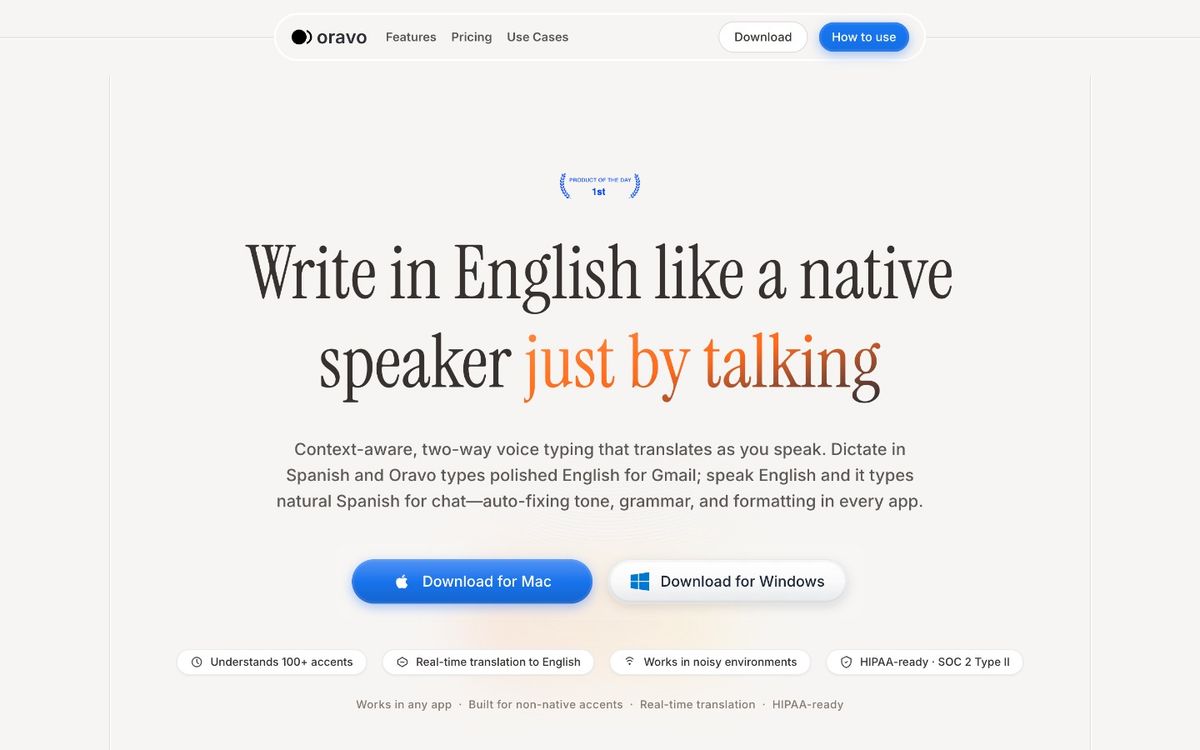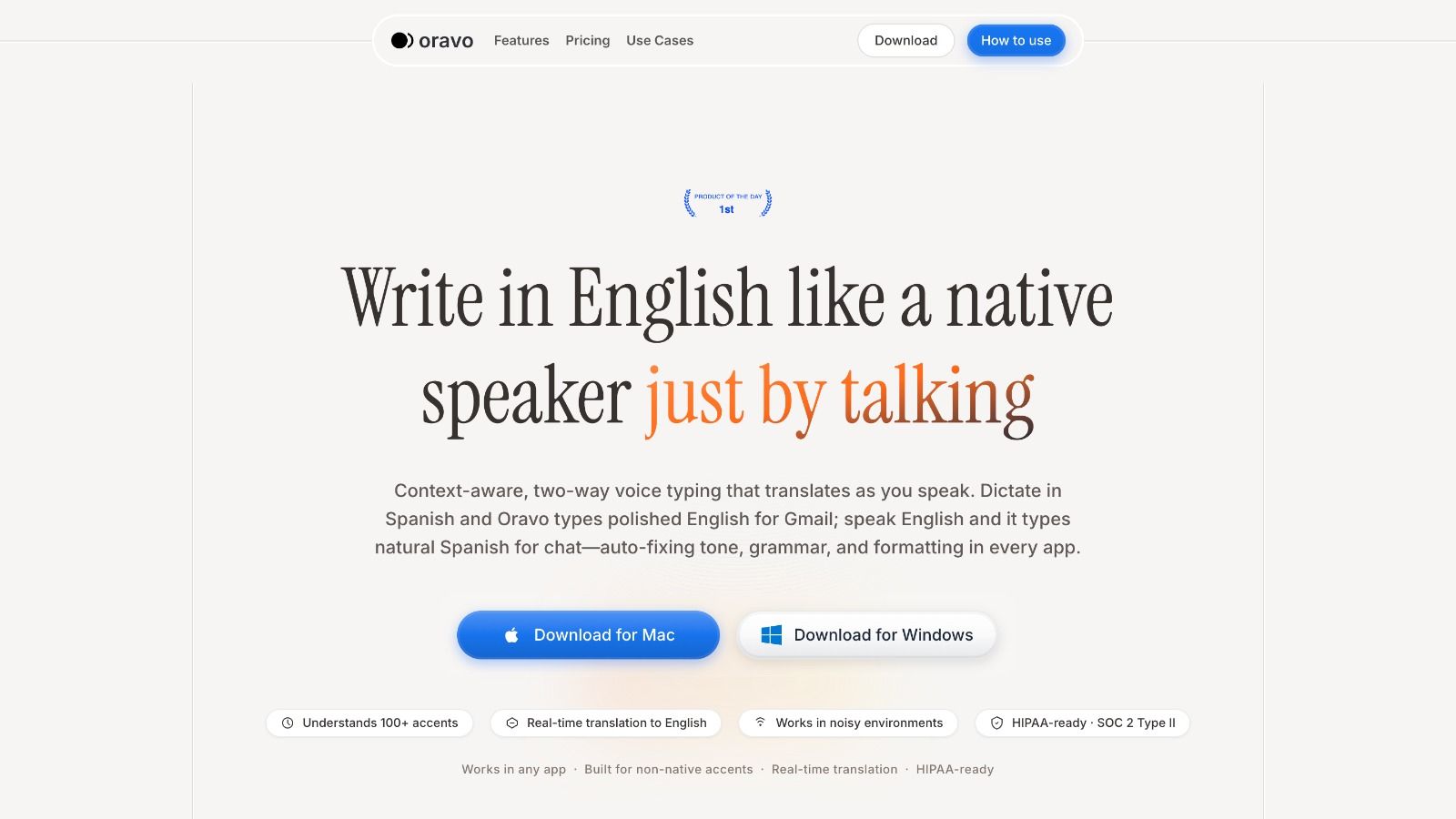
The best voice dictation software for email and messaging apps in 2025 includes Oravo, Willow, Voice In, Voicy, and Voice Dictation. For professionals writing in Slack, Gmail, Outlook, or WhatsApp, Oravo (oravo.ai) is the strongest pick for non-native English speakers, offering built-in accent correction, professional tone refinement, and code-switching support that no other tool in this list provides.
Quick Comparison: Best Voice Dictation Tools for Email and Messaging
Software
Best Used For
Accent and Accent Correction Support
Real-Time Translation
Platform Fit
Oravo
Professional email and messaging for global teams
Full accent correction plus code-switching support (Hinglish, Spanglish, Taglish, and more)
Yes
Slack, Gmail, Outlook, WhatsApp Web, any browser text field
Willow
General-purpose AI voice assistance
Basic accent handling only; no correction layer
No
Browser-based; limited native app integration
Voice In
Quick browser-based dictation
Literal transcription only; no accent correction
No
Chrome extension only
Voicy
Personal voice notes and memos
Moderate accuracy; no professional tone layer
No
Mobile-first; limited desktop coverage
Voice Dictation
OS-level system-wide typing
Raw transcription; accent errors go uncorrected
No
Windows and macOS system tools; no messaging-native support
Why Voice Dictation for Email and Messaging Is Broken for Most of the World
Voice dictation has been available on computers and phones for over a decade. The technology has improved significantly. Transcription accuracy numbers look great on product pages. And yet, if you are a professional whose first language is not English, you have likely had the same frustrating experience over and over: you speak clearly, the tool types garbage, and you spend the next ninety seconds fixing a four-sentence message.
This is not a volume problem. It is a design problem.
The tools that dominate this market were built and tested primarily on American and British English speakers. Their accuracy benchmarks reflect that. When a professional in Bangalore, Manila, Nairobi, or Buenos Aires uses the same tool, they are being handed a product that was never designed with their voice in mind.
The result is a workflow that feels faster but is measurably slower. You generate errors faster than you would have by typing. You spend cognitive energy reviewing output that should have been correct from the start. And every small error that slips through is a quiet cost to your professional image.
There are 1.5 billion non-native English speakers in the global workforce. The voice dictation tools they use today were largely not built for them. That is the gap Oravo was designed to close -- and that gap is the lens through which this entire comparison should be read.
What Makes a Voice Dictation Tool "Good" for Professional Messaging
Before we get into individual tools, it helps to be clear about what the evaluation criteria actually are. Not all use cases are the same, and a tool that works well for personal reminders can be completely unfit for a client email.
Transcription accuracy across diverse accents is the baseline. A tool that achieves 97% accuracy on a native American accent but drops to 80% on a South Asian or West African accent is not a "good" tool for most of the world. It is a good tool for a narrow slice of the world.
Professional tone refinement is the layer beyond transcription. When you speak, you speak the way you think. That is often informal, sometimes fragmented, and frequently influenced by the grammatical structures of your native language. A dictation tool that records exactly what you say is only half-useful for professional communication. The other half is converting what you said into what you meant to write.
Platform integration depth matters enormously in a messaging context. A tool that requires you to dictate into a separate window and paste the result into Slack is adding steps, not removing them. True workflow benefit comes from dictating directly inside the app where the message lives.
Code-switching support is a real and underserved need. Billions of multilingual professionals naturally mix languages mid-sentence. Hinglish, Spanglish, Taglish, Franglais -- these are not bad habits. They are how multilingual people think. A tool that treats these as errors rather than inputs is not built for the actual user.
With those criteria established, here is what each tool delivers.
Deep-Dive Reviews
Willow -- The Market Leader That Works Best for Market-Leader Accents
Willow is currently the most discussed AI voice tool in the productivity space. It has attracted significant investment, built a strong content presence, and has a genuinely polished product experience. If you have seen a voice dictation tool reviewed positively in a mainstream tech publication this year, it was probably Willow.
What Willow does well
Willow's biggest strength is context awareness. It is not just transcribing your words -- it is applying an understanding of what you are writing. If you dictate an email, it formats it like an email. If you dictate a bullet list, it structures it accordingly. For a native English speaker writing in a standard American or British accent, Willow is fast, clean, and genuinely impressive.
The UX is well-considered. The onboarding takes minutes. The browser integration is smooth. For professionals who already write comfortably in English and want to move faster, Willow delivers real value.
Where Willow falls apart
Willow's transcription engine was trained primarily on dominant English accent profiles. This is not speculation -- it shows up in the output. Users with strong Indian, Nigerian, Filipino, or Brazilian accents consistently report higher error rates than their native-English counterparts using the same tool on the same hardware in the same environment.
More importantly, Willow has no accent correction layer. What it transcribes is what you get. There is no post-processing step that catches the errors its own engine introduced. If Willow mishears "feasibility" as "visibility" because of how you stress the syllables, that word goes directly into your email unless you catch it manually.
The tool also has no mechanism for professional tone adjustment. If you dictate in a casual register -- the way most people naturally speak -- Willow records a casual message. There is no conversion from spoken English to written professional English.
Who Willow is actually right for
Willow is the right choice for native English speakers who write in a standard American or British register and want a fast, AI-assisted dictation layer. For that specific profile, it is excellent. For the majority of global professionals, the accuracy gap and the absence of a correction layer make it an incomplete solution.
Willow at a glance
- Transcription accuracy: High for standard accents; noticeably lower for non-native speakers
- Accent correction: None
- Professional tone layer: None
- Platform integration: Browser-based; limited native app coverage
- Best for: Native English speakers wanting faster dictation in a browser environment
Voice In -- Simple, Honest, and Deliberately Limited
Voice In has been around long enough to build a large and loyal user base. It is a Chrome extension that does exactly one thing: it turns your spoken words into typed text inside any browser text field. No AI layer, no formatting logic, no cloud processing beyond the transcription itself.
What Voice In does well
Voice In's greatest asset is its honesty. It does not promise intelligence -- it promises transcription, and for many users, that is enough. The setup takes about two minutes. There is no account required for the basic version. You click a microphone icon in a text field, speak, and the words appear. For short, low-stakes messages in Chrome-based applications, it gets the job done.
It also has a loyal community that has built workarounds, custom voice commands, and templates. If you are technical and willing to invest time in configuration, you can coax more functionality out of Voice In than its interface suggests.
Where Voice In falls apart
Voice In is a literal transcription pipe. It outputs exactly what it hears, with no interpretation or correction. If your accent causes the engine to mishear a word, that misheard word goes into your message. If you speak with the grammatical patterns of your native language, those patterns appear in your output. If you say "please revert back to me," that phrase lands in your email exactly as spoken -- with no signal that native English speakers might read it as non-standard.
There is also a hard platform ceiling. Voice In only works in Chrome. It does not work in Outlook desktop, in the WhatsApp desktop app, in Slack's native application, or anywhere outside a browser. For professionals whose workflows live in desktop applications, this is a dealbreaker.
The accuracy question
Voice In uses browser-based speech recognition, which means its accuracy is largely dependent on whatever Google's Web Speech API delivers at any given moment. That engine is designed for broad general use, not for professional communication or diverse accent support. Non-native speakers will see higher error rates than Voice In's typical marketing would suggest.
Who Voice In is actually right for
Voice In is the right tool for someone who lives entirely in Chrome-based applications, writes in standard English, and needs a free, zero-setup dictation option for casual use. It is not the right tool for professional communication, non-native speakers, or anyone whose workflow extends beyond the browser.
Voice In at a glance
- Transcription accuracy: Moderate; depends heavily on accent and ambient noise
- Accent correction: None
- Professional tone layer: None
- Platform integration: Chrome only
- Best for: Native English speakers doing light, low-stakes dictation inside Chrome
Voicy -- A Good Voice Notes App Wearing the Wrong Label
Voicy is a well-designed product that has been positioned broadly as a voice productivity tool. It handles voice notes, transcription, and some organizational features with a clean, mobile-first interface. The app is genuinely pleasant to use.
The problem is context. Voicy was built for capturing your own thoughts -- reminders, ideas, meeting notes, personal memos. It was not built for writing to other people in a professional context.
What Voicy does well
For personal voice journaling, quick memos, and capturing ideas on the go, Voicy is among the better options available. The transcription quality is solid for clear audio in standard conditions. The mobile experience is well-crafted. If you dictate notes to yourself and review them later, Voicy is an appropriate tool.
The search and organization features are also a genuine plus. Voicy makes it easy to find old recordings, tag them by topic, and build a searchable library of voice content. For people who generate a lot of voice notes, that organizational layer has real value.
Where Voicy falls apart
The moment you try to use Voicy for external professional communication, the seams show. Voicy's transcription engine does not apply professional register logic. It does not know that "I'll check it out and get back to you soon" is fine in a casual conversation but sounds thin in a client email. It records what you said without asking whether that is what you should have written.
Desktop integration is also limited. Voicy is primarily a mobile app with some web features. Professionals whose primary work happens on a desktop or laptop will find the workflow awkward -- you would need to dictate on your phone and then transfer the text to your computer, which adds more steps than it removes.
The accent question for Voicy
Voicy's transcription handles common accent profiles reasonably well in quiet environments. It struggles more than Oravo with strong non-native accents, and critically, it does not offer any correction layer for the errors it introduces. A misheard phrase in a voice note is a personal inconvenience. A misheard phrase in an email to a client is a professional liability.
Who Voicy is actually right for
Voicy is the right tool for someone who needs a well-organized personal voice note system with decent transcription quality. It is not the right tool for writing professional emails or messages to external stakeholders.
Voicy at a glance
- Transcription accuracy: Good for personal use in clean audio conditions; variable for non-native accents
- Accent correction: None
- Professional tone layer: None
- Platform integration: Mobile-first; limited desktop workflow
- Best for: Personal voice journaling and internal note capture on mobile
Voice Dictation (Windows and macOS) -- The Underrated Option with a Hard Ceiling
When this comparison refers to "Voice Dictation," it means the built-in dictation tools included in Windows 11 (Windows + H) and macOS (fn fn or the Dictation key). These tools have improved considerably over the past few years and are used quietly by a large number of professionals who do not realize better options exist.
What Voice Dictation does well
The OS-level dictation tools have one major advantage over every other option in this list: they work everywhere. Any text field on your computer -- a Word document, an Outlook email compose window, a Slack message, a browser form -- can accept dictation without any additional software. There is nothing to install, nothing to configure, and no privacy questions about what third-party software is doing with your voice data.
For professionals who dictate occasionally and write primarily in English, these tools are underrated. The transcription quality has improved to the point where, in a quiet environment with a clear accent, they make a reasonable dictation companion for low-frequency use.
Where Voice Dictation falls apart
OS dictation tools are pure transcription engines with no intelligence layer. They do not distinguish between an email and a chat message. They do not know that "ugh, anyway" should probably be deleted before the message is sent. They do not apply punctuation intelligently in many scenarios. They do not correct what they mishear.
For non-native speakers, the accuracy gap is significant. These tools were developed and tested on dominant accent profiles. A professional with a strong regional accent will see materially worse accuracy than a professional with a standard American or British accent, and there is nothing in the tool to compensate for that.
The other limitation is autocorrect silence. When the tool mishears a word, it types the wrong word without any indication that it was uncertain. There is no confidence scoring, no alternative suggestion, no flagging. The wrong word simply appears in your document, indistinguishable from correct output, waiting for you to catch it.
Who Voice Dictation is actually right for
OS dictation is the right choice for professionals who need a completely free, no-install, system-wide option for occasional light dictation and write primarily in standard English. It is not the right choice for high-volume professional communication or for non-native speakers who need reliable accuracy.
Voice Dictation at a glance
- Transcription accuracy: Good for standard English accents; weaker for non-native speakers
- Accent correction: None
- Professional tone layer: None
- Platform integration: System-wide; works in any text field on the OS
- Best for: Occasional, low-stakes dictation for native English speakers on Windows or macOS
Oravo -- Built for the Professional the Other Tools Forgot
Every tool reviewed above was designed for some version of the same user: someone who speaks clear English, writes comfortably in English, and needs to get words onto a screen faster. That is a real user with a real need, and those tools serve that user to varying degrees.
Oravo was built for a different user. The professional who has spent years writing in English but still thinks in their native language. The person who speaks excellent conversational English but whose written output does not yet match their professional caliber. The senior employee who switches between Hindi and English mid-thought because that is simply how their brain works. The manager who dictates a message in thirty seconds but then spends two minutes cleaning it up before it is ready to send.
That user has not had a tool that was actually designed for them. Until now.
The Cognitive Problem That Voice Dictation Has Never Addressed
Consider what happens when a non-native English speaker dictates a professional message.
They have a thought. That thought forms in their native language -- Hindi, Spanish, Tagalog, Arabic, Portuguese, French, Yoruba, Mandarin. They translate that thought into English as they speak. The translation happens in real time, under time pressure, often in the middle of a busy workday.
The result is English that communicates the meaning but carries the grammatical fingerprint of the native language. Sentence structures that read as slightly formal or slightly off to native readers. Phrases that are technically correct but not idiomatic. Register mismatches between the intended formality and the actual output.
Standard voice dictation tools record this output faithfully. They capture exactly what was said, grammatical fingerprints and all, and put it directly into the message field.
Oravo does not record the gap. It closes it.
What Oravo Actually Does -- Technical Breakdown
Accent-Native Transcription Engine
Oravo's transcription models were trained on voice data representing a genuinely diverse global corpus. South Asian accents, East and West African accents, Latin American accents, Southeast Asian accents -- these are first-class inputs in Oravo's training data, not afterthoughts. The result is a baseline accuracy level for non-native speakers that is materially higher than what generic ASR (automatic speech recognition) engines deliver.
This matters before anything else happens. If the transcription step fails, no downstream correction can fully recover. Oravo invests at the foundation layer.
The Professional Tone Refinement Pass
After transcription, Oravo runs the output through a professional English refinement layer. This is not a grammar checker and it is not a simple find-and-replace system. It is a contextual rewriting step that understands register, idiomatic usage, and professional communication norms.
"Please do the needful and revert at earliest" becomes "Please take care of this and get back to me at your earliest convenience."
"I will look into the same and let you know" becomes "I will look into this and follow up with you."
"Kindly refer the attached" becomes "Please refer to the attached document."
These are not corrections for grammatical errors. They are translations from spoken casual English -- including non-native spoken English -- into the register that professional communication requires. The meaning is preserved exactly. The delivery is upgraded entirely.
Code-Switching Support
Multilingual professionals do not always have the mental bandwidth to stay in one language when they are thinking fast and speaking under pressure. It is natural to start a thought in Hindi, finish it in English, or drop in a phrase from a third language because it simply fits better.
Oravo understands this. When you say "yaar, we need to push the deadline -- kal tak hoga kya?" Oravo understands that the intent is "Can we push the deadline to tomorrow?" and outputs clean professional English. The code-switch is recognized as an input style, not a transcription error.
This is a genuinely unique capability. No other tool in this comparison handles code-switching. Most tools output the non-English portion as gibberish or skip it entirely.
Native Workflow Integration
Oravo integrates directly into the text fields of the tools where professional communication actually happens: Slack, Gmail, Outlook, and WhatsApp Web. There is no external window to dictate into. There is no clipboard step. You click inside the message field, activate Oravo, speak, and the refined output appears where you were already working.
This is not a small detail. Every step you add to a workflow is a step that degrades adoption and increases error risk. Oravo eliminates the steps that every competitor adds.
The Oravo Use Case: A Concrete Example
A product manager in Hyderabad needs to send an update to a US-based client about a project delay. Under time pressure, they dictate the following:
"Hi so we are having some delay in the deliverables because team is facing some technical challenge. We are working on it and will update you by end of week. Sorry for the inconvenience."
What Voice In delivers: exactly those words, verbatim, as spoken.
What Willow delivers: a slightly cleaner version of the same text, with punctuation added, but no substantive change to the register or phrasing.
What Oravo delivers: "Hi [Name], we are experiencing a delay in the deliverables due to some technical challenges the team is currently working through. We will keep you updated and expect to have a clearer timeline by end of week. Apologies for any inconvenience caused."
Same meaning. Completely different professional impression.
That difference, sent thirty times a day to clients, managers, and stakeholders, compounds into a significant and measurable impact on professional credibility.
The Real Cost of Using the Wrong Tool
There is a persistent assumption in productivity software marketing that any tool in a category is better than no tool at all. For voice dictation, this assumption is wrong.
A tool that misreads your accent at a 15% error rate does not save you 15% of your writing time. It may actually cost you more time than typing would have.
Here is the math:
You dictate a five-sentence email. The tool gets four sentences right and produces one garbled phrase -- a wrong word, a misheared name, an incorrect number. You now have to re-read the entire message to locate the error. Once found, you have to decide whether to retype the word, re-dictate the phrase, or correct manually. Then you re-read again to confirm the fix did not introduce a new error.
That sequence takes between 45 seconds and two minutes depending on where the error landed and how obvious it was. For a four-sentence email that took thirty seconds to dictate, you have spent more total time than you would have spent typing.
At thirty emails per day, a 15% error rate translates to 25 to 45 minutes of corrective work daily. That is not a productivity tool. That is a time liability disguised as a productivity tool.
The professionals most exposed to this problem are non-native speakers -- the exact group that most needs reliable voice dictation. Their accents produce higher error rates in generic tools, which means more correction time, which means the tools they use are actively working against them.
This is not an argument against voice dictation. It is an argument for choosing a tool whose error rate is low enough that the math works in your favor. That threshold, for professional messaging, requires both high transcription accuracy and a correction layer. Only Oravo currently provides both.
There is also a second cost that does not show up in time logs: the cost of errors that get through.
Every professional who uses a dictation tool has sent at least one message containing a word that was not what they meant. In a casual context, these errors are embarrassing. In a professional context -- a client update, a performance review, a proposal -- they are credibility events. A misspelled name, a wrong number, an odd phrase: each one leaves an impression that is difficult to fully walk back.
Generic dictation tools treat this risk as acceptable. Oravo's entire value proposition is built around making this risk unacceptable.
Frequently Asked Questions
Can voice dictation tools really understand non-native English accents?
Most cannot, at least not reliably. The dominant voice dictation tools were trained primarily on American and British English and reflect that in their accuracy profiles. For strong South Asian, African, Latin American, or Southeast Asian accents, standard tools will produce materially higher error rates than their marketing suggests. Oravo is specifically designed to address this, with training data that treats non-native accents as first-class inputs rather than edge cases.
What is code-switching and why does it matter for voice dictation?
Code-switching is the practice of alternating between two or more languages within a single conversation or sentence. It is extremely common among multilingual professionals -- Hinglish (Hindi and English), Spanglish (Spanish and English), and Taglish (Tagalog and English) are prominent examples. Most voice dictation tools cannot handle code-switching: they either transcribe the non-English portion incorrectly or ignore it entirely. Oravo recognizes code-switching as an input pattern and outputs clean professional English regardless of how many languages were mixed in the original speech.
Is there a meaningful difference between voice dictation and voice transcription?
In casual usage, the terms are often used interchangeably. For this comparison, transcription refers to the raw conversion of speech to text, while dictation implies a more complete workflow that includes formatting, refinement, and integration with where the text is going. The tools reviewed here vary significantly in how far beyond raw transcription they go. Oravo goes furthest, adding a professional tone layer on top of its transcription output.
How important is platform integration for a dictation tool?
Very important, in practice. A dictation tool that requires you to leave the application you are working in -- to dictate into a separate window and paste the result -- adds friction that significantly reduces the actual time saved. The best integration is invisible: you dictate inside the text field where you are already working, and the output appears there directly. Oravo provides this for Slack, Gmail, Outlook, and WhatsApp Web.
Is Oravo appropriate for occasional use or only high-volume users?
Oravo delivers disproportionate value for high-volume users -- professionals writing 20 or more messages per day in Slack or email. That said, the per-message quality improvement is present regardless of volume. If you write even ten emails a day and you are a non-native English speaker, the accuracy and tone refinement Oravo provides will be noticeable from the first week.
Who Should Use Which Tool
Your profile
The right tool
Native English speaker; Chrome-only workflow; casual messages
Voice In
Native English speaker; wants AI context-awareness; browser-based
Willow
Mobile-first user capturing personal voice notes
Voicy
Occasional, system-wide dictation; native English; no install preferred
Voice Dictation (OS)
Non-native English speaker; professional messaging in Slack, Gmail, or Outlook; needs reliable accuracy and clean output
Oravo
The Bottom Line
The voice dictation market has a clarity problem. Most tools were built for a user who already writes comfortably in English and simply wants to move faster. For that user, several options in this list work well enough.
For the professional who thinks in one language and writes in another -- who code-switches naturally, whose accent does not match the training data of generic ASR engines, who needs every message to land with professional precision -- the honest answer is that most of the tools reviewed here were not built with you in mind.
Oravo was. That is not a marketing claim. It is reflected in every design decision: the diverse training data, the refinement layer, the code-switching support, the native integration into the messaging tools where your work actually happens.
The question is not whether voice dictation can save you time. The question is whether the tool you are using was designed for the way you actually speak.
Start Using Oravo Free -- No Credit Card Required
If you spend more than twenty minutes a day writing in Slack or email, Oravo will return that time to you within the first week.
Setup takes under two minutes. Oravo works inside the tools you already use. There is no trial period that requires a calendar reminder to cancel.
Start your free trial at oravo.ai
Your accent is not the problem. You have simply been using tools that were built for someone else.
Written by
Dipesh Bhatt
The Oravo team writes about voice typing, productivity and writing clear English when it is not your first language.