Best Voice Dictation App for Linux: What Actually Works in 2026
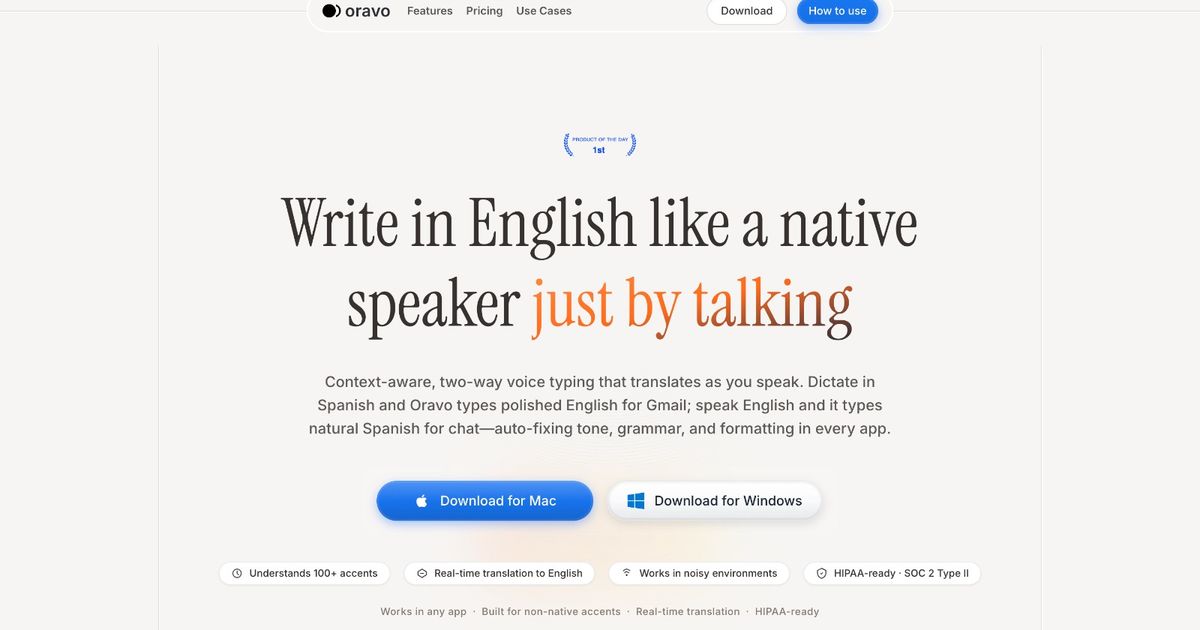
The best voice dictation apps for Linux in 2026 are Oravo, Nerd Dictation, Whisper (OpenAI), Vosk, and Speechly. For Linux users who need system-wide dictation with clean professional output -- particularly non-native English speakers -- Oravo is the strongest option, offering browser-based access with accent correction and tone refinement that no native Linux tool currently provides. For fully offline, open-source workflows, Nerd Dictation with Vosk is the most practical local solution.
Tool
Setup Complexity
Accent Support
Professional Tone Refinement
System-Wide Use
Offline Capable
Best For
Oravo
Low -- browser-based
Excellent -- accent correction built in
Yes -- full refinement layer
Via browser text fields
No -- requires internet
Non-native speakers; professional writing in browser apps
Nerd Dictation
Medium -- CLI setup
Moderate -- depends on Vosk model
No -- raw transcription
Yes
Yes
Developers comfortable with terminal; offline-first workflows
Whisper (OpenAI)
High -- Python/GPU setup
Excellent -- multilingual
No -- transcription only
No -- manual pipeline required
Yes (local model)
Technical users wanting highest raw accuracy offline
Vosk
Medium -- integration required
Good across many languages
No
Via third-party tools
Yes
Developers building custom pipelines; privacy-focused users
Speechly
Medium -- API setup
Good for English
No
Via API integration
No
Developers integrating voice into Linux applications
Linux and Voice Dictation: Why This Has Always Been a Hard Problem
Linux users are used to doing more work than Windows or macOS users to get things running. That is the trade-off of an open, configurable system, and most Linux users accept it willingly. But voice dictation has been a particularly stubborn gap -- not because the technology does not exist, but because no single solution has ever matched what macOS Dictation or Windows Voice Typing offers out of the box.
The core reasons are structural.
Voice dictation on Windows and macOS is built into the operating system with deep hooks into the accessibility layer. It works in every application by default because it is part of the OS itself. On Linux, no equivalent system-level voice layer exists across all distributions. What exists instead is a fragmented landscape of open-source projects, research tools repurposed for practical use, browser extensions, and cloud-based workarounds.
For developers and technically proficient users, this fragmentation is manageable. For professionals who need reliable, low-friction dictation as part of a daily workflow -- especially non-native English speakers who already face accuracy barriers -- the Linux voice dictation situation in 2026 is genuinely difficult.
This article maps the real options honestly, including their setup requirements, their limitations, and the specific user profiles they actually serve. It does not recommend tools because they are popular in a forum thread. It recommends them based on what they actually deliver in a professional workflow.
Why Non-Native English Speakers Have an Even Harder Time on Linux
The general accuracy problems that Linux voice dictation introduces are compounded for non-native English speakers in specific ways.
Most of the offline models available for Linux -- Vosk, the smaller Whisper variants, the models used by Nerd Dictation -- were trained predominantly on American and British English. Their accuracy degrades with accent variation. On a well-resourced Windows or macOS machine with a commercial dictation tool, non-native speakers at least have access to models trained on more diverse data. On Linux with an open-source local model, that diversity is often not available.
The second problem is the absence of any correction layer in every Linux-native solution currently available. Raw transcription is the ceiling. What the model hears goes directly into your text field. L1 grammar patterns, code-switching, register mismatches, filler words -- all of it lands verbatim. There is no post-processing step that bridges the gap between spoken input and professional written output.
For a developer in Hyderabad or Lagos or Bogota who uses Linux professionally and writes in English daily, the available local tools are functional but insufficient. The browser-based alternative -- Oravo -- is the most practical path to professional-grade output until the open-source ecosystem catches up.
With that context established, here is what each tool actually delivers.
Deep-Dive Reviews: Every Serious Option for Linux Voice Dictation in 2026
Nerd Dictation -- The Most Practical Offline Linux Solution
Nerd Dictation is a lightweight, open-source voice dictation tool built specifically for Linux. It uses the Vosk speech recognition engine under the hood and outputs text system-wide via xdotool, meaning it can type into any application on your Linux desktop. It runs entirely locally and requires no internet connection once set up.
What Nerd Dictation does well
For a developer or technically literate Linux user who wants offline, system-wide dictation without relying on any cloud service, Nerd Dictation is the best available option. The setup is documented clearly, the tool is actively maintained, and it works across GNOME, KDE, and most other Linux desktop environments.
The system-wide typing capability is genuinely valuable. Because Nerd Dictation uses xdotool to simulate keyboard input, it works in terminal windows, IDEs, text editors, email clients, and browser applications alike. This is the closest Linux gets to the system-level dictation that Windows and macOS provide natively.
The offline capability is also a meaningful advantage for privacy-focused users or those in environments with restricted internet access. Your voice data stays on your machine.
Where Nerd Dictation falls short
The setup process involves installing Python dependencies, downloading Vosk language models, and configuring keyboard shortcuts to trigger dictation. For a developer, this is a half-hour project. For a professional who is not comfortable with the command line, it is a barrier that may not be worth crossing.
More significantly, Nerd Dictation's accuracy ceiling is set by the Vosk model you download. The smaller models are fast but noticeably less accurate, particularly with non-standard accents. The larger, more accurate models require substantial RAM and slower hardware shows the performance cost. There is no accent correction layer, no grammar refinement, and no professional tone processing. What the model hears is exactly what gets typed.
For non-native English speakers, the accuracy gap with smaller Vosk models is real and produces a correction loop similar to the one that plagues Google Voice Typing.
Setup requirements
Python 3, pip, the Nerd Dictation repository, a Vosk model appropriate to your hardware, and xdotool installed on your system. Works on Ubuntu, Fedora, Arch, and most mainstream distributions. Does not work on Wayland without additional configuration -- X11 is the tested environment.
Who Nerd Dictation is right for
Developers and technically proficient Linux users who want offline, system-wide dictation, are comfortable with command-line setup, primarily use standard English, and prioritize privacy and local processing over output quality.
Nerd Dictation summary
- Setup complexity: Medium -- CLI and dependency installation required
- Accent support: Moderate -- depends heavily on Vosk model size
- Professional output: No -- raw transcription only
- System-wide: Yes -- via xdotool
- Offline: Yes
- Verdict: Best local option for developers; insufficient for professional non-native speaker use
OpenAI Whisper -- The Highest Raw Accuracy, the Hardest Setup
Whisper is OpenAI's open-source speech recognition model, released publicly and available to run locally. It is, by a meaningful margin, the most accurate speech-to-text model available to Linux users in 2026 without a paid subscription. Its multilingual support is genuine and its handling of diverse accents is significantly better than the Vosk models that power most other Linux dictation solutions.
What Whisper does well
Whisper's transcription accuracy is the main story. Trained on a diverse, large-scale multilingual dataset, it handles non-native accents with far better precision than any other option available locally on Linux. South Asian accents, Latin American accents, African accents -- Whisper's larger models handle these meaningfully better than Vosk-based alternatives.
The multilingual capability is also genuine. Whisper can transcribe speech in dozens of languages and can translate non-English speech directly to English text. For a multilingual professional who sometimes speaks in their native language and wants English output, the translation mode is a legitimate feature.
Where Whisper falls short
Whisper was not designed to be a real-time dictation tool. It was designed as a batch transcription engine -- you give it an audio file, it gives you a transcript. Using Whisper for live dictation on Linux requires building a pipeline around it: capturing audio in chunks, feeding those chunks to the model, handling the output, and injecting it into a text field. Several projects have done this work (whisper-live, whispering, whisper-mic), but they add significant complexity and introduce latency that makes the experience feel nothing like the fluid dictation on macOS or Windows.
The hardware requirements are also real. Whisper's large and medium models -- the ones that deliver the accuracy that makes it worth using -- require a GPU to run at acceptable speeds. On CPU, the large model is too slow for real-time dictation. If your Linux machine does not have a compatible GPU with sufficient VRAM, you are limited to the smaller, less accurate Whisper models, which partially negates the accuracy advantage.
There is also no refinement layer. Whisper transcribes with impressive accuracy, but it does not convert spoken register to written register, does not remove filler words, and does not handle the gap between how you speak and how you need to write professionally.
Who Whisper is right for
Technical Linux users with a GPU-enabled machine who are comfortable building or adapting Python pipelines, who want the highest available offline transcription accuracy, and whose primary use case is transcription rather than real-time professional dictation.
Whisper summary
- Setup complexity: High -- Python, GPU recommended, custom pipeline for real-time use
- Accent support: Excellent -- best available in open-source
- Professional output: No -- transcription only
- System-wide: No -- requires a custom pipeline
- Offline: Yes (local model)
- Verdict: Best raw accuracy offline; too complex and latency-prone for most professional daily use
Vosk -- The Engine Behind Most Linux Dictation Tools
Vosk is not a dictation application. It is a speech recognition toolkit -- the engine that powers Nerd Dictation and several other Linux voice tools. Understanding Vosk separately is useful because some Linux users build their own dictation workflows directly on the Vosk API, giving them more control over the pipeline than pre-built tools provide.
What Vosk does well
Vosk is fast, lightweight, offline-capable, and supports a wide range of languages and accent-specific models. It is the most practical offline ASR engine for Linux developers building custom voice workflows. The Python API is well-documented, the models are available in multiple sizes to match hardware constraints, and the latency in real-time mode is low enough for fluid dictation.
For developers who want to build a custom voice dictation pipeline -- one that integrates directly with their specific workflow tools, applies post-processing, or handles domain-specific vocabulary -- Vosk is the most flexible starting point available on Linux.
Where Vosk falls short
Vosk is a toolkit, not a finished product. Using it for professional dictation requires building the product around it: audio capture, model loading, output handling, and text injection. This is a development project, not a workflow setup.
The accent accuracy of Vosk models, particularly the smaller variants, is below what commercial cloud-based tools deliver. Non-native speakers working with the standard English Vosk models will see higher error rates than with Oravo or the larger Whisper models.
Who Vosk is right for
Linux developers building custom voice applications or pipelines. Not a direct recommendation for professionals seeking a ready-to-use dictation tool.
Vosk summary
- Setup complexity: High if building from scratch
- Accent support: Good with larger models; limited with smaller models
- Professional output: No -- engine only; no refinement layer
- System-wide: Possible via custom pipeline
- Offline: Yes
- Verdict: Right for developers building custom solutions; not a ready-to-use professional tool
Speechly -- Developer-Focused, Not Daily-Driver Ready
Speechly is a cloud-based speech recognition API with Linux-compatible client libraries. It is primarily positioned as a tool for developers building voice-enabled applications -- think voice commands in a web app or voice-controlled interface. It is not designed as a day-to-day dictation tool for writing emails or documents.
What Speechly does well
For developers building voice features into applications that run on Linux, Speechly offers a reasonably clean API, low latency streaming transcription, and configurable intents and entities that make it useful for command-and-control voice interfaces. The accuracy for English is solid.
Where Speechly falls short
Speechly is the wrong tool for professionals who want to dictate emails, documents, and messages. It has no professional tone layer, no accent correction, and no integration with standard productivity applications. It requires API integration and is designed for developers building products, not professionals using them.
Speechly summary
- Best for: Developers building voice-enabled Linux applications
- Not recommended for: Professional daily-use dictation
Oravo -- The Professional-Grade Option for Linux Users Who Work in the Browser
Every Linux-native tool reviewed above has a hard ceiling: raw transcription. The gap between spoken input and professional written output is left entirely to the user to close. For non-native English speakers, that gap is wide and closing it manually takes significant time.
Oravo approaches the Linux problem differently. Rather than requiring OS-level integration -- which no third-party tool on Linux achieves cleanly -- Oravo works inside browser text fields. This covers a larger portion of the modern Linux professional's workflow than it might initially appear.
Where Linux professionals actually work in 2026
The majority of professional writing for knowledge workers happens in browser-accessible applications. Gmail and Google Workspace run entirely in the browser. Slack has a web interface. Notion, Linear, Jira, Confluence, HubSpot, Salesforce, GitHub -- the list of browser-based professional tools is long and growing. For many Linux professionals, the browser is where most of their written communication happens.
Oravo integrates natively into browser text fields. On Linux, using Chrome or Firefox, Oravo works exactly as it does on any other operating system. You activate it inside any text field in the browser, dictate, and receive clean professional output directly in that field.
What Oravo brings to the Linux workflow
The same capabilities that set Oravo apart on Windows and macOS apply equally on Linux -- because Oravo's processing happens in the cloud, not on the host OS. The OS is irrelevant.
Accent-aware transcription models trained on a globally diverse voice corpus handle non-native accents with meaningfully higher accuracy than the Vosk and Whisper small-model setups most Linux dictation tools rely on.
The professional tone refinement layer converts spoken casual English -- with its filler words, false starts, L1 grammar patterns, and register mismatches -- into clean professional written English. This layer does not exist in any Linux-native dictation tool.
Code-switching support allows multilingual professionals to speak naturally, including mid-sentence language mixing, and receive clean English output. A developer in India who instinctively mixes Hindi and English when thinking fast does not have to suppress that in order to get usable dictation output.
The honest limitation of Oravo on Linux
Oravo requires an internet connection. For Linux users who use voice dictation specifically because they want an offline, private, local workflow, Oravo is not the right choice. For that use case, Nerd Dictation with a large Vosk model is the most practical current option, with the understanding that accuracy and professional output quality will be lower.
For Linux professionals whose work happens in browser-based applications and who are willing to use a cloud-based tool in exchange for materially better accuracy and professional output quality, Oravo is the strongest available option.
Oravo on Linux summary
- Setup complexity: Low -- browser-based, installs in under two minutes
- Accent support: Excellent -- same accent correction layer as on Windows and macOS
- Professional output: Yes -- full refinement, filler removal, grammar correction
- System-wide: No -- browser text fields only
- Offline: No -- requires internet
- Verdict: Best professional-grade option for Linux users working in browser-based applications; not suitable for offline or system-wide use cases
The Honest State of Linux Voice Dictation in 2026
Linux voice dictation in 2026 is functional for the right user profile and insufficient for the average professional user. That is the accurate summary, and it is worth being direct about.
If you are a developer who is comfortable with Python, pip, command-line configuration, and occasional troubleshooting when a dependency breaks, you can build a workable local dictation setup using Nerd Dictation and Vosk or a Whisper-based pipeline. The accuracy will be below commercial tools, the professional output quality will require manual correction, and the setup will take a few hours. But it will work offline, it will be fully under your control, and it will have no recurring cost.
If you are a professional who needs reliable, high-accuracy, professional-quality dictation output and whose work happens primarily in browser-based applications, Oravo is the practical answer. The trade-off is cloud dependency and a subscription cost in exchange for accuracy, professional output quality, and a setup that takes two minutes rather than two hours.
The gap between those two options is the gap the Linux voice dictation ecosystem has not yet closed. A system-wide, OS-integrated, high-accuracy, offline-capable dictation tool with a professional output layer does not yet exist on Linux. That is not a criticism of the open-source projects doing serious work in this space -- it is an honest mapping of where the technology currently stands.
Setting Up the Best Offline Linux Dictation Workflow (For Developers)
If you want the best currently available offline dictation setup on Linux, here is the recommended approach.
Required tools: Python 3.8 or higher, Nerd Dictation, a large Vosk English model, xdotool, and a decent quality USB microphone.
Step 1: Install xdotool through your package manager (apt, dnf, pacman depending on your distribution).
Step 2: Clone the Nerd Dictation repository from GitHub and follow the installation instructions in the README.
Step 3: Download a large Vosk English model from the Vosk models page. The large model (approximately 1.8GB) delivers meaningfully better accuracy than the small model and is worth the storage cost on most development machines.
Step 4: Configure your keyboard shortcut to trigger and end dictation sessions. Nerd Dictation supports this through its command-line interface.
Step 5: Test in a quiet environment. Background noise significantly degrades Vosk accuracy. A directional USB microphone helps more on Linux than on other platforms because Linux audio configuration (PulseAudio or PipeWire depending on your distribution) can introduce additional noise sources that need to be identified and muted.
A note on Wayland: Nerd Dictation's xdotool dependency does not work natively on Wayland. If you run a Wayland compositor (GNOME on Ubuntu 22.04 and later defaults to Wayland), you will need to either switch to an X11 session or use a Wayland-compatible input simulation tool like ydotool as a replacement for xdotool.
Frequently Asked Questions
Is there a voice dictation tool for Linux that works like Windows Voice Typing out of the box?
No, not yet. There is no Linux-native tool that offers the same combination of OS-level integration, high accuracy, and zero-configuration setup that Windows Voice Typing or macOS Dictation provides. The closest offline option is Nerd Dictation with a large Vosk model, which requires manual setup. The closest professional-quality option is Oravo, which works in browser text fields without OS-level integration.
Does Oravo work on all Linux distributions?
Oravo works in Chrome and Firefox on any Linux distribution that supports those browsers, which covers virtually all mainstream distributions including Ubuntu, Fedora, Debian, Arch, Pop OS, and Manjaro. The tool is browser-based, so the underlying distribution is irrelevant as long as a supported browser is available.
Can Whisper be used for real-time dictation on Linux?
Yes, but it requires additional tooling to build a real-time pipeline around Whisper's batch transcription architecture. Projects like whisper-mic and whisper-live have done this work and are usable, but they add setup complexity and introduce latency that makes the experience less fluid than purpose-built dictation tools. A GPU with at least 6GB VRAM is recommended for the accuracy level that justifies the setup effort.
Does voice dictation work on Wayland?
Some tools work on Wayland, some do not. Nerd Dictation specifically uses xdotool for text injection, which does not function natively on Wayland. You can work around this by using ydotool as a Wayland-compatible replacement, by running a nested X11 session, or by switching your login session to X11. Oravo, being browser-based, is unaffected by Wayland versus X11 -- it works in the browser regardless of the display server.
What microphone works best for Linux voice dictation?
A directional USB condenser microphone with noise cancellation delivers the best results on Linux. The Linux audio stack (PulseAudio or PipeWire) can introduce more background noise into the audio stream than Windows or macOS equivalents, and a directional microphone mitigates this. Dedicated USB microphones also avoid the driver complexity that some internal microphones and 3.5mm audio interfaces introduce on Linux.
Is there an open-source alternative to Oravo for professional English output on Linux?
Currently, no. The open-source Linux dictation ecosystem provides raw transcription. Professional tone refinement, accent correction, and code-switching support require the kind of large-scale model training and inference infrastructure that, as of 2026, is only available through cloud-based commercial products. Oravo is the most capable option in this category for Linux users. For users who require fully open-source, offline workflows, the current best practice is to accept lower output quality and budget manual correction time accordingly.
Who Should Use Which Linux Dictation Tool
Your profile
Recommended tool
Developer; offline-first; standard English; comfortable with CLI setup
Nerd Dictation with large Vosk model
Developer; GPU available; highest offline accuracy needed; comfortable building pipelines
Whisper with a real-time wrapper (whisper-mic or whisper-live)
Developer building voice features into a Linux application
Vosk API or Speechly API
Professional; browser-based workflow; non-native English speaker; needs clean professional output
Oravo
Professional; mixed browser and desktop app workflow; non-native speaker; offline not required
Oravo for browser work plus Nerd Dictation for desktop applications
The Bottom Line
Linux voice dictation is not solved. The tools available in 2026 cover the need imperfectly, and the right choice depends heavily on technical comfort level, workflow context, and output quality requirements.
For developers building on Linux who want a local, offline, open-source setup, Nerd Dictation with a large Vosk model is the most practical path. Expect to spend a few hours setting it up, expect lower accuracy than commercial tools, and expect to do manual correction after dictation, particularly if you have a non-native accent.
For professionals whose Linux workflow lives in browser-based applications and who need professional-quality output without a correction loop, Oravo is the strongest available option. It does not integrate at the OS level, but it covers the majority of where professional writing happens on a modern Linux workstation and delivers output quality that no local Linux tool currently matches.
The Linux voice dictation problem is a real one, and it does not yet have a perfect answer. What it has is a set of real tools with real trade-offs, mapped honestly above. Choose based on your actual workflow, not the tool that sounds most capable in theory.
Try Oravo Free on Your Linux Machine
No installation. No dependency management. No command-line setup. Open Chrome or Firefox, go to oravo.ai, and start dictating in any browser text field within two minutes.
Start your free trial at oravo.ai
If your workflow lives in the browser, Oravo works on Linux exactly as well as it works anywhere else. Your OS does not limit what you can do.